



Fix Dead pixel checks on RX 9070 XT build
Dead pixel on RX 9070 XT build needs careful display-chain checks, not a single-part blame. Test the screen, cable, port, scaling, drivers, and setup context before replacing hardware.
Read moreBuilding a gaming PC for hot climates in South Africa? Don't let overheating throttle your performance! 🔥 This guide covers the best cooling components, from high-airflow cases to AIO liquid coolers, helping you build a rig that stays frosty even during intense SA summers. ❄️
Is your gaming rig struggling more than a outage schedule during a summer heatwave? You're not alone. In South Africa, high ambient temperatures can turn a beastly PC into a stuttering mess. Building a gaming PC for hot climates isn't just about raw power; it's about smart component choices that keep your machine cool and your frame rates high, even when the mercury climbs. Let's dive into how to build a PC that thrives in the heat.
Ever noticed your game's performance dipping after an hour or two on a hot day? That's likely thermal throttling. When your CPU or GPU gets too hot, it automatically reduces its speed to prevent damage. Think of it as your PC forcing itself to take a breather.
In a country where 30°C+ days are the norm, the air cooling your PC is already warm. This makes it much harder for your components to shed heat, leading to lower performance just when you want to settle in for a long session. A proper gaming PC for hot climates is designed to overcome this exact problem.
Building a PC that can handle the heat is all about maximising airflow and efficient heat transfer. Here’s where to focus your attention and budget.
A solid glass front panel might look sleek, but it's often terrible for airflow. For a PC build in South Africa, a case with a mesh front panel is practically a non-negotiable. This allows your intake fans to breathe freely, pulling in the maximum amount of cool air.
Look for cases that support multiple large fans (120mm or 140mm) and have plenty of ventilation at the top and rear. Even on our budget gaming PCs, we prioritise chassis designs that don't choke off critical components from fresh air.
This is a classic debate, but for hot weather, both have their merits.
Whether you're looking at gaming PCs under R20k with a solid air cooler or a high-end liquid-cooled rig, the goal is the same: get that heat out!
For optimal cooling, create a clear airflow path. A positive pressure setup (more intake fans than exhaust) is great for hot, dusty environments as it helps keep dust out. A typical setup is two or three intake fans at the front, and one exhaust fan at the rear and one at the top. This ensures cool air flows over your components and hot air is immediately expelled.
Modern GPUs produce a serious amount of heat. The good news is that most graphics cards from reputable brands have excellent cooling solutions built-in. The most common "open-air" designs with two or three fans are perfect, provided your case has good airflow.
These coolers push hot air out into the case, relying on your case fans to exhaust it. This is why a mesh case is so important. For the powerful, heat-generating GPUs found in many PCs over R20k, excellent case airflow isn't just a recommendation… it's a requirement for peak performance.
Building your own PC is rewarding, but optimising it for a hot climate takes research and experience. This is where a professionally assembled PC has a massive advantage.
When you get a machine from us, you're not just getting a box of parts. Our pre-built PC deals are assembled by technicians who understand how to balance performance with thermals, ensuring your fan curves are set correctly and your cables are managed for optimal airflow. It takes the guesswork out of building a cool-running rig. We've done the hard work so you can focus on gaming. Why not browse the best gaming PC deals in South Africa and find a system already optimised to conquer the heat?
Ready to Build a PC That Beats the Heat? Don't let thermal throttling ruin your gaming experience. A well-cooled PC is the key to consistent performance in South Africa's climate. Explore our massive range of gaming PCs, all expertly built to stay cool under pressure.
While not strictly necessary, an All-In-One (AIO) liquid cooler is highly recommended for high-end CPUs in SA's hot climate to maintain optimal performance and prevent thermal throttling.
Look for cases with a mesh front panel, multiple fan mounts, and ample interior space. These designs maximize cool air intake and efficient exhaust, crucial for hot weather performance.
Improve your PC's cooling by cleaning dust from fans and heatsinks, ensuring proper cable management for better airflow, and applying fresh, high-quality thermal paste to your CPU.
Not always. Strategic fan placement for a balanced intake and exhaust airflow path is more important than the sheer number of fans. A positive pressure setup is often ideal.
The Central Processing Unit (CPU) and the Graphics Processing Unit (GPU) are the primary heat generators in a gaming PC. Ensuring they have dedicated, robust cooling is critical.
Yes, undervolting can significantly reduce component temperatures and power consumption with minimal to no performance loss, making it an excellent strategy for hot climates.
Dead pixel on RX 9070 XT build needs careful display-chain checks, not a single-part blame. Test the screen, cable, port, scaling, drivers, and setup context before replacing hardware.
Read more
Genshin Impact anti-cheat error on RTX 4090 usually needs service, permissions, overlay, and file integrity checks. Use this SA-focused fix path to isolate launch blockers before reinstalling or changing security settings.
Read more
Mass Effect launch trouble on RX 7800 XT needs focused driver, settings, launcher, and heat checks. Use this SA-friendly guide to isolate the likely cause, protect saves, and return to smoother play without unsupported hardware claims.
Read more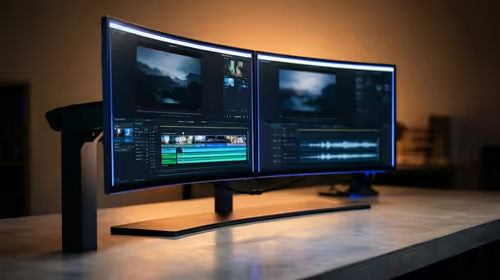
144Hz 1440p setup for video editing in 1080p - what SA needs a balanced, cautious look before buying. Compare fit, budget, workload, warranty support, and upgrade room so the choice makes sense for South African buyers.
Read more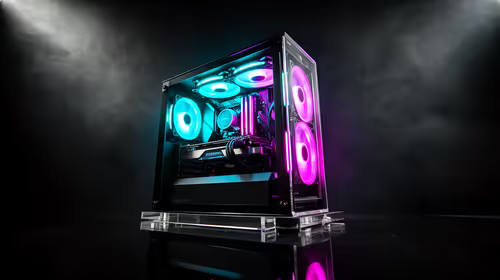
R8,000 gaming PC build in KwaZulu-Natal needs a practical check before you shortlist anything. Compare fit, compatibility, warranty support, timing, and total setup balance for South African buyers.
Read more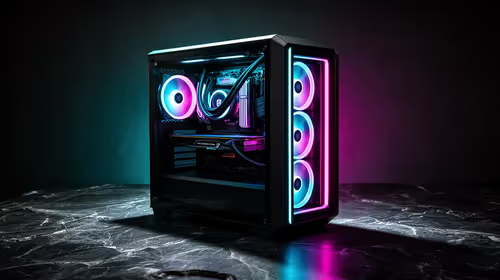
Brits video editing in 4K build under R20,000 needs a balanced parts plan, not a random basket. Map the CPU, GPU, RAM, SSD, cooling, and monitor target to the budget so SA builders know where to spend first.
Read more
Windows never combine taskbar shows separate labelled buttons for open windows. Choose it in Taskbar behaviours, then review space and other-display settings; labels and grouping are linked in the available options.

8BitDo Ultimate 3C+ brings adjustable stick tension to the C Series. Windows uses wired USB or the 2.4 GHz adapter; Android uses Bluetooth. Confirm those modes and local pricing before buying.

EPOMAKER Galaxy75 previews an aluminium 75% keyboard with wireless modes and HUB/VIA customisation. It is still marked coming soon; final pricing and South African supply are not confirmed.

Windows Delivery Optimisation can share update files with other PCs. Review its activity, choose local-only sharing or turn peer sharing off, and use bandwidth controls; those choices do not disable Windows Update.
Windows never combine taskbar shows separate labelled buttons for open windows. Choose it in Taskbar behaviours, then review space and other-display settings; labels and grouping are linked in the available options.
Windows Delivery Optimisation can share update files with other PCs. Review its activity, choose local-only sharing or turn peer sharing off, and use bandwidth controls; those choices do not disable Windows Update.

Windows touch indicator adds visual feedback where you touch a screen. Change it in Accessibility, Mouse pointer and touch; a feedback circle is different from inaccurate input, ghost touches or a damaged panel.

Windows underline access keys makes supported menu letters easier to see. Enable the keyboard accessibility option, then follow the app's displayed Alt cues; this does not remap keys or create missing app shortcuts.

Windows Task View button visibility is a taskbar preference. Hide it in Taskbar settings if you prefer Windows plus Tab, and keep virtual desktop switching separate from closing your applications.

Windows taskbar search box display options can free space without removing search. Choose Hide, an icon or a box in Taskbar settings, then use Windows plus S when you need to search.

Windows text suggestions can offer word choices while you type with a physical keyboard. Enable the setting under Typing, test a supported app, and keep suggestions separate from automatic corrections.

Windows autocorrect settings and application spelling tools are separate controls. Change one at a time, test a harmless sentence, and keep useful spelling highlights if automatic replacements get in your way.