



Fix Dead pixel checks on RX 9070 XT build
Dead pixel on RX 9070 XT build needs careful display-chain checks, not a single-part blame. Test the screen, cable, port, scaling, drivers, and setup context before replacing hardware.
Read moreMaster your gaming PC maintenance in South Africa with our expert guide. Learn how to clean dust, manage cables, and update software to prevent overheating and boost performance, especially in our unique climate. Keep your rig in top shape for every battle! 💻✨
Your gaming PC is more than just a box of components; it's your portal to other worlds, your high-octane escape, and a serious investment. But here in South Africa, that investment faces a few local challenges: dust from Highveld thunderstorms, intense summer heat, and the occasional power-restoration surges. That’s why gaming PC maintenance in South Africa isn’t just a recommendation… it’s a crucial strategy to keep your frames high and your temps low for years to come.
Think of your PC like a high-performance car. You wouldn't skip an oil change, would you? The South African climate is particularly tough on sensitive electronics.
A consistent maintenance routine ensures your machine runs as cool, quiet, and fast as the day you got it.
This is the most important part of any gaming PC maintenance schedule. Before you start, a critical safety warning: unplug your PC from the wall and hold the power button for a few seconds to discharge any residual electricity.
Start simple. Wipe down the outside of your case with a slightly damp microfibre cloth. Most modern cases have removable dust filters on the front, top, and bottom (for the power supply). Slide or pop these out, give them a good rinse under a tap, and let them dry completely before putting them back.
With the side panel off, it's time to face the dust. Your best tool is a can of compressed air.
Never, ever use a vacuum cleaner inside your PC case! The nozzle can create a static electricity charge that is powerful enough to permanently damage sensitive components like your RAM or motherboard. Stick to compressed air for a safe and effective clean.
A clean PC on the inside deserves a clean system on the outside. This digital tune-up is just as vital for smooth gameplay.
Keeping your drivers updated is essential. Your graphics card driver, in particular, often includes performance optimisations for the latest games. Both NVIDIA GeForce Experience and AMD Software: Adrenalin Edition make this a simple, one-click process. Regular updates are key to unlocking the full potential of modern hardware, from entry-level cards to high-end AMD Radeon gaming PCs.
Don't forget to run Windows Update and update your game clients like Steam and the Epic Games Store.
Ctrl + Shift + Esc to open Task Manager, go to the "Startup" tab, and disable any non-essential programs from launching when you boot your PC.Sometimes, no amount of cleaning or optimisation can help an aging component keep up with modern demands. If you've followed this gaming PC maintenance guide and your performance is still lagging in new titles, it might be time to consider an upgrade.
Perhaps your CPU is bottlenecking a newer graphics card, or you simply need more cores for streaming and gaming simultaneously. This is where planning your next move comes in. Exploring the latest Intel PC deals can offer a significant leap in single-core gaming performance, while the incredible multi-tasking power of modern AMD Ryzen PCs is perfect for creators and power users. For those whose rig is a hybrid gaming and productivity beast, ensuring it's up to spec is as crucial as maintaining our dedicated workstation PCs. ✨
Is Your Rig Beyond a Simple Tune-Up? Proper gaming PC maintenance can work wonders, but sometimes an upgrade is the only way forward. If your machine is showing its age, skip the hassle and get a professionally built, optimised rig from the experts. Explore our massive range of custom gaming PCs and find the perfect machine to conquer your world.
For optimal performance, a deep clean is recommended every 3-6 months. However, in dusty South African environments, a quick dust-out every month helps prevent overheating.
A solid checklist includes: dusting fans and filters, checking and reapplying thermal paste annually, updating drivers, running malware scans, and decluttering your storage drives.
Regular cleaning prevents thermal throttling, while updating drivers ensures optimal hardware function. Cleaning up software and startup programs frees up RAM for smoother gameplay.
Essential PC cleaning tools include a can of compressed air, isopropyl alcohol (90%+), microfiber cloths, cotton swabs, and a set of anti-static brushes for delicate components.
Ensure good airflow by cleaning fans and vents. Consider upgrading your case fans or CPU cooler. Also, keep the PC in a well-ventilated room away from direct sunlight.
Yes. Dust buildup insulates components, causing them to overheat. This can lead to performance throttling and, in severe cases, permanent damage to your CPU, GPU, or motherboard.
No, it's highly discouraged. Vacuums create static electricity that can permanently damage sensitive PC components. Always use compressed air to safely blow dust away.
Dead pixel on RX 9070 XT build needs careful display-chain checks, not a single-part blame. Test the screen, cable, port, scaling, drivers, and setup context before replacing hardware.
Read more
Genshin Impact anti-cheat error on RTX 4090 usually needs service, permissions, overlay, and file integrity checks. Use this SA-focused fix path to isolate launch blockers before reinstalling or changing security settings.
Read more
Mass Effect launch trouble on RX 7800 XT needs focused driver, settings, launcher, and heat checks. Use this SA-friendly guide to isolate the likely cause, protect saves, and return to smoother play without unsupported hardware claims.
Read more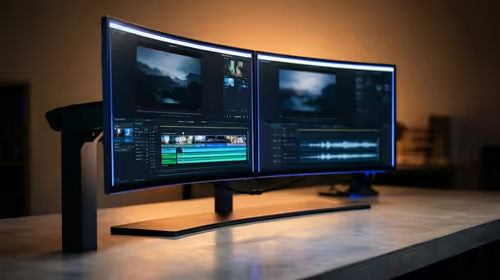
144Hz 1440p setup for video editing in 1080p - what SA needs a balanced, cautious look before buying. Compare fit, budget, workload, warranty support, and upgrade room so the choice makes sense for South African buyers.
Read more
R8,000 gaming PC build in KwaZulu-Natal needs a practical check before you shortlist anything. Compare fit, compatibility, warranty support, timing, and total setup balance for South African buyers.
Read more
Brits video editing in 4K build under R20,000 needs a balanced parts plan, not a random basket. Map the CPU, GPU, RAM, SSD, cooling, and monitor target to the budget so SA builders know where to spend first.
Read more
Windows never combine taskbar shows separate labelled buttons for open windows. Choose it in Taskbar behaviours, then review space and other-display settings; labels and grouping are linked in the available options.

8BitDo Ultimate 3C+ brings adjustable stick tension to the C Series. Windows uses wired USB or the 2.4 GHz adapter; Android uses Bluetooth. Confirm those modes and local pricing before buying.

EPOMAKER Galaxy75 previews an aluminium 75% keyboard with wireless modes and HUB/VIA customisation. It is still marked coming soon; final pricing and South African supply are not confirmed.

Windows Delivery Optimisation can share update files with other PCs. Review its activity, choose local-only sharing or turn peer sharing off, and use bandwidth controls; those choices do not disable Windows Update.
Windows never combine taskbar shows separate labelled buttons for open windows. Choose it in Taskbar behaviours, then review space and other-display settings; labels and grouping are linked in the available options.
Windows Delivery Optimisation can share update files with other PCs. Review its activity, choose local-only sharing or turn peer sharing off, and use bandwidth controls; those choices do not disable Windows Update.

Windows touch indicator adds visual feedback where you touch a screen. Change it in Accessibility, Mouse pointer and touch; a feedback circle is different from inaccurate input, ghost touches or a damaged panel.

Windows underline access keys makes supported menu letters easier to see. Enable the keyboard accessibility option, then follow the app's displayed Alt cues; this does not remap keys or create missing app shortcuts.

Windows Task View button visibility is a taskbar preference. Hide it in Taskbar settings if you prefer Windows plus Tab, and keep virtual desktop switching separate from closing your applications.

Windows taskbar search box display options can free space without removing search. Choose Hide, an icon or a box in Taskbar settings, then use Windows plus S when you need to search.

Windows text suggestions can offer word choices while you type with a physical keyboard. Enable the setting under Typing, test a supported app, and keep suggestions separate from automatic corrections.

Windows autocorrect settings and application spelling tools are separate controls. Change one at a time, test a harmless sentence, and keep useful spelling highlights if automatic replacements get in your way.