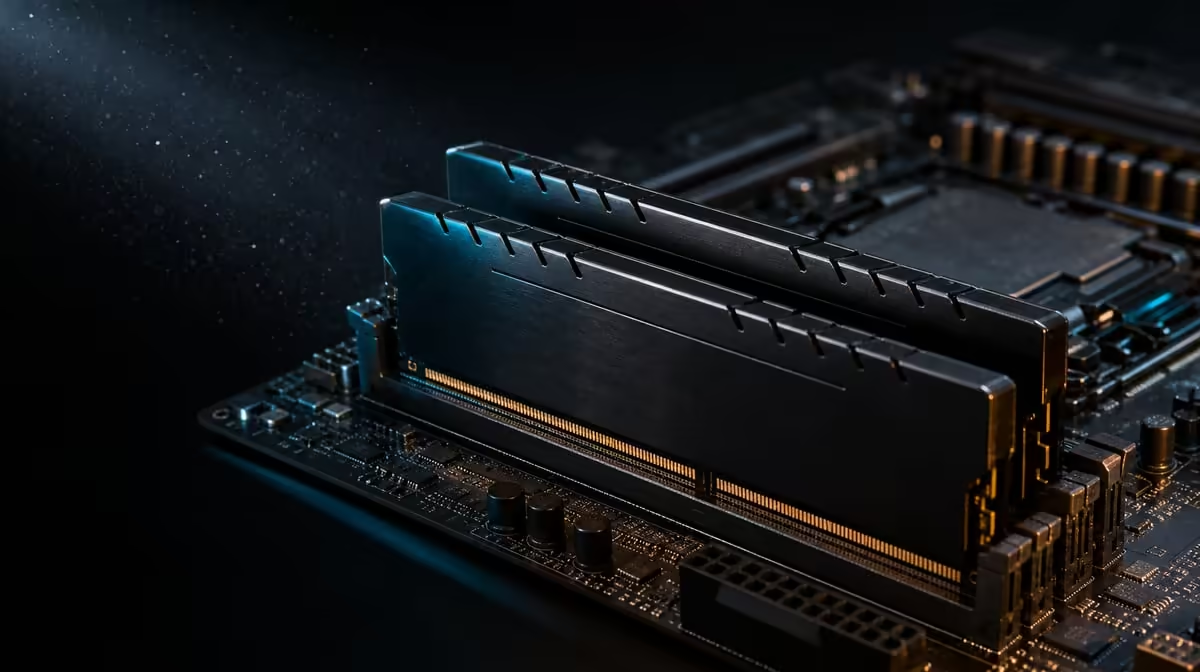
The best memory configuration is the fastest one that remains dependable through the work the PC actually performs. To get stable performance from DDR5-7200, begin with correct installation and a known baseline, then validate each documented setting. The R38,999 kit provides 48GB KLEVV CRAS V RGB memory and a 7200MHz target, not an automatic result.
Quick Answer
Install the R38,999 kit's 48GB KLEVV DDR5 according to the ROG Crosshair X870E Dark Hero manual, confirm full capacity at baseline, and only then apply the appropriate memory profile or documented configuration. Test stability with more than one suitable tool and with real games or applications. If errors appear, return to the known working setting and change one variable rather than forcing 7200MHz.
🔧 Establish a clean baseline
Before installation, use the exact Dark Hero documentation to identify the required memory positions. Seat the modules evenly and complete the rest of the platform assembly without applying performance changes.
On first boot, confirm that the board recognises the full 48GB. Record the initial firmware state and memory speed. If capacity is wrong, resolve physical installation or configuration before any attempt to raise frequency.
Verify the DeepCool LQ360 pump and fans at the same stage. Cooling does not set memory stability, but a platform with an unresolved thermal or connection problem is a poor tuning baseline.
The 9950X3D's memory controller is part of the result. Two systems using the same KLEVV kit and board can still differ in the stable rate achieved.
⚙️ Apply settings in a controlled order
Use the motherboard's documented memory profile or supported configuration process. Do not change several voltage, timing and processor controls at once. A single change gives a failed test a traceable cause.
Treat 7200MHz as the memory kit's rated target. Firmware, board configuration, processor memory controller and the complete setup determine whether that target remains stable. Reliability outranks the label.
Save or write down the working baseline before applying changes. After each step, confirm that the system still recognises all memory and boots normally. If behaviour becomes inconsistent, return to the last stable point.
Avoid copying settings from a different board, CPU sample or memory configuration as though they were universal. The exact platform and its documentation govern this build.
Use Evetech's AMD motherboard category for exact-model comparisons when evaluating a different platform approach.
🧪 Test both memory patterns and real work
Run an appropriate memory test long enough to expose obvious errors, then use a second tool or pattern. One short pass may miss a failure that appears under another access pattern.
Follow with representative games, creation applications and multitasking. Watch for crashes, application errors, corrupted output, unexpected restarts or benchmark variation. A configuration that survives a synthetic test but fails a daily project is not stable enough.
Keep background and software conditions consistent when measuring performance. Compare the baseline with the new setting several times. A change smaller than normal run variation should not be presented as a meaningful gain.
Capacity and speed deserve separate observations. Forty-eight gigabytes can help a heavy mixed workload even if the stable frequency falls below the rated target. Conversely, a light workload may not use all the capacity.
Stop testing and revert if errors appear. Do not continue valuable work on a configuration already showing instability.
📊 Record and maintain the result
Document the firmware state, memory setting, full recognised capacity and tests completed. This record provides a recovery point after later updates or component changes.
Recheck stability after a meaningful firmware change, memory reseat or platform modification. There is no need to retune constantly when the system remains dependable.
Monitor performance in the workloads that justified DDR5-7200. The 9950X3D's 144MB GameCache and system memory are different layers, so a cache-sensitive game may respond differently from a bandwidth-sensitive application.
Compare CPU options in Evetech's AMD processor range and complete kits in Evetech's AMD upgrade selection. At R38,999, stable memory is part of making the whole fixed platform useful. Check current availability after the configuration and remaining build plan are understood.
Build a short recovery procedure while the system is healthy. Note how to return to the baseline memory state using the Dark Hero's documented controls, where the saved configuration is recorded and which quick test confirms recovery. This preparation reduces pressure if a later change prevents normal work.
Once the setting is stable, compare it against the baseline in workloads that matter. Record run-to-run variation and repeat any surprising result. If the difference is negligible, the dependable baseline may remain the better everyday choice even when the higher target passes.
Reboot and repeat a short verification before beginning valuable work, ensuring the chosen memory state survives a normal start.
Keep the successful test list beside the configuration record, including the real application that mattered most.
Retest that application after the next firmware change before assuming the previous memory result still applies unchanged.
Note the date and firmware state beside every accepted test so two configurations are never compared without their platform context.
Frequently Asked Questions
What is the first setup priority?
Install the memory in the documented positions and confirm all 48GB at a stable baseline.
Which memory is being configured?
The memory is KLEVV CRAS V RGB DDR5, offering 48GB capacity with a 7200MHz rating.
Does selecting 7200MHz finish setup?
No. The configuration must boot, recognise full capacity and pass suitable stability tests and real work.
Why use more than one test?
Different tools and applications can expose different error patterns.
Can unstable memory reduce performance?
Yes. Errors, crashes and repeated recovery can make an aggressive setting slower and less useful than a stable one.
How should tuning changes be made?
Change one documented control at a time and keep a known working configuration available.
Do all games benefit equally?
No. Engine behaviour, processor and GPU limits, cache and settings affect the response.
When should the target be reconsidered?
Reconsider it when 7200MHz cannot pass stability checks or when the real workload shows no useful benefit.
Ready to make DDR5-7200 prove itself through stability rather than a firmware screenshot?
Explore Evetech AMD platforms and validate the 48GB KLEVV configuration step by step.