Most AIO compatibility problems are caught on the desk, not in the case. A cooler with the wrong bracket leaves you holding a radiator that will not mount, and the mistake only shows once the board is already in. Socket names look alike on a box, and a few characters separate an LGA 1851 board from an LGA 1700 one. Here is how to confirm the socket on your motherboard, match it against the bracket the cooler supports, and check the fit before anything is screwed down.
Quick Answer
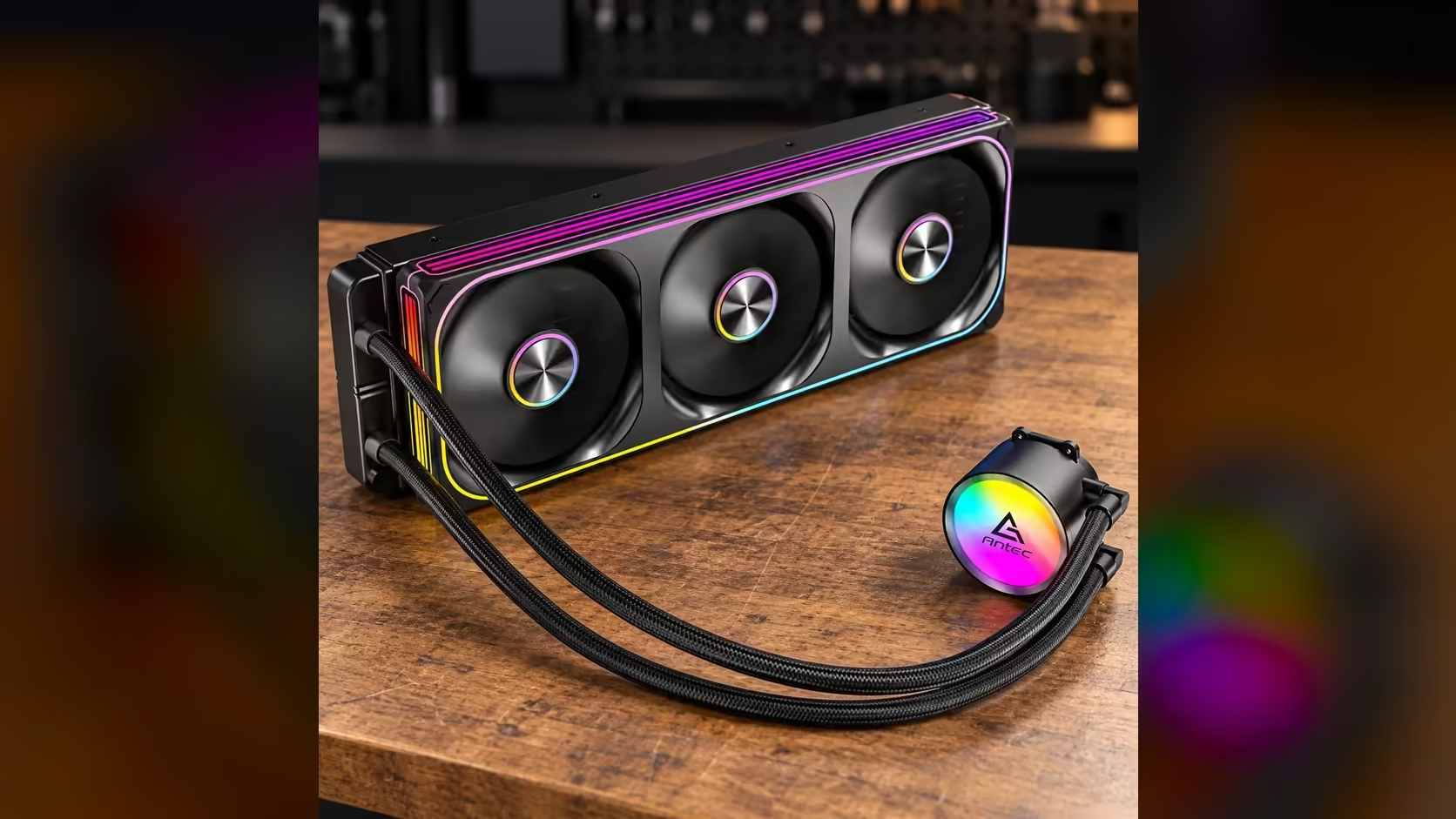
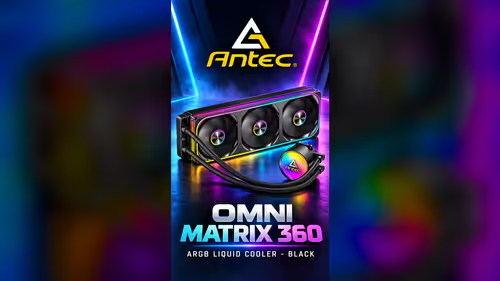
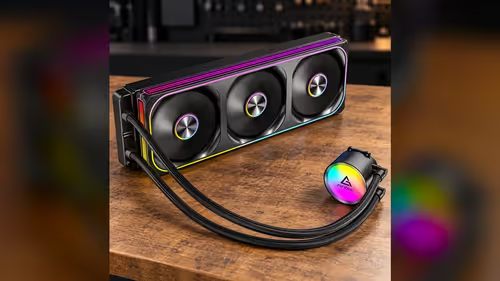
Find the exact socket name on your motherboard, then match it to the sockets the cooler supports. The Antec Omni Matrix 360 at R999 supports LGA 1851, LGA 1700, AM5 and AM4, so any board on one of those sockets is a candidate. Confirm the bracket for that socket before you open the radiator box.
🔎 Read the socket name, not the chipset name
Chipset names are easy to confuse with socket names, and the two are not the same thing. A chipset such as a Z890 or a B850 describes the features of the motherboard, while the socket describes the physical shape the processor clips into. Coolers mount to the socket, so the name you need is the socket, which is usually printed on the board's box or in its manual.
Intel and AMD name their sockets in different ways. LGA 1851 and LGA 1700 are named for their contact count, which is 1851 and 1700 respectively. AM5 uses a grid of 1718 contacts, and AM4 uses 1331 pins arranged as pins on the processor rather than contacts on the socket. The numbers tell you which generation a board belongs to, and they are the fastest way to rule out a board that does not match the cooler's list.
If the box is gone, the processor's own software can confirm the socket. Open a system information tool, look for the processor and board details, and note the socket field exactly as it appears. Write it down before you shop, so the cooler you choose matches the number on paper rather than the number you remember.
🔩 Matching the mounting hardware
A socket name tells you what the cooler must fit, and the bracket kit tells you how it fits. Most AIO makers ship a separate set of brackets for each socket family, and the packaging usually marks them with the socket name. A bracket for AM4 has no place on an LGA 1851 board, and the reverse is also true, so check the labels before you start mounting.
Intel's LGA 1700 and LGA 1851 are close relatives, and a single kit can sometimes cover both. Do not assume that. Read the label on the bracket and the paperwork that came with the cooler, and match both against your socket name. An AM5 board uses a different retention method from AM4, so an AM4 bracket is not a shortcut to AM5 either.
The Antec Omni Matrix 360 supports Intel LGA 1851 and LGA 1700 as well as AMD AM5 and AM4. That is four sockets from two makers, and the one thing to verify is that the bracket in your box matches the socket on your board. A quick look at the label takes less time than a single screw.
Once you have a matching board, check the motherboard's support for your processor generation in the board manual. A socket match alone does not guarantee the processor will work, so the next step is the processor list for that board.
📏 Checking the fit before the box is opened
The radiator is the physical part most likely to surprise you, so check it against the case before the cooler goes home with you. A 360mm radiator is roughly 394mm long, which means the case needs a full-length slot at the front or top. If the slot is shorter, the radiator will not sit flat, and a cooler that does not sit flat puts strain on the pump and tubing.
Measure the socket area on the board with a tape measure, and compare it with the height of the cooler's block once it is mounted. The mounting kit also needs room on the back of the board, and some cases have a cutout that is too small for the backplate of an AM4 system. Check that cutout before you buy a cooler with a backplate-style bracket.
Take a photo of the board's socket and the case's radiator slot, then compare them against the cooler's details at home. The photo is a record you can show to anyone who helps with the build, and it helps you spot a mismatch before it becomes a problem with the hardware on the bench.
✅ A short pre-purchase checklist
Before you order, write down four things: the socket name from the board, the socket the cooler supports, the radiator slot length in your case, and the number of fan headers on the board. If those four match, the cooler is a candidate. If any one does not, change the cooler or the board before you spend the money.
Next, confirm the board has a pump header that suits the cooler. A pump header is usually labelled separately from the case fan headers, and some boards offer only one. Plugging a pump into the wrong header can mislead the board's fan control, so count the headers before you decide.
Finally, plan the order of assembly. Mount the bracket and the backplate first, then the block, then the radiator and fans. Doing it in that order saves you from lifting a radiator over a board that is already installed, which is the most common source of bent fins and scratched boards.
Our CPU coolers range is a good place to see the sockets each cooler supports, and our liquid CPU coolers page groups the 360mm models together. If you are building on a newer Intel platform, the Intel Z890 motherboards range shows boards that use the LGA 1851 socket.
Frequently Asked Questions
Is LGA 1851 the same as LGA 1700?
No. They are different sockets with different contact counts, which are 1851 and 1700. A cooler that supports both will still need the bracket that matches your board.
How do I find my motherboard's socket without opening the case?
Check the board's box or the manual. If none of those is to hand, a system information tool shows the socket name for the installed processor.
Does AM5 use the same bracket as AM4?
No. AM5 has a different retention method and a different contact layout from AM4, so the brackets are not interchangeable. Always use the bracket marked for your socket.
Do I need a backplate for every socket?
Not every socket uses one in the same way. Check the cooler's instructions for your socket, and make sure the case has room behind the board for any backplate that the bracket needs.
Checking a socket before you buy?
Browse our CPU coolers by socket and confirm the bracket for your motherboard before you order.