



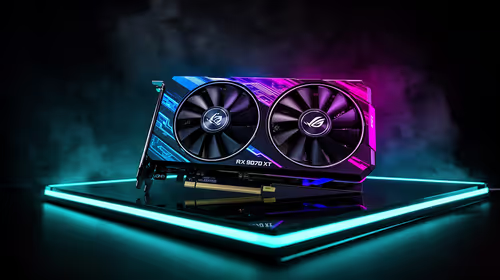
Fix Dead pixel checks on RX 9070 XT build
Dead pixel on RX 9070 XT build needs careful display-chain checks, not a single-part blame. Test the screen, cable, port, scaling, drivers, and setup context before replacing hardware.
Read moreLearn how to clean your gaming PC with our expert hacks for 2025! A clean PC runs cooler and faster. We'll show you the best tools and techniques to safely remove dust from fans, components, and your case for peak performance. ✨ Get ready for a spotless rig! 💨
Is your gaming PC feeling a bit... sluggish? Before you blame game updates or your internet, look inside your case. That layer of dust isn't just ugly; it's a performance killer, slowly choking your components and raising temperatures. Learning how to clean a gaming PC is one of the easiest ways to reclaim lost FPS and extend your hardware's life. This guide gives you the top hacks to get your rig running cool and quiet again.
Dust is the arch-nemesis of performance. It acts like a blanket, trapping heat and forcing your fans to work overtime. This leads to thermal throttling, where your CPU and GPU intentionally slow down to avoid overheating. The result? Stuttering, lower frame rates, and a rig that sounds like a jet engine.
Regular cleaning isn't just about aesthetics; it's crucial maintenance that protects your investment. A simple 20-minute clean every few months can prevent permanent damage and keep your machine running like new, whether you're rocking one of our budget-friendly gaming PCs or a custom-built monster.
You don't need a high-tech lab to get the job done. Here’s a simple checklist of essentials:
Static electricity is a silent killer of PC components. Before you touch anything inside your case, make sure you're grounded. The easiest way is to touch the metal part of your unplugged PC case's power supply. For extra safety, consider an anti-static wrist strap—it's a small price to pay for peace of mind. Never, ever use a standard household vacuum cleaner inside your PC; they generate a huge amount of static.
Ready to get started? Follow these steps for a safe and effective clean.
This is non-negotiable. Shut down your PC completely, switch off the power supply unit (PSU) at the back, and unplug it from the wall. Disconnect all peripherals like your monitor, keyboard, and mouse. Move your PC to a well-ventilated area, preferably outdoors or on a balcony, to avoid blowing dust all over your room.
Start with the easy wins. Use a microfibre cloth to wipe down the entire exterior of your case. Most modern cases, like those featured in our best gaming PC deals, have removable dust filters at the front, top, and bottom. Slide them out, give them a good blast with compressed air, and wipe them clean. This alone can dramatically improve airflow.
Open up your side panel. Using the can of compressed air, blow dust out of the case using short, controlled bursts. Always keep the can upright to prevent the liquid propellant from spraying out. Work from the top of the case downwards, guiding the dust out through the open side. Pay special attention to case fans, the PSU shroud, and the floor of the case where dust settles. This simple process is vital for keeping all kinds of builds, including the most powerful PCs under R20k, running at peak efficiency.
Now for the important bits.
A thorough cleaning can make a huge difference, especially on systems that have been running for a while. Many of our carefully assembled pre-built PC deals use components and cases designed for easy maintenance.
You've followed this guide on how to clean a gaming PC, your machine is spotless... but you're still not getting the performance you want in the latest titles. Sometimes, dust isn't the only bottleneck. If your components are a few years old, it might simply be time for an upgrade. A new CPU or GPU can provide a massive leap in performance that no amount of cleaning can replicate.
For those chasing the ultimate 4K or high-refresh-rate experience, exploring the world of high-performance rigs over R20k could be your next logical step towards gaming nirvana.
Is Your Rig Still Feeling Sluggish? A clean PC is a happy PC, but sometimes the ultimate performance boost comes from a fresh start. If it's time for an upgrade, we've got you covered. Explore our massive range of gaming PC deals and find the perfect machine to conquer 2025 and beyond.
For optimal performance, perform a light cleaning every 3-6 months and a deep clean gaming pc session annually. If you have pets or live in a dusty area, consider more frequent cleanings.
The best way to clean a dusty PC is with compressed air to dislodge dust from fans and components, and a microfiber cloth for the case. Always power down and unplug your PC first.
Yes! You can use an electric duster, a soft-bristled brush, or a manual air blower. These are great alternatives for cleaning PC fans without compressed air and are often more eco-friendly.
A basic gaming pc cleaning kit should include compressed air or an electric duster, isopropyl alcohol (90%+), microfiber cloths, cotton swabs, and a set of anti-static brushes for delicate parts.
No, you should never use a regular vacuum cleaner inside your PC. They generate static electricity that can permanently damage sensitive components like your motherboard, GPU, or RAM.
To deep clean PC components safely, first disconnect all power. Use compressed air for fans and heatsinks, and a soft brush for stubborn dust. Apply isopropyl alcohol to a cotton swab for cleaning contacts.
Dead pixel on RX 9070 XT build needs careful display-chain checks, not a single-part blame. Test the screen, cable, port, scaling, drivers, and setup context before replacing hardware.
Read more
Genshin Impact anti-cheat error on RTX 4090 usually needs service, permissions, overlay, and file integrity checks. Use this SA-focused fix path to isolate launch blockers before reinstalling or changing security settings.
Read more
Mass Effect launch trouble on RX 7800 XT needs focused driver, settings, launcher, and heat checks. Use this SA-friendly guide to isolate the likely cause, protect saves, and return to smoother play without unsupported hardware claims.
Read more
144Hz 1440p setup for video editing in 1080p - what SA needs a balanced, cautious look before buying. Compare fit, budget, workload, warranty support, and upgrade room so the choice makes sense for South African buyers.
Read more
R8,000 gaming PC build in KwaZulu-Natal needs a practical check before you shortlist anything. Compare fit, compatibility, warranty support, timing, and total setup balance for South African buyers.
Read more
Brits video editing in 4K build under R20,000 needs a balanced parts plan, not a random basket. Map the CPU, GPU, RAM, SSD, cooling, and monitor target to the budget so SA builders know where to spend first.
Read more
Windows never combine taskbar shows separate labelled buttons for open windows. Choose it in Taskbar behaviours, then review space and other-display settings; labels and grouping are linked in the available options.

8BitDo Ultimate 3C+ brings adjustable stick tension to the C Series. Windows uses wired USB or the 2.4 GHz adapter; Android uses Bluetooth. Confirm those modes and local pricing before buying.

EPOMAKER Galaxy75 previews an aluminium 75% keyboard with wireless modes and HUB/VIA customisation. It is still marked coming soon; final pricing and South African supply are not confirmed.

Windows Delivery Optimisation can share update files with other PCs. Review its activity, choose local-only sharing or turn peer sharing off, and use bandwidth controls; those choices do not disable Windows Update.
Windows never combine taskbar shows separate labelled buttons for open windows. Choose it in Taskbar behaviours, then review space and other-display settings; labels and grouping are linked in the available options.
Windows Delivery Optimisation can share update files with other PCs. Review its activity, choose local-only sharing or turn peer sharing off, and use bandwidth controls; those choices do not disable Windows Update.

Windows touch indicator adds visual feedback where you touch a screen. Change it in Accessibility, Mouse pointer and touch; a feedback circle is different from inaccurate input, ghost touches or a damaged panel.

Windows underline access keys makes supported menu letters easier to see. Enable the keyboard accessibility option, then follow the app's displayed Alt cues; this does not remap keys or create missing app shortcuts.

Windows Task View button visibility is a taskbar preference. Hide it in Taskbar settings if you prefer Windows plus Tab, and keep virtual desktop switching separate from closing your applications.

Windows taskbar search box display options can free space without removing search. Choose Hide, an icon or a box in Taskbar settings, then use Windows plus S when you need to search.

Windows text suggestions can offer word choices while you type with a physical keyboard. Enable the setting under Typing, test a supported app, and keep suggestions separate from automatic corrections.

Windows autocorrect settings and application spelling tools are separate controls. Change one at a time, test a harmless sentence, and keep useful spelling highlights if automatic replacements get in your way.