Quick Answer
Blurry text on a Core Ultra 9 285K build in South Africa is a Windows scaling or monitor setting matter, not a CPU fault, the processor has no effect on text rendering. Set the monitor to native resolution, fix scaling, and run ClearType. A high-refresh monitor for a Core Ultra 9 285K at Evetech starts near R6,500.
The Intel CPU Does Not Affect Text
The Core Ultra 9 285K is a capable Intel flagship for gaming and productivity, but it plays no role in how sharp your text appears, that depends on your monitor, GPU, and Windows scaling. For SA buyers, the reassuring part is that blurry text is always a configuration matter you can fix at home. Common causes are non-native resolution, wrong scaling, or an unsharpened ClearType setting. The CPU is never the cause, so no hardware claim is needed.
Sharpening Text Locally
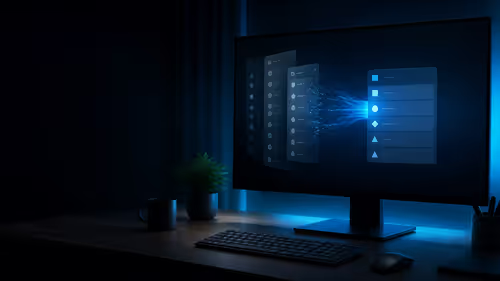
In Windows display settings, set the monitor to its native resolution, never a lower one, which always blurs text. Choose scaling to suit the panel, commonly 125% on a 27-inch 1440p or 150% on a 4K display, so text stays readable and crisp. Run the ClearType Text Tuner. For any blurry app, override high-DPI scaling in its compatibility settings. Use a certified display cable so the build delivers a full, sharp signal at high refresh.
Getting Every App Crisp
Some older apps ignore Windows scaling and render blurry; their compatibility tab lets you force the system or app to handle DPI, which usually fixes them. Keep browser page zoom at 100% and let Windows scaling handle size. Sign out and back in after major scaling changes. With native resolution, correct scaling, ClearType tuned, and a certified cable, your SA Core Ultra 9 285K build shows crisp text across the desktop and in-game.
FAQ
Can a Core Ultra 9 285K cause blurry text?
No. The CPU has no effect on text rendering, which depends on the monitor, GPU, and Windows scaling. Blurry text is a configuration matter you can fix at home with native resolution, correct scaling, and ClearType.
What scaling should I use?
Commonly 125% on a 27-inch 1440p panel or 150% on a 4K display keeps text readable and crisp. Always run the monitor at its native resolution, since a lower resolution blurs text regardless of scaling.
How do I fix a single blurry app?
Open the app's properties, go to the compatibility tab, click high-DPI settings, and override scaling to be handled by the application or system. Restart the app so it redraws at the correct sharpness afterwards.
Pro Tip
The Core Ultra 9 285K has no bearing on text sharpness, set native resolution with sensible scaling and run ClearType for crisp text at home.