




Content Warning PC build under R20,000 for SA gamers
Content Warning on R20,000 needs careful part balance. This SA build guide frames CPU, GPU, RAM, SSD, cooling, and upgrade trade-offs without promising live prices, stock, or exact FPS.
Read moreChecking laptop RAM upgradeability takes minutes: look up the model spec sheet for a SODIMM slot, run a system tool to see occupied slots, or check for soldered-only wording. Evetech's laptop specs list memory slot type upfront before purchase.
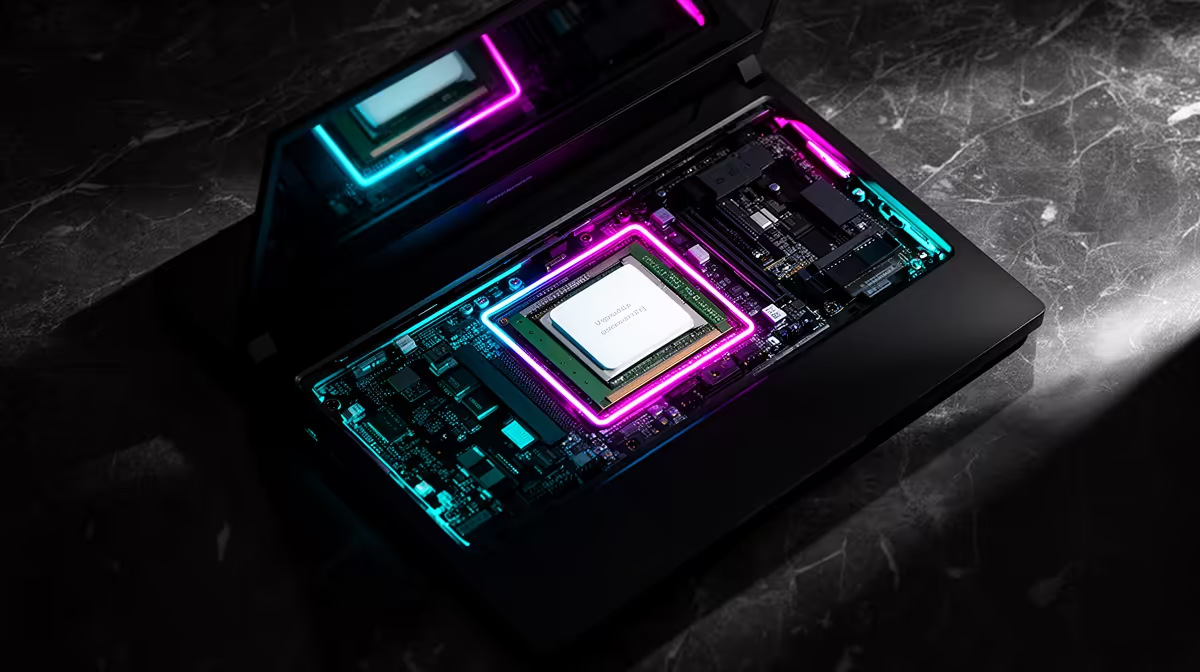
Buying laptop RAM before checking the machine is how a quick upgrade turns into a return. The memory may be soldered, one slot may be hidden behind the base cover, or the system may need DDR5 when the spare module in your drawer is DDR4. Ten minutes with the exact model number will answer most of that before you reach for a screwdriver.
Find the full model code on the underside label or in Windows System Information, then read its specification sheet and service manual. Look for SODIMM slots, soldered memory, maximum capacity and DDR generation. Confirm the current layout in Task Manager or a hardware-information tool, but treat software slot counts as a clue rather than proof. The ASUS Vivobook Go 15 with 8GB/256GB was listed at R7,999 in Evetech's July 2026 snapshot; its price says nothing about your laptop's slot layout, which must be checked by exact model.
A family name such as TUF, Legion, Victus or Katana is too broad. One chassis can ship with different processors, boards and memory layouts across regions. Copy the complete alphanumeric code, including the suffix after the main model number.
In Windows, press Win + R, enter msinfo32 and read System Model. Compare it with the base label and purchase record. If they disagree, use the service tag or serial number on the maker's support page to identify the shipped configuration.
Search that official support page for the product specification and hardware-maintenance manual. You want wording such as two DDR5 SODIMM slots, one onboard module plus one slot, or memory onboard. A maximum figure can apply to the configuration the maker tested rather than every module that may boot, so plan around documented support.
Evetech's laptop best-seller list helps you compare the memory capacity shown for current models before buying a new system.
Open Task Manager, choose Performance and Memory. Note total capacity, speed and Slots used. A reading of one of two suggests a free slot, but firmware can report soldered banks or slot counts in confusing ways. Do not order from that line alone.
A hardware-information tool can show module part numbers, ranks and timings. Match those details with the manual. If software reports one 16GB module and the manual says two SODIMM slots, you have a strong case for one open socket. If the manual says 8GB onboard plus one slot, the same screen needs a different interpretation.
Check whether Windows sees the full installed amount. A machine sold with 16GB but showing 8GB may have a loose module or hardware reservation that needs diagnosis before any upgrade.
DDR4 and DDR5 SODIMMs have different electrical designs and key positions. They are not interchangeable. Desktop DIMMs do not fit laptop SODIMM sockets. Match generation first, then supported speed, capacity per slot and module voltage.
Two matched modules make the cleanest dual-channel arrangement when the laptop has two sockets. A soldered-plus-slot design can still use a broader memory path across matching capacity, with any extra capacity handled according to the platform. The exact behaviour varies, so prioritise stable supported capacity over chasing a label.
Faster memory can run at the laptop's supported speed rather than the number printed on the package. Many laptops do not expose XMP or manual memory tuning. Buy for compatibility with the machine, not for a desktop overclocking profile you cannot enable.
Read the disassembly section for screw positions, clip direction and battery disconnection. Some screws stay captured in the cover; others use different lengths. Photograph the base, use a labelled tray and remove the charger before starting.
Warranty terms and upgrade access differ by model and region. Check them before breaking a seal or disturbing internal parts. If the machine is still covered and the memory socket sits beneath the motherboard, professional installation makes more sense than a full strip-down at home.
When you do have safe access, disconnect the internal battery as directed. Release the SODIMM clips, align the module's notch, slide it in at the specified angle and press it down until both clips lock. Do not touch the gold contacts or force a module whose notch does not line up.
Evetech's gaming laptop range provides a current reference when an older soldered-memory design has reached its practical ceiling.
The first boot can take longer while the firmware trains the memory. Give it time. If the laptop never reaches its logo, shut down, disconnect power and reseat the new module. Restore the original configuration if you need to prove the new part is the cause.
Once Windows loads, check total capacity and speed in Task Manager. Run the built-in memory diagnostic or a dedicated bootable test, then use the laptop through a normal game and sleep-wake cycle. A module that reaches the desktop but throws errors under load is not a successful upgrade.
Keep the original RAM until the new setup has passed. Its part number is also a useful reference if you need to return to the known-good configuration.
Use the full model code to find the official specification or service manual and look for onboard or soldered memory wording.
It can report slots used, but firmware data is sometimes misleading. Confirm the result against the model documentation.
Terms differ by model and region. Read the current warranty and service guidance before removing the base.
They use SODIMMs, but the required DDR generation, speed and capacity depend on the exact platform.
Yes. The installed layout helps you choose between adding one module and replacing both with a matched pair.
Yes. Processor, firmware, board layout and tested module densities can all set the documented limit.
No. Confirm model, slot layout, DDR generation and supported capacity before placing the order.
Reached the limit of a soldered or single-slot design? Compare current gaming laptops at Evetech, then check the exact memory layout before deciding between an upgrade and a new machine.
Use the full model code to find the official specification or service manual and look for onboard or soldered memory wording.
It can report slots used, but firmware data is sometimes misleading. Confirm the result against the model documentation.
Terms differ by model and region. Read the current warranty and service guidance before removing the base.
They use SODIMMs, but the required DDR generation, speed and capacity depend on the exact platform.
Yes. The installed layout helps you choose between adding one module and replacing both with a matched pair.
Yes. Processor, firmware, board layout and tested module densities can all set the documented limit.
No. Confirm model, slot layout, DDR generation and supported capacity before placing the order.
Content Warning on R20,000 needs careful part balance. This SA build guide frames CPU, GPU, RAM, SSD, cooling, and upgrade trade-offs without promising live prices, stock, or exact FPS.
Read more
Atomic Heart at R50,000 needs a balanced CPU, GPU, memory, SSD, and cooling plan. This SA build guide frames the budget without exact FPS, stock, or live price promises so you can match parts to your monitor.
Read more
Sea of Thieves at R60,000 gives SA buyers a high-end desktop tier for 1440p luxury and sensible 4K headroom. Balance a high-end GPU with a fast CPU, 32GB RAM, quality power and SSD storage instead of chasing vanity spend.
Read more
Openserve Durban packet loss should be checked step by step before replacing gear. Test Ethernet, Wi-Fi signal, router logs, device drivers and time-of-day patterns, then escalate with evidence.
Read more
Minimum 1440p gaming PC for MMO and live-service games should balance GPU, CPU, RAM, storage and cooling around real workloads. SA buyers can use this guide to avoid overbuying and plan a sensible upgrade path.
Read more
Cheapest 1440p ultrawide gaming PC at R80,000 should be shortlisted around the job it must do. South African buyers should compare panel type, resolution, refresh rate, and ports, warranty path, and upgrade room before treating any pick as best.
Read more
Yes, if you split your time between a phone and a PlayStation, because the GameBuds use two links. Evetech sells them at R3,999 with IP55 protection and a Qi charging case. Dongle for console, Bluetooth for phone.

Skip the RTX 5060 Ti for podcast recording when quiet operation, display support, and simple PC fit matter more. SA creators should compare thermals, port layout, local warranty, and editing needs before picking a GPU.

80+ Gold vs 80+ Platinum for video editing in 4k is about PSU efficiency, heat, fan behaviour, quality, and wattage headroom, not direct FPS. SA buyers should compare the whole build.

A recommended build for Marvel Rivals at R25 000 should feel clearly stronger than budget tiers while staying balanced. In SA, use the extra room for GPU power, CPU support, SSD capacity, case airflow, and upgrade flexibility.

File Explorer preview pane can be toggled with Alt+P. A downloaded file may still have its preview blocked by Windows security; that warning is different from a hidden panel or a broken drive.

File Explorer opens Home by default on current Windows 11 layouts. Set Open File Explorer to This PC if you prefer drives first; the change does not move documents or remove their Quick access pins.

Windows show hidden files is a File Explorer visibility option, not a recovery tool. Enable Hidden items to inspect a known folder, keep protected system files separate and avoid deleting unfamiliar entries.

Windows Snap layout popup appears when you hover over a window maximise button. Its dedicated Multitasking option can turn that flyout off; a popup missing in only one app may instead be an app-window issue.

File Explorer can attempt to restore previous folder windows at logon. Enable the Folder Options preference and test an ordinary local folder; do not assume it restores every tab, unsaved document or application after a restart.

Windows Sticky Keys shortcut can respond to repeated Shift presses during play. Review the keyboard accessibility setting and its shortcut separately, so you can stop accidental prompts while preserving an aid you may need.

Lenovo Legion 27Q-20 brings a 27-inch QHD IPS panel and 320Hz refresh capability to a new China-market listing. Check your PC, display port and desk before using a foreign launch price to set a South African budget.

Windows mouse double click speed changes how close together two clicks must be recognised. Test a small timing adjustment before replacing a mouse, and distinguish a slow double-click from a switch that registers extra clicks.