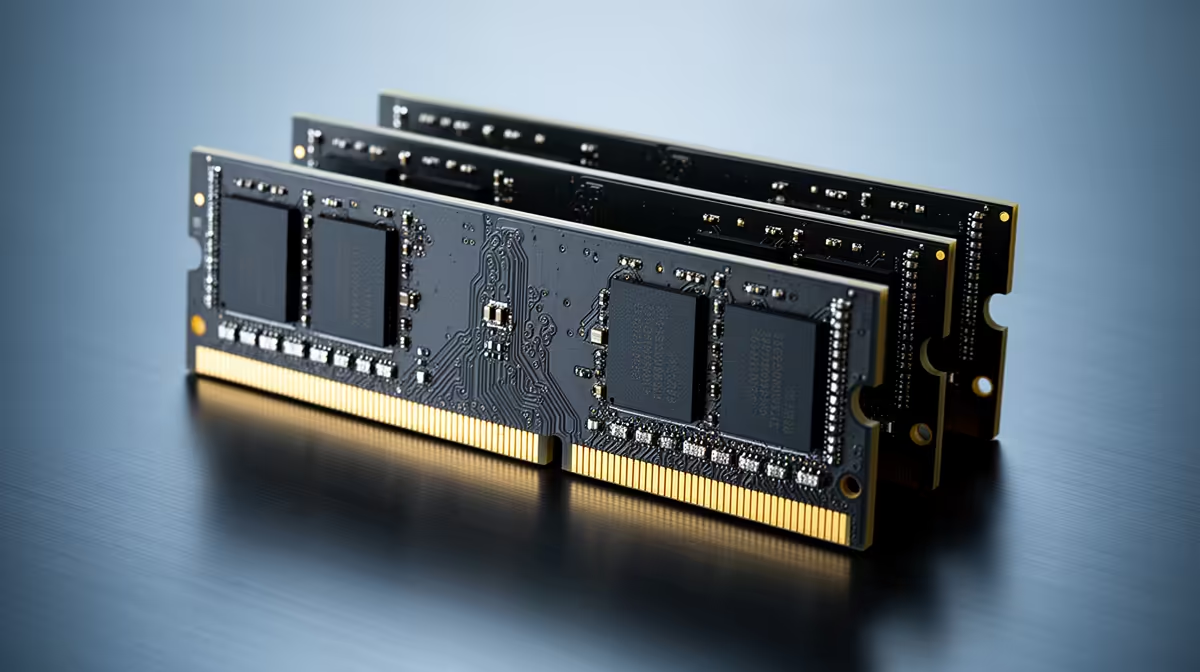
Mixed RAM can boot and run well, but matching generation, voltage and headline speed does not guarantee it. The motherboard chooses settings every installed module and the CPU memory controller can hold together. Brands matter less than the chips, ranks, timings and profiles hidden behind the labels.
Quick Answer
Mix only the DDR generation your board supports. Put the best-matched pair in the preferred channel slots, boot at standard JEDEC settings and test before enabling any profile. Expect the system to use common speed and timings, which can be lower than either kit's advertised XMP or EXPO figure. Mixed capacity can add useful room, though part of it may operate outside the symmetrical dual-channel region.
Use Evetech's DDR5 memory range to compare full kit specifications, and the memory best sellers to see matched alternatives before deciding whether mixing still saves enough.
What Must Match
DDR4 and DDR5 cannot share a board. Their slots, electrical design and signalling differ. Desktop DIMMs and laptop SO-DIMMs are different shapes too.
Within one generation, check voltage, rated speed, primary timings, module capacity and rank layout. The part number is more useful than the logo. Two sticks sold under one family name can use different memory chips after a production revision.
The motherboard firmware reads each module's SPD information and selects a common safe set. That negotiation can work, fall back to a low speed or fail to train.
What Happens With Different Speeds
The faster module does not pull the slower one upward. The set normally starts from a speed and timings all installed sticks advertise. A DDR5-6000 kit paired with a basic DDR5 module may run far below 6000.
XMP and EXPO are overclocked profiles stored on a kit. A profile validated for two matched modules is not a promise for four mixed ones. Leave it off until the standard configuration passes.
If the mixed set is stable only at a lower rate, decide whether the extra capacity matters more than the lost bandwidth. For a workload that was paging to SSD, the answer can be yes.
Mixing Different Capacities
An 8GB and 16GB module can work together on many platforms. The memory controller may run an equal portion across both channels, with the unmatched remainder in a single-channel region. The exact behaviour depends on the platform.
Install the modules according to the motherboard manual. Do not assume adjacent slots form a channel pair.
Mixed capacity helps when the PC needs more room and a matched replacement is too costly. It is less attractive for integrated graphics or high-refresh gaming, where predictable channel bandwidth matters.
Two Kits With the Same Label
Buying another copy of an existing kit is closer than mixing random sticks, but it is still two separate kits. The maker validated each pair, not all four modules together.
Four DIMMs increase the electrical load on the memory controller. DDR5 systems often need a lower data rate with four modules, especially at high capacities.
Compare the revision and full part number. Even then, plan to test and accept that the advertised two-module profile may need adjustment.
Prepare the PC
Photograph the current firmware settings, then load memory defaults. Check for a BIOS update that mentions memory compatibility for your exact board and CPU. Do not update in the middle of unstable overclock testing.
Switch off, disconnect power and discharge the system. Seat each module fully. Use compressed air for dust around the slots, without touching contacts or forcing tools into them.
Boot with the original modules first if the PC has an existing fault. Mixing cannot diagnose a bad baseline.
Add One Change at a Time
Install the new module or pair and boot at JEDEC settings. Confirm the full capacity in firmware and Windows. If capacity is missing, reseat and test each stick in a known-good slot.
Run several full passes of MemTest86. Then use a long mixed CPU and memory load inside Windows, followed by the real game or application.
Zero errors are required. One memory error is evidence of instability, not a harmless rounding event.
Tune Only After It Passes
If standard settings are clean, enable the profile and test again. When it fails, return to defaults. A lower memory speed is a safer first compromise than forcing extra voltage.
Manual timings and memory-controller voltage need platform knowledge. Stay within the CPU and module maker's guidance. Do not copy a stranger's voltage because the module labels look similar.
Save a stable firmware profile once the set has passed. That gives you a known recovery point.
Decide Whether Mixing Saves Money
Compare the added stick with one matched kit at the final capacity. Include the resale value of the old memory only when you have a realistic buyer.
A cheap 16GB addition can be smart when it takes a work PC from constant paging to comfortable headroom. The same plan is poor when it cuts memory speed, fills every slot and still leaves the machine short next year.
For a new build, start with one matched kit. Mixing makes more sense as a measured rescue for a system you already own.
FAQ
Can I mix two RAM brands?
Yes, it can work. Match the technical characteristics, use common settings and prove stability rather than relying on the names.
Will mismatched RAM run at the faster speed?
Expect settings that every module and the memory controller can sustain, often closer to the slower module's standard capability.
How do I test mixed RAM?
Boot at JEDEC defaults, run full MemTest86 passes, stress it inside Windows and repeat after any XMP or EXPO change.
Record every module part number, build the mixed set at standard settings and keep it only after the full capacity passes zero-error testing.