



Fix Dead pixel checks on RX 9070 XT build
Dead pixel on RX 9070 XT build needs careful display-chain checks, not a single-part blame. Test the screen, cable, port, scaling, drivers, and setup context before replacing hardware.
Read more- MSI Pro B840-P build guide: audit parts & compatibility - Plan step-by-step assembly and BIOS tuning - Optimize cooling, benchmarks and upgrades Build a high-performance PC with clear parts lists, BIOS tips and troubleshooting. 🔧💨
Thinking about building a new rig but feeling a bit lost in the sea of components? You're not alone. The foundation of any great PC is the motherboard, and this MSI Pro B840-P build guide is your starting point. We'll show you how this reliable board can be the heart of a seriously high-performance PC without emptying your wallet. Let's get building and unlock some serious power for your gaming and creative projects. 🚀
When planning a high-performance PC, it's easy to get drawn to the flashiest, most expensive parts. But the smartest builders know that value and reliability are key. The MSI Pro B840-P motherboard hits that sweet spot perfectly. It’s designed for stability and efficiency, giving you a rock-solid base for powerful processors and speedy graphics cards.
This board provides the essential features you need... like robust power delivery for modern CPUs, ample connectivity with USB 3.2, and PCIe 5.0 support for next-gen GPUs. It’s the ideal, no-fuss foundation. For those looking to simplify the process even further, starting with cost-effective upgrade bundles that pair a CPU, motherboard, and RAM can save you both time and money.
A great motherboard deserves great components. Your CPU choice will define the character of your machine, whether you're aiming for pure gaming frame rates or multi-threaded productivity.
The B840-P chipset is versatile, playing well with a range of modern processors. The real question is: Team Red or Team Blue?
Before buying your RAM, always check the motherboard's official support page for its QVL (Qualified Vendor List). This ensures the memory kit you choose has been tested to work flawlessly at its advertised speed. It’s a simple five-minute check that can save you hours of troubleshooting headaches!
With your core components sorted, it's time for the fun stuff that brings your build to life. A powerful GPU, fast storage, and a reliable power supply are the final pieces of this MSI Pro B840-P build guide.
Your Graphics Card (GPU) is the single most important component for gaming. Pair your CPU wisely; a mid-range CPU works beautifully with a GPU like an RTX 4060 or RX 7700 XT. For a CPU with more muscle, something like a potent AMD Ryzen 7 bundle gives you the horsepower to drive a top-tier graphics card without bottlenecks.
For storage, an NVMe SSD is non-negotiable for a modern high-performance PC. It ensures lightning-fast boot times and game loading. Finally, don't skimp on the Power Supply Unit (PSU). A quality 750W Gold-rated unit will provide clean, stable power for all your components and give you headroom for future upgrades. ✨
Ready to Build Your Dream Rig? This MSI Pro B840-P build guide is just the beginning. The perfect PC is waiting for you, and the power to create it is in your hands. Explore our huge range of PC components and start piecing together the ultimate machine today.
Use modern Intel 13th/14th gen CPUs for best performance; see best CPU for MSI Pro B840-P suggestions and check socket compatibility.
The B840-P supports mild tuning via BIOS. Follow B840-P motherboard overclocking tips and upgrade cooling to maintain stability.
Download the latest BIOS from MSI, use M-Flash per manual, then apply recommended B840-P BIOS settings for performance.
Install dual-channel DDR5 kits at rated speed and follow how to install RAM on B840-P guidance; check the QVL for compatibility.
Check the MSI Pro B840-P compatibility list: GPU support depends on CPU and slot specs; confirm PCIe lanes and BIOS support.
Use a low-profile AIO or high-flow air cooler, prioritize case airflow and follow B840-P cooling solutions for layout tips.
See the verified MSI Pro B840-P pc build parts list in this guide for CPU, RAM, storage, PSU and case recommendations.
Dead pixel on RX 9070 XT build needs careful display-chain checks, not a single-part blame. Test the screen, cable, port, scaling, drivers, and setup context before replacing hardware.
Read more
Genshin Impact anti-cheat error on RTX 4090 usually needs service, permissions, overlay, and file integrity checks. Use this SA-focused fix path to isolate launch blockers before reinstalling or changing security settings.
Read more
Mass Effect launch trouble on RX 7800 XT needs focused driver, settings, launcher, and heat checks. Use this SA-friendly guide to isolate the likely cause, protect saves, and return to smoother play without unsupported hardware claims.
Read more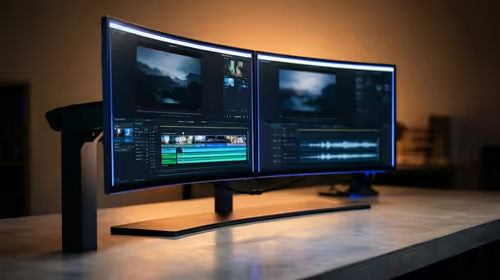
144Hz 1440p setup for video editing in 1080p - what SA needs a balanced, cautious look before buying. Compare fit, budget, workload, warranty support, and upgrade room so the choice makes sense for South African buyers.
Read more
R8,000 gaming PC build in KwaZulu-Natal needs a practical check before you shortlist anything. Compare fit, compatibility, warranty support, timing, and total setup balance for South African buyers.
Read more
Brits video editing in 4K build under R20,000 needs a balanced parts plan, not a random basket. Map the CPU, GPU, RAM, SSD, cooling, and monitor target to the budget so SA builders know where to spend first.
Read more
Windows never combine taskbar shows separate labelled buttons for open windows. Choose it in Taskbar behaviours, then review space and other-display settings; labels and grouping are linked in the available options.

8BitDo Ultimate 3C+ brings adjustable stick tension to the C Series. Windows uses wired USB or the 2.4 GHz adapter; Android uses Bluetooth. Confirm those modes and local pricing before buying.

EPOMAKER Galaxy75 previews an aluminium 75% keyboard with wireless modes and HUB/VIA customisation. It is still marked coming soon; final pricing and South African supply are not confirmed.

Windows Delivery Optimisation can share update files with other PCs. Review its activity, choose local-only sharing or turn peer sharing off, and use bandwidth controls; those choices do not disable Windows Update.
Windows never combine taskbar shows separate labelled buttons for open windows. Choose it in Taskbar behaviours, then review space and other-display settings; labels and grouping are linked in the available options.
Windows Delivery Optimisation can share update files with other PCs. Review its activity, choose local-only sharing or turn peer sharing off, and use bandwidth controls; those choices do not disable Windows Update.

Windows touch indicator adds visual feedback where you touch a screen. Change it in Accessibility, Mouse pointer and touch; a feedback circle is different from inaccurate input, ghost touches or a damaged panel.

Windows underline access keys makes supported menu letters easier to see. Enable the keyboard accessibility option, then follow the app's displayed Alt cues; this does not remap keys or create missing app shortcuts.

Windows Task View button visibility is a taskbar preference. Hide it in Taskbar settings if you prefer Windows plus Tab, and keep virtual desktop switching separate from closing your applications.

Windows taskbar search box display options can free space without removing search. Choose Hide, an icon or a box in Taskbar settings, then use Windows plus S when you need to search.

Windows text suggestions can offer word choices while you type with a physical keyboard. Enable the setting under Typing, test a supported app, and keep suggestions separate from automatic corrections.

Windows autocorrect settings and application spelling tools are separate controls. Change one at a time, test a harmless sentence, and keep useful spelling highlights if automatic replacements get in your way.