


Clean Gaming Keyboard: Guide for Dusty & Humid Conditions
Clean gaming keyboard quickly and safely in dusty or humid conditions with step-by-step tips, tool checklist, and maintenance routines to prevent corrosion and switch failure. 🧼💨
Read moreQuiet gaming PC build guide that shows how to plan a low-noise system without sacrificing cooling performance. Learn parts choices, airflow design, fan-curve tips, and sound damping. ⚙️🔇
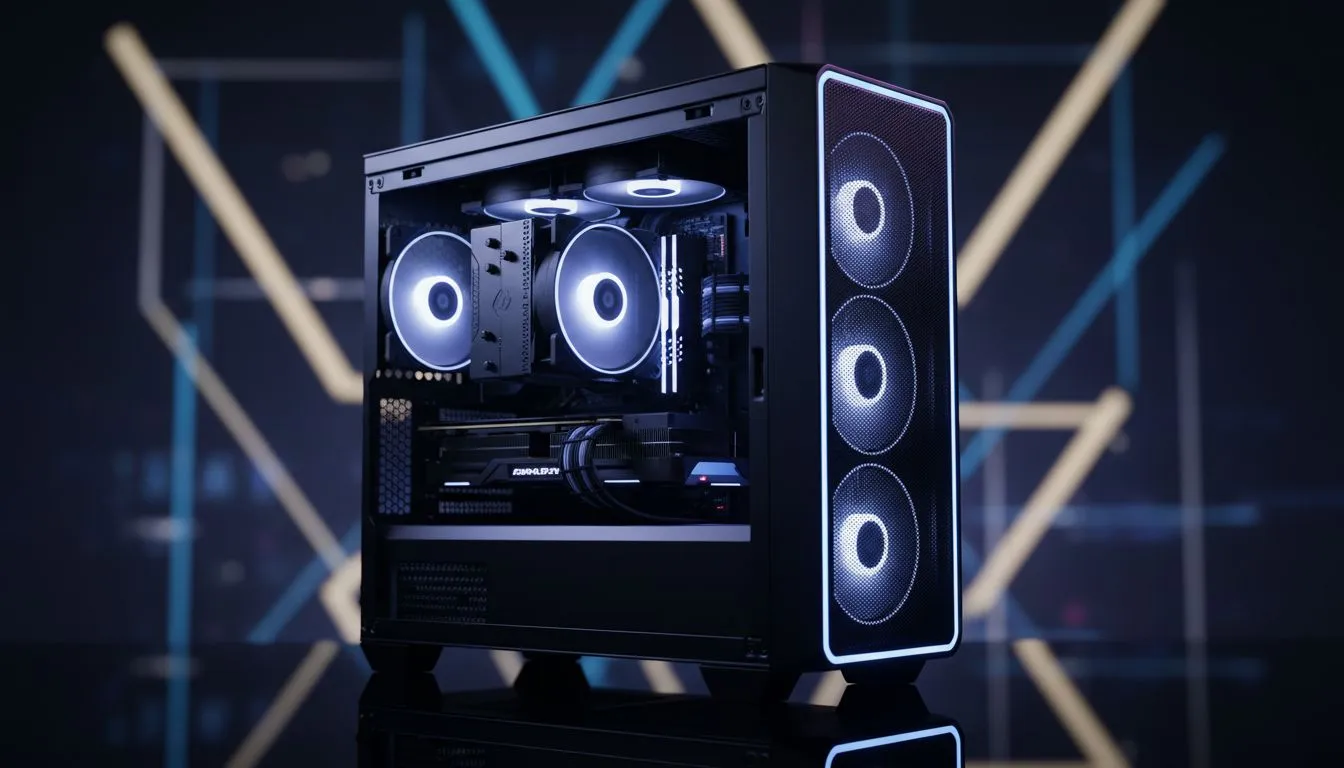
You’re deep in a tense match... the final circle... and the only thing you hear is your PC screaming like a jet engine. Sound familiar? For too long, South African gamers have accepted loud PCs as the price for power. But it doesn't have to be that way. Planning a quiet gaming PC build is easier than you think, and the payoff—total immersion without the distracting hum—is massive. Let's plan for low noise without sacrificing performance.
Your journey to a quiet gaming PC build begins with the chassis. The case is your first line of defence against noise. You generally have two philosophies to choose from: noise isolation or superior airflow.
Ultimately, the best choice often lies in a hybrid model that balances good airflow with some sound-dampening features. Take a look at the huge selection of modern computer cases to see the variety available.
Aggressive cooling doesn't have to be loud. The secret to a quiet yet cool PC is choosing components that move heat efficiently, allowing fans to operate at a whisper.
When it comes to cooling your CPU silently, size matters.
Don't overlook your case fans! A few high-quality fans are better than a dozen cheap, noisy ones. Look for fans with Pulse Width Modulation (PWM) control. This allows your motherboard to precisely control their speed based on temperature, so they only ramp up when absolutely necessary. Fans with Fluid Dynamic Bearings (FDB) also tend to last longer and run quieter than traditional sleeve-bearing fans.
Your PC's BIOS UEFI is your best friend for a quiet build. Dive into the hardware monitoring section and set a custom fan curve. You can tell your fans to stay at a very low, inaudible speed until your CPU or GPU hits a certain temperature (e.g., 60°C). This simple tweak can make a massive difference in day-to-day noise levels.
The case and coolers are crucial, but other parts play a role too. A holistic approach is key for the ultimate quiet gaming PC build.
This feature is a must-have for any silent PC enthusiast. Many modern GPUs keep their fans completely off during light tasks like browsing the web or watching videos. They only spin up once the GPU temperature crosses a certain threshold during intense gaming. The result? Absolute silence when you aren't pushing your system to its limits.
Your PSU has a fan, too. Look for models that offer a "zero-RPM" or "hybrid" mode, which works just like the GPU feature. Furthermore, a more efficient PSU (rated 80+ Gold or higher) generates less waste heat, meaning its fan will have to spin less often and at lower speeds.
Even on a tighter budget, a quiet build is achievable with smart choices from brands like Gamdias. You don't need the most expensive parts; you just need the right ones. For example, you can find excellent Gamdias gaming cases under R1500 that prioritise airflow, giving you a fantastic, quiet foundation without breaking the bank.
A truly quiet gaming PC isn't about eliminating sound completely; it's about managing it intelligently so that the only thing you hear is your game. ✨
Ready to Build in Blissful Silence? Crafting the perfect quiet gaming PC build is a rewarding journey. From the case to the cooler, every choice matters. Explore our massive range of PC components and find the perfect parts to build your silent powerhouse today.
Pick efficient coolers, prioritize airflow-friendly cases, use low-noise fans and tuned fan-curve settings, and add sound-dampening materials to balance silence and cooling.
Case, CPU cooler, GPU cooler, fans, and PSU impact noise. Choose quiet CPU coolers for gaming and low-noise power supplies to reduce overall sound levels.
Yes — larger fans move more air at lower RPMs, reducing noise. Combine with fan curves and optimal case airflow for effective cooling and quiet operation.
You can lower GPU fan curves, optimize case intake/exhaust, and improve chassis airflow. For stronger gains, consider aftermarket quiet GPU cooling solutions.
Pure passive cooling limits performance. For gaming, hybrid approaches using silent CPU coolers for gaming plus strategic airflow work best to maintain temps.
Look for sound-dampening panels, good airflow channels, space for large fans/radiators, and dust filters to maintain quiet cooling and longevity.
Use dynamic fan-curve settings to keep fans near-silent at idle and ramp only when temps rise. Fan-curve settings for silent gaming protect cooling without constant noise.
Clean gaming keyboard quickly and safely in dusty or humid conditions with step-by-step tips, tool checklist, and maintenance routines to prevent corrosion and switch failure. 🧼💨
Read more
Best gaming keyboard features to prioritize when building a high-end setup: mechanical switches, low latency, hot-swap, RGB, macros, durability and ergonomics 🎮⌨️
Read more
Custom actuation point keyboard setup guide: learn to set per-key actuation on your analog gaming keyboard for faster, precise inputs and better control 🎮⚙️
Read more
Cable management for home entertainment helps you eliminate cable clutter quickly and safely. Learn routing, concealment, and product picks to tidy your setup fast 📺🔌
Read more
conference room setup Microsoft Teams Zoom: Upgrade AV, camera, mic, and network to ensure seamless meetings, clear audio, and crisp video 🎯🔧
Read more
• Audit setup • Link accounts • Configure ViewBoard • Test workflows Integrate Google Workspace with ViewSonic ViewBoard to enable secure SSO, calendar and Drive sync, and smooth collaborative whiteboarding 🔗📋
Read more
Discover webcams that automatically adjust light and color for crystal-clear video calls 🎥✨. Boost your streaming quality today!
Read more
Discover webcams that blend into your workflow 🎯 Capture moments while you work, stream, or create. Upgrade your setup with smart, multitasking tech!
Read more
Dedicated media keys give streamers one-touch control to mute, switch scenes, clip highlights, and adjust audio — cutting task time and boosting consistency 🎛️⚡
Read more
Checklist: 1) Map keyboard actuation depth to genres 2) Step-by-step adjust settings 3) Test and tune for performance 🎮⌨️ Learn keyboard actuation depth for FPS, MOBA, RTS, and RPG to improve response and accuracy.
Read more
Optical switches deliver faster actuation and lower latency than traditional mechanical switches, using light-based triggers and minimal debounce to boost gaming and typing performance ⚡⌨️
Read more Clean gaming keyboard quickly and safely in dusty or humid conditions with step-by-step tips, tool checklist, and maintenance routines to prevent corrosion and switch failure. 🧼💨
Read more