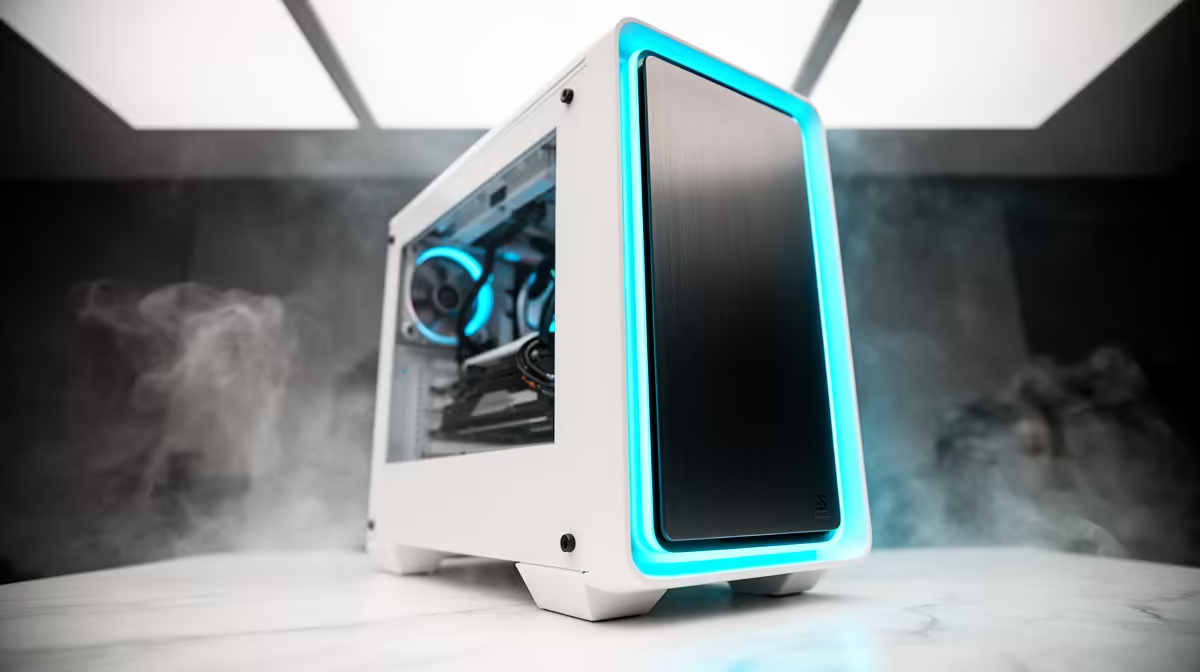
Tired of the same old black box under your desk? In South Africa, the clean, minimalist aesthetic of a white PC build is taking over. It’s more than just a computer; it’s the glowing centerpiece of your entire setup. Building your dream all-white rig is easier than you think, transforming your gaming space from standard to stunning. Let's dive into how you can craft a PC that looks as good as it performs. ✨
Why a White PC Build is Worth It
Beyond the crisp, clean look, a white PC build offers a unique canvas for creativity. Standard black components can sometimes get lost in a dark case, but a white interior makes every piece stand out. Your RGB lighting doesn't just glow... it reflects and radiates, creating a brighter, more vibrant ambiance. The colour contrast makes your motherboard details, GPU design, and custom cables pop.
It’s a statement piece that says you care about performance and presentation. While it requires a bit more planning to source matching parts, the final result is a personalised rig that feels truly your own. You can see this aesthetic trend in some of the best gaming PC deals, where clean designs are becoming increasingly popular.
Core Components for Your White PC Build
Achieving that seamless, all-white look is all about component selection. While you can paint or modify parts, starting with white hardware from the get-go saves a ton of effort. 🔧
The Chassis: Your Blank Canvas
The case is the most crucial part of your white PC build. Look for models renowned for their brilliant white finish and smart layout, like the NZXT H-series or Lian Li O11 Dynamic. Pay attention to the interior colour, as some "white" cases have black interiors. For a true aesthetic build, you want white inside and out.
Motherboard & Memory
Finding a purely white motherboard can be tricky, but many high-end boards from ASUS (ROG Strix) and Gigabyte (AERO) feature prominent white or silver heatsinks and shrouds that blend perfectly. Pair it with white RAM modules, like Corsair's Vengeance RGB Pro SL in white, to complete the core look.
GPU and Cooling
The graphics card is often the centrepiece. Thankfully, manufacturers are embracing the trend. Gigabyte's VISION and AERO series, along with special white editions from brands like Zotac and ASUS, are fantastic options. For cooling, a white All-in-One (AIO) liquid cooler with white tubing and fans creates a stunning visual, though many white air coolers are also available. These premium parts are often found in premium builds well over R20,000, where aesthetics are paramount.
Budgeting for Your Aesthetic Dream
Let's talk about the "white tax." It's true that some white components can carry a slight price premium over their black counterparts due to lower production volumes. But creating a beautiful white PC build doesn't have to break the bank. You can absolutely build powerful machines for under R20,000 by being smart with your choices.
Focus your budget on the most visible parts: the case, fans, and cable extensions. A black motherboard or power supply can easily be hidden or de-emphasised with clever cable management and lighting. This strategy allows even those browsing for fantastic budget gaming PCs to achieve a high-end look without a high-end price tag.
Pro Customisation Tip 💡
Don't have a white GPU backplate or SSD? A simple and affordable trick is to use high-quality white vinyl wrap. It's easy to apply, completely reversible, and gives components a clean, uniform look without the risk and hassle of spray painting. Just be sure not to cover any vents or fans!
Assembly & Cable Management
In a white build, cable management is everything. Stray black cables stand out like a sore thumb against a white backdrop. This is where white-sleeved PSU cable extensions become your best friend. They are a relatively inexpensive upgrade that completely transforms the interior of your PC, giving it a professional, tidy appearance.
Take your time, route cables carefully behind the motherboard tray, and use white zip ties or velcro straps to bundle everything neatly. The extra 30 minutes you spend here will pay off every time you look through your tempered glass panel. If the process seems too daunting, remember that you can always get that perfect look without the hassle when you check out our pre-built PC deals, professionally built and cabled by experts.
Ready to Build Your Masterpiece?
A white PC build is a rewarding project that elevates your entire setup. Explore our massive range of PC components and start creating the clean, powerful rig you've always wanted.