The best monitor for RX 9070 XT depends on whether smooth QHD performance or sharper 4K detail matters more. AMD equips the card with 16GB of graphics memory, DisplayPort 2.1a and HDMI 2.1b, so the connection standards leave room for both routes; budget and game performance should decide the panel.
Quick Answer
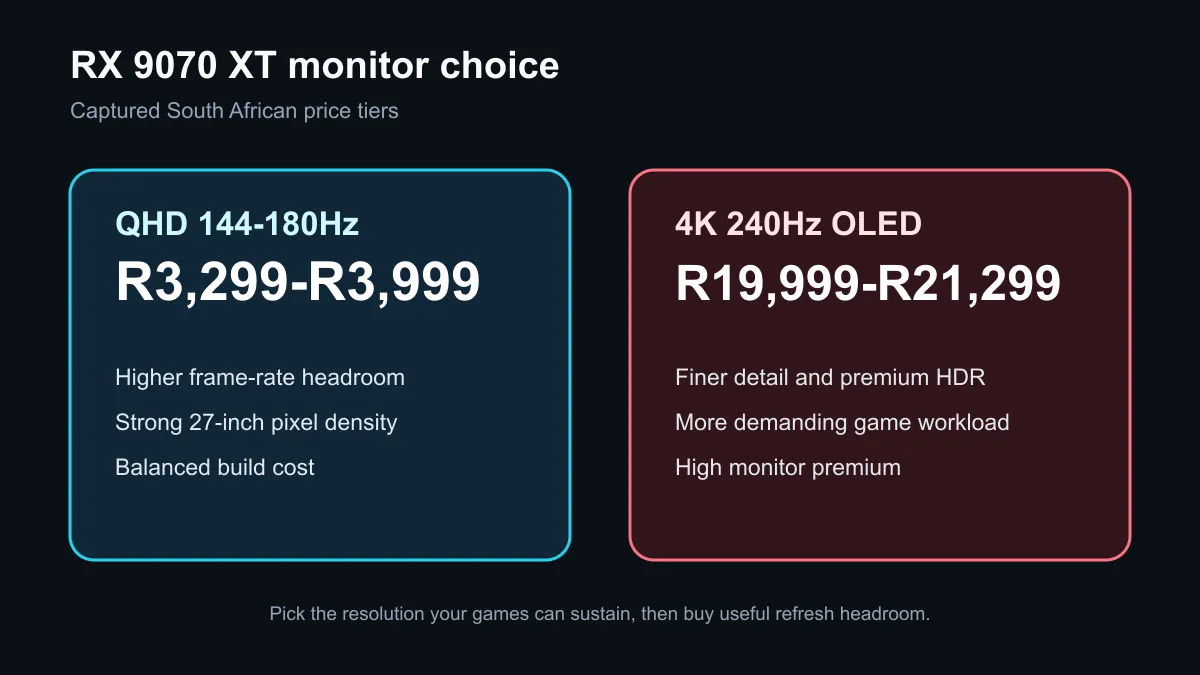
For most South African RX 9070 XT builds, a QHD 144Hz to 180Hz monitor is the balanced choice. The captured local sample put that tier between R3,299 and R3,999, while 4K 240Hz OLED examples cost R19,999 and R21,299. Choose 4K when image detail and premium HDR matter enough to accept the price and lower frame rates in demanding games.
🎯 QHD is the value target
At 2560 by 1440, the GPU renders fewer pixels than at 4K. That leaves more performance available for high refresh, ray tracing or a steadier frame-time target. A 144Hz screen is already a large step above 60Hz, while 165Hz or 180Hz gives competitive games more room without demanding flagship-monitor money.
The captured products make the case concrete: an AOC QHD 144Hz monitor was R3,299, a Dahua QHD 180Hz model was R3,599, and 32-inch Dahua and Arozzi QHD 180Hz choices were R3,999. Screen size affects pixel density, so 27 inches is usually the sharper QHD fit at a normal desk distance.
🖼️ When 4K earns the premium
4K suits players who prioritise fine detail, large screens, creative work or slower cinematic games. AMD presents the RX 9070 XT as a 4K-capable card, but capability is not a promise of 240 frames per second in every title. Settings, ray tracing, upscaling and the game engine all change the result.
The two captured 4K 240Hz OLED examples were R19,999 and R21,299. Those monitors combine resolution, high refresh and OLED contrast, but the price can exceed that of some RX 9070 XT cards. Browse all gaming monitors and compare actual game benchmarks at the intended settings before paying for refresh headroom that may rarely be reached.
🔌 Check features around the panel
Adaptive sync is valuable because it keeps presentation smoother when frame rate changes. Also check the port used, supported refresh at native resolution, colour mode, stand adjustment, HDR behaviour and warranty. A strong panel on a poor stand can still make a daily setup frustrating.
Use current monitor deals to test the budget, then compare the remaining build cost against AMD Radeon cards. If the display upgrade forces a weaker GPU, the QHD option may produce the better overall gaming experience.
Frequently Asked Questions
Is QHD or 4K better for the RX 9070 XT?
QHD is the balanced high-refresh choice for most builds. 4K offers finer detail but asks more from the GPU and the budget.
What refresh rate should I buy?
Aim for at least 144Hz for a gaming-first QHD setup. Higher refresh helps only when the game and GPU can deliver enough frames.
How much did QHD monitors cost in the snapshot?
The six-product capture put QHD 144Hz to 180Hz examples between R3,299 and R3,999. Prices and stock can change.
How much did the 4K OLED examples cost?
The captured 4K 240Hz OLED monitors were R19,999 and R21,299. They represent a premium tier, not the minimum needed for 4K.
Which display outputs does the card support?
AMD lists DisplayPort 2.1a and HDMI 2.1b. Confirm the chosen monitor and cable support the desired native-resolution refresh mode.
Pairing a display with Radeon graphics?
Set a resolution and frame-rate target, compare live monitor prices, and spend first on the performance you can actually use.