




Chrome secure DNS: Check the provider before changing your router
Chrome secure DNS: Encrypted DNS is not a VPN and does not guarantee a working connection. Check browser DNS mode.
Read moreChrome find on page: Find on page searches loaded page text; it is not a search of every website. Open the intended page.

A Chrome find on page search helps when the answer is somewhere in a long article but not yet visible. It searches within the page you opened. That keeps a product name or setting label tied to its surrounding explanation instead of returning you to a new web search.
On Windows or Linux, press Ctrl+F or F3 to open Chrome's Find Bar, type a word or phrase, and move through the matches. This costs R0 and searches the current page rather than the entire web. Start with a short distinctive term and read surrounding sentences before deciding a highlighted match answers your question.
Confirm the tab and address before using the shortcut. Searching a category page for a detail that exists only on an individual product page cannot reveal text the category does not contain. Open the page expected to carry the information first.
Use a short meaningful part of the phrase when the full sentence finds nothing. Punctuation, spelling and the way a page splits text can make an exact long phrase less useful. A recognisable model token can be a better starting point than an entire marketing heading.
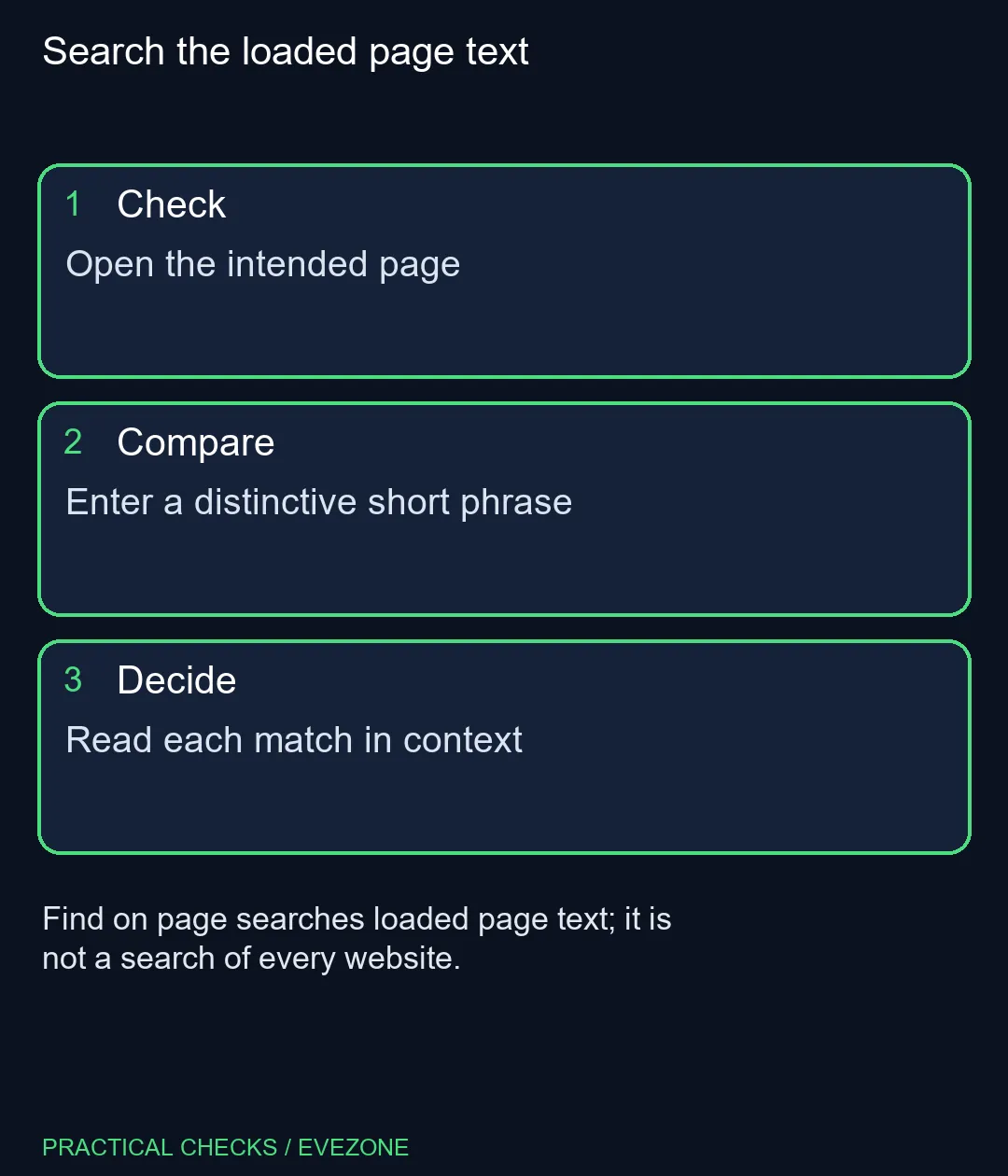
Press the shortcut, enter the term and use the next or previous controls to inspect hits. A page can mention a model in a navigation list, comparison or warning as well as its main description. Highlighting the word does not establish which context you found.
Read beyond the highlighted line before relying on a specification. A product page may describe a supported accessory without saying it is included. The search locates text; you still need to determine whether it states package contents, an option or a limitation.
No match does not prove a whole service lacks the information. A detail might be on another page, in content that has not loaded, or embedded in an image rather than ordinary text. Check the visible page and its navigation before treating the result as definitive absence.
Chrome's Find Bar also differs from the address-bar search used to discover pages. If your question is where a subject is documented, use a suitable web search first, then Find to navigate the document. These two steps solve different parts of the reading task.
The local examples were R8,499 for an ASUS Vivobook Go 15 and R8,999 for the HP 255R G10 notebook. Neither is required to search a long page. Browse asus laptops and hp laptops when actual hardware needs arise, while using this free shortcut to make existing browsing easier.
Ctrl+F or F3 opens the Find Bar in Chrome on Windows and Linux.
No. It searches within the current page rather than discovering pages across the web.
A smaller phrase can avoid mismatches caused by punctuation or different wording in a long sentence.
No. Read the surrounding text to distinguish included hardware from supported accessories or options.
No. It may be elsewhere or in content unavailable as loaded page text.
No. Chrome's built-in Find Bar costs R0 to use.
Search the loaded page text Open the intended page.
Ctrl+F or F3 opens the Find Bar in Chrome on Windows and Linux.
No. It searches within the current page rather than discovering pages across the web.
A smaller phrase can avoid mismatches caused by punctuation or different wording in a long sentence.
No. Read the surrounding text to distinguish included hardware from supported accessories or options.
No. It may be elsewhere or in content unavailable as loaded page text.
No. Chrome's built-in Find Bar costs R0 to use.
Chrome secure DNS: Encrypted DNS is not a VPN and does not guarantee a working connection. Check browser DNS mode.
Read more
Chrome always use secure connections: An encrypted connection does not establish that a website is trustworthy. Read the full destination.
Read more
Chrome install web app: A separate app window does not promise offline support or a native desktop program. Confirm the genuine website.
Read more
Chrome clear download history: Clearing the browser list does not securely erase the actual downloaded files. Locate important downloaded files.
Read more
Chrome change language: Display language, translation and keyboard input are separate settings. Identify menus or page content.
Read more
Chrome Safety Check reviews browser warnings for updates, saved passwords, extensions and permissions. Act on the precise finding while keeping connection security separate from claims about a website being trustworthy.
Read more Chrome Safety Check reviews browser warnings for updates, saved passwords, extensions and permissions. Act on the precise finding while keeping connection security separate from claims about a website being trustworthy.

Stalker 2 Heart of Chornobyl PC build under R50,000 should start with balance, not one headline part. Compare CPU, GPU, RAM, SSD, cooling, case airflow, and monitor target before buying in South Africa.

Best 240HZ setup for video editing 4K needs careful context before choosing parts. Use this guide to check parts, settings, compatibility, cooling, and upgrade timing for a South African gaming PC without relying on live stock, price, or benchmark promises.

Peripheral loadout for Kingdom Come Deliverance should be shortlisted around the job it must do. South African buyers should compare fit, performance, compatibility, and upgrade room, warranty path, and upgrade room before treating any pick as best.
Chrome Safety Check reviews browser warnings for updates, saved passwords, extensions and permissions. Act on the precise finding while keeping connection security separate from claims about a website being trustworthy.

Chrome delete saved passwords removes a stored login through Google Password Manager. Match the site and username, confirm another working sign-in method and use the individual action instead of deleting every saved credential.

Chrome microphone not working needs separate checks for the selected input, site permission and operating system access. Test the trusted call site after one change before replacing a microphone or granting broader recording permissions.

Chrome reopen closed tab starts with Ctrl+Shift+T on Windows or Linux. Recover the intended page, inspect its actual state and save valuable work separately before changing how the browser behaves at startup.
Chrome secure DNS: Encrypted DNS is not a VPN and does not guarantee a working connection. Check browser DNS mode.
Chrome always use secure connections: An encrypted connection does not establish that a website is trustworthy. Read the full destination.
Chrome install web app: A separate app window does not promise offline support or a native desktop program. Confirm the genuine website.
Chrome clear download history: Clearing the browser list does not securely erase the actual downloaded files. Locate important downloaded files.