A file full of saved links is only helpful when it lands in the browser you actually use. Chrome import bookmarks starts with choosing the destination profile, then bringing in the original HTML export and checking the resulting folders.
Quick Answer
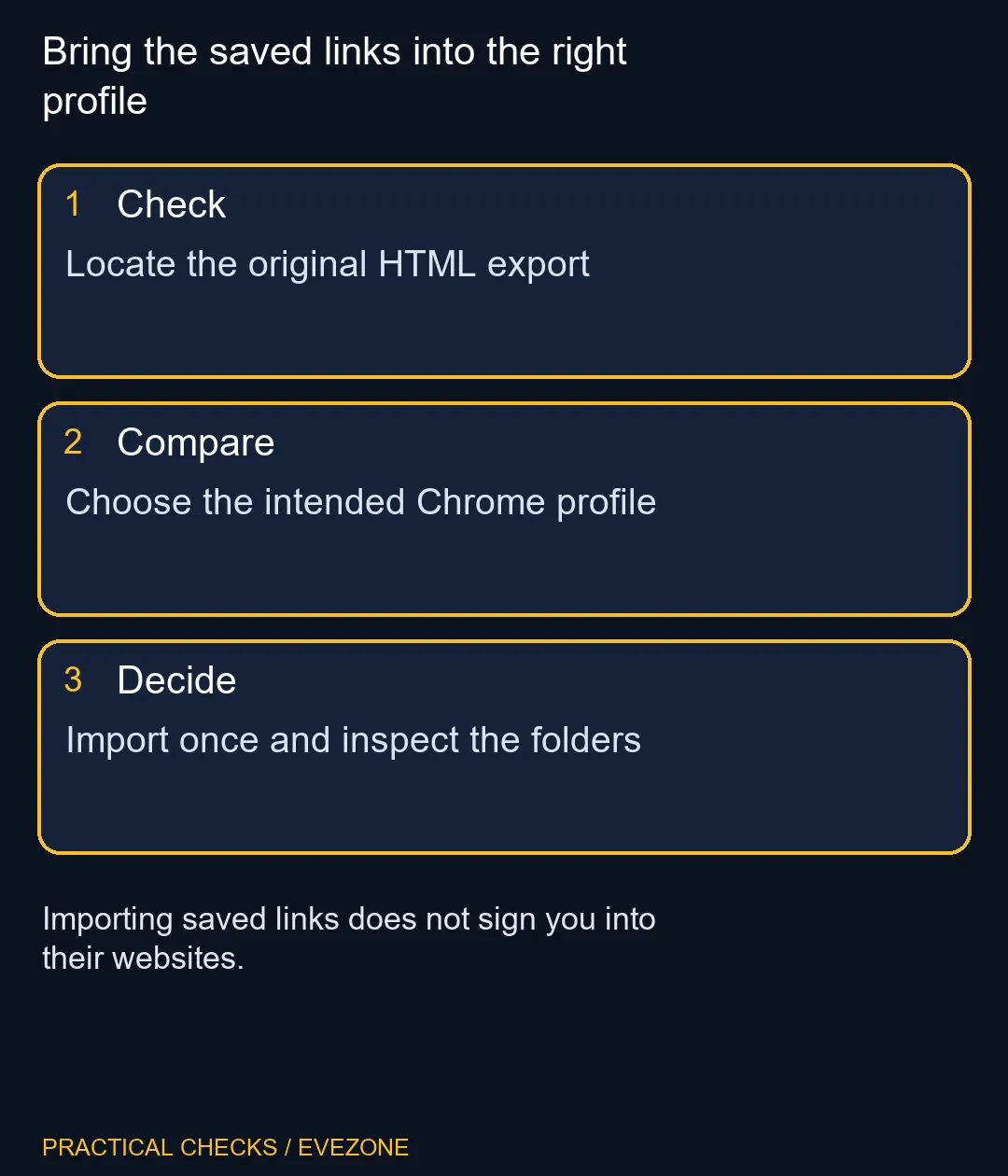
Select the intended Chrome profile, open Bookmarks and lists, and choose Import bookmarks and settings. Select the HTML export file and complete the import, then inspect Bookmark manager. The browser provides this process for R0 in extra tools; a paid migration utility is unnecessary for an ordinary bookmark file.
🧭 Choose the destination before the file
A work profile and a personal profile can each have their own saved sites. Open the one that should receive the collection first. This matters particularly on a newly set-up PC, where the first browser window may belong to a temporary account rather than the profile you plan to keep.
Check the profile name and a familiar existing bookmark if one is present. Do not assume that being signed into a website proves which Chrome profile is open. Website accounts and the browser's profile selection answer different questions, and confusing them can scatter the same collection across several windows.
Locate the original exported HTML document in your files. A screenshot of a bookmark bar is not an importable bookmark file. If someone sent the collection to you, confirm which copy is current before importing several similarly named attachments.
📥 Import once, then inspect the result
Use Chrome's import command, choose the file and finish the dialog. Open Bookmark manager afterwards rather than looking only at the small bookmark bar. Imported links may be placed in a folder, and a narrow toolbar does not display the entire collection.
Test a few entries with recognisable names. Include one from a nested folder so you can check the structure as well as a single address. A link may still ask you to sign in: importing its address does not transfer an authenticated session or grant access to another person's account.
Avoid repeating the import just because every link is not immediately visible. First inspect the folder tree and search for a known title. Repeating an operation before checking its result can make cleanup harder by adding another copy of the same collection.
🗂️ Tidy after the transfer is proven
Once the expected links are present, move folders into the arrangement you prefer. Keep the source HTML file until you are satisfied with the new structure. That retained original gives you a reference if you later discover that a folder was moved or renamed during organisation.
For a desk refresh, compare intel laptops on special with all mini pcs according to portability and available space. The bookmark process works independently of that shopping choice; it is a small part of setting up the browser, not a test of the new computer's performance.
Finish by checking the other data you need separately. Documents, saved passwords, extensions and browser settings do not all travel simply because a bookmark file was accepted. A clear transfer checklist prevents a successful link import from creating a false sense that the entire old PC has been reproduced.
Frequently Asked Questions
What file should I choose?
Choose the HTML bookmark file exported by the source browser, rather than an image or a copied shortcut.
Why should I select a profile first?
Profiles keep browser information separate. Import into the profile where you intend to use the saved sites.
Where are imported bookmarks shown?
Inspect Bookmark manager and its folders. The toolbar alone may not show the full imported collection.
Does importing sign me into websites?
No. Saved addresses do not transfer the authenticated sessions or access rights for those websites.
Should I import again if links seem absent?
Search the manager and inspect its folders first, since repeated imports may add unwanted copies.
Does the HTML file restore every setting?
No. Plan separate checks for passwords, documents, extensions and other settings that matter to you.
Bring the saved links into the right profile
Locate the original HTML export.