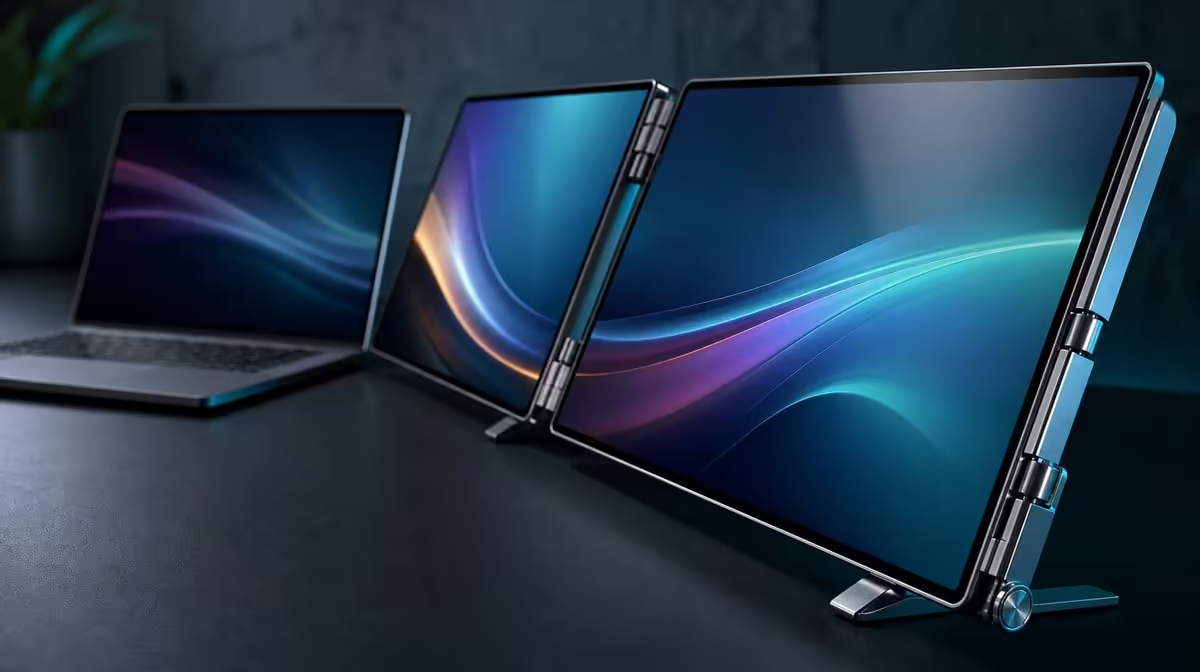
Full sRGB, dual touch and QHD detail can justify a higher spend when the same creator uses them throughout a repeatable mobile workflow. The answer to whether a 100% sRGB dual touch display is worth more should be tied to the exact R11,999 Delta price rather than an unnamed premium.
Quick Answer
It can be worth more for creators who repeatedly need a defined sRGB gamut, two detailed work areas and direct pressure-aware input. The Delta Pro Touch costs R11,999, so buyers should compare the complete result at that amount and avoid assuming the price proves calibration or fast-gaming response.
🎨 Make sRGB earn its share
Define the project's delivery colour space. Full sRGB coverage has a direct role when photographs, video or design target that gamut. Buyers working to another requirement need evidence beyond this figure.
Open a familiar reference on both panels and complete the normal export. Keep calibration and measured accuracy in separate rows; 100% gamut coverage does not establish either.
Evetech's portable-monitor category lets buyers compare current mobile screens through the colour statements each product makes.
Count colour-critical projects
Record the number of sRGB jobs completed in a normal month and the consequence of a poor display fit. Include preview, review and export, not only time spent looking at a reference image.
The colour feature earns more at high frequency or high consequence. A general office user with no defined colour target should give it less weight.
Use a reference pack across locations
Keep a familiar photograph, neutral image and gradient. Reopen them after moving the monitor and match sensible brightness before judging the picture.
Record room-light differences separately. Portability changes the environment even when the panels retain the same stated gamut.
Preserve claim boundaries
Mark sRGB coverage as confirmed. Leave calibration, accuracy and other colour spaces dependent on their own evidence.
This protects the useful fact without turning R11,999 into proof of every colour requirement.
🖼️ Price the dual QHD workspace
Set both 16-inch screens to 2560 x 1600 and choose readable scale. Put the main creative canvas or preview on one panel and tools, timeline or references on the other.
Complete a representative project and count window switches removed. Keep the laptop display only when it adds a clear third role.
Test source performance
Open applications in stages and watch the laptop under the full display workload. Remove unnecessary live content while preserving the actual project.
Restart and confirm that native resolution, screen order and app placement return. Recovery work reduces the value of otherwise useful space.
Compare detail with a simpler monitor
Run the same edit on a current alternative at equally readable scale. Count visible tools, zoom changes and hidden windows.
QHD earns its share when the extra detail changes recurring work. It should not borrow value from the sRGB claim without a separate workspace benefit.
Include the 25ms response
Use representative motion, such as a timeline scrub or familiar clip, under the same laptop settings. Record the observation independently from still-image sharpness and colour.
The price does not imply a fast competitive-gaming response. Buyers who prioritise rapid motion should weigh the stated figure honestly.
✍️ Make dual touch improve the edit
Map single contact to each panel, then test supported multi-finger gestures. Ten-point capacity can enable several contacts, but the software chooses their actions.
Use a compatible tool in a pressure-aware control and compare light with firmer input. No particular bundled pen or pressure-level count is confirmed.
Compare Evetech's PC-monitor range when a fixed colour screen and separate creative input may suit the workspace better.
Compare touch and normal controls
Complete a short creative sequence through fingers and pressure input, then repeat it using the creator's normal laptop methods. Count corrections, mode changes and time.
Direct input justifies more spend when it improves frequent work. A user who prefers another control path can still value QHD and sRGB without paying for touch usefulness that never appears.
Test both interactive panels
Move the application between screens and repeat corner taps, gestures and pressure strokes. Watch for input remaining tied to the original location.
One successful panel does not establish the second. Preserve the correct visual desktop while fixing assignment.
Check stability and reach
Use the ergonomic support under edge taps and firmer creative contact. Work for a representative block and note reaching, wrist position and panel movement.
Physical comfort belongs in the premium decision. An accurate input surface placed awkwardly may not remain useful through a full edit.
💰 Decide at the exact price
Create columns for sRGB projects, dual-screen gains, direct-input improvements, setup effort and failed conditions. Put R11,999 at the top of the Delta column and the exact current alternative beside it.
Use Evetech's monitor best-seller selection as another live reference. Verify availability at the purchase stage.
Remove one feature at a time
Ask whether the project succeeds without full sRGB, the second QHD panel, pressure input, multi-touch or auto-rotation. Record what breaks or becomes slower.
The features whose absence changes the accepted output carry the price. Those that disappear unnoticed should not justify an unspecified premium.
Include rotation and recovery
Move one panel into a useful creative orientation, allow gravity sensing and verify input. Return to the baseline. Then relocate the laptop workstation and rebuild it.
Count repairs and time. Movement adds value when the accepted creative state returns predictably.
Finish a complete project
Take one small job from source material through edit, touch or pressure work where relevant, and sRGB export. Preserve the output and setup note.
The Delta is worth R11,999 when the complete job demonstrates the features that carried the decision. A product card cannot replace that evidence.
Review a month of creative frequency
Record the days when the defined sRGB gamut, second QHD surface, gestures, pressure input or rotation changed the work. Include failed applications and setup time. Do not give credit merely because a capability was connected.
At month's end, compare the exact R11,999 amount with the functions used repeatedly and the consequence of losing them. A specialist feature can be valuable at lower frequency when it protects important output, but that reason should be written down.
Rebuild the accepted colour state
Disconnect, relocate and restore the monitor beside the same laptop. Open the reference pack, choose sensible brightness for the new room and confirm both panel roles. Recheck touch before important edits.
This does not replace calibration. It tests whether the known workflow can return predictably after movement and prevents changed room light from becoming an undefined display complaint.
Preserve the purchase evidence
Save the accepted export, touch test, screen map and compatible tool note with the comparison date. Mark unknown requirements rather than filling them with assumptions.
When current options are reviewed, use the same project and records. A price comparison becomes stronger when every candidate faces the output that originally justified the spend.
Frequently Asked Questions
What must the R11,999 display earn through use?
It should improve recurring colour, workspace or input tasks enough to matter.
When does full sRGB coverage earn value?
It earns value when projects are regularly delivered to the sRGB colour space.
How can dual touch justify added spend?
Supported gestures and pressure input can improve repeated creative actions on both panels.
What does QHD add beyond colour?
Each 2560 x 1600 screen provides detailed workspace independent of gamut.
Who is less likely to recover the cost?
A user who needs only passive viewing and has no sRGB or direct-input workflow.
Does the price imply fast gaming response?
No. The stated response is 25ms and should be tested against the intended motion.
Ready to decide whether sRGB and dual touch earn R11,999?
Compare Evetech's portable monitors through your completed creative project, exact price and feature-removal results.