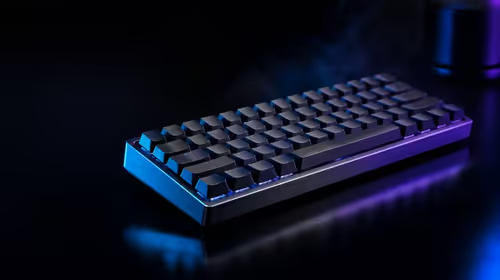
Advanced keyboard input features solve different stages of movement, so enabling them as one bundle hides both benefits and mistakes. A useful Rapid Trigger and FlashTap SOCD guide separates reset travel, opposing-direction resolution and initial actuation. The R1,799 CLIPPER PRO MINI 60 combines all three controls on magnetic switches.
Quick Answer
Rapid Trigger changes dynamic key reset, FlashTap SOCD governs simultaneous opposing directions, and adjustable actuation chooses the downward registration depth. The R1,799 Corsair board supports all three, but each should be tested independently and used within the relevant competitive rules.
🔁 Rapid Trigger governs repeated travel
When a pressed key begins moving upward, Rapid Trigger can reset it without waiting for a fixed release point. This shortens the motion needed for another deliberate press and may aid rapid direction changes.
Sensitivity that is too aggressive can interpret finger tremor as a new cycle. Start with movement keys, keep actuation constant and compare several minutes of repeated taps. Record accidental reactivation as carefully as speed.
Evetech's keyboard switch page helps explain why position sensing enables dynamic reset control.
↔️ FlashTap SOCD addresses opposition
SOCD refers to simultaneous opposite cardinal directions, such as left and right pressed together. FlashTap SOCD provides a defined way to handle that conflict. Its effect is conceptually different from how quickly either key actuates or resets.
Understand the behaviour before use and check the applicable game, platform or tournament rules. Input handling permitted in one context may be restricted in another. Competitive compliance belongs before performance experimentation.
Test opposing keys slowly with a visible movement indicator, then increase speed. Confirm which direction takes priority or how neutral behaviour appears according to the chosen setting.
📏 Adjustable actuation sets the starting boundary
The CLIPPER PRO MINI 60 supports 0.2-3.8mm actuation. Shallow movement keys can begin quickly, while deeper shortcuts resist accidental contact. This downward threshold should be stable before Rapid Trigger or SOCD handling is judged.
Use per-key values rather than assuming identical fingers. Test resting pressure, diagonal combinations and typing. Save a plain baseline with advanced features disabled for troubleshooting.
The gaming keyboard category provides layout and feature context for this advanced configuration work.
🧪 Build a stable profile in layers
First set actuation depth and pass a movement plus typing test. Second, enable Rapid Trigger and tune release margin. Third, configure FlashTap only after reading the relevant rules and observing ordinary opposite-direction behaviour.
Keep 8,000Hz polling fixed during these stages. Polling changes report frequency after the keyboard interprets input; altering it simultaneously adds noise to the experiment. Once the advanced profile is stable, compare polling separately.
The keyboard's 60% layout and IP57 resistance remain independent design choices. At R1,799, Evetech's gaming keyboard deals provide the South African price context.
Practise the fallback process
Duplicate a known-good profile with simple settings and learn how to activate it after a restart. Before competition, verify the loaded profile and one direction sequence. If an input behaves unexpectedly, return to the baseline instead of editing values under pressure.
Draw the input-state table
For left and right directions, list four states: neither pressed, left only, right only and both pressed. Record the output FlashTap produces in each state under the selected mode. This table makes SOCD behaviour concrete and reveals exactly where priority or neutral handling appears.
Repeat with forward and back if the configuration applies there. Keep the table with the profile and relevant rules notes.
Test feature interactions in a fixed order
After each control passes alone, combine actuation plus Rapid Trigger and rerun the movement drill. Add FlashTap only after that pair remains stable. Finally test polling under the complete workload. If errors appear, remove the most recent layer and confirm that the previous state still passes.
This incremental integration is slower than enabling everything once but much faster than diagnosing a tangled failure.
Account for game and event policy
Save a compliant profile for each competitive context. Rules can distinguish ordinary keyboard response from particular SOCD outcomes, so do not assume one event's acceptance transfers to another. Check the current rules before play and avoid telling teammates that a hardware feature is automatically permitted.
A neutral fallback should remain available when policy is uncertain.
Train timing after configuration ends
Once a stable profile exists, stop adjusting it for a defined practice period. Work on movement timing and release technique while the input rules remain constant. Continuous tuning prevents muscle memory from forming and makes every mistake look like a setting problem. Review the configuration only after enough repetitions produce a meaningful pattern.
Audit every advanced setting before play
Use a pre-session checklist containing active profile, actuation map, Rapid Trigger group, FlashTap mode, polling rate and rule compliance. Press each opposing direction pair in a safe practice area and type a short sentence to catch accidental profile leakage.
This audit takes less time than diagnosing unexpected input during a match. After play, note any anomaly beside the relevant stage rather than changing multiple controls. The checklist also supports shared or event PCs, where a restart or software update may load a different state. Advanced inputs become trustworthy when their configuration is visible and repeatable each time the keyboard is used.
Document opposing-input behaviour in plain language
Beside every FlashTap profile, write what happens when left and right overlap and which rule source was checked. Avoid labels such as aggressive or competitive that hide the actual outcome. Plain descriptions help another player, organiser or future user understand the configuration without opening every menu.
Review the note whenever a game or event changes policy. If compliance is uncertain, load the neutral baseline and keep ordinary actuation plus reset settings. A transparent profile is easier to audit, teach and troubleshoot than an advanced mode whose effects are remembered vaguely.
Frequently Asked Questions
What does Rapid Trigger control?
It controls how a key resets from upward travel after activation, allowing another press with less return movement.
What type of input does FlashTap SOCD address?
It addresses simultaneous opposite directional commands, such as left and right being held together.
Where does adjustable actuation fit?
It chooses how far a key travels downward before the initial press registers.
Why should these features be tested independently?
They change different input stages, and separate tests reveal which control caused an improvement or error.
Can advanced inputs compensate for poor timing?
No. They can alter response behaviour, but deliberate finger control and practice remain necessary.
What should be checked before using SOCD features competitively?
Read the relevant game and event rules, then confirm the selected behaviour through a visible test.
Which product combines all three controls?
The R1,799 Corsair CLIPPER PRO MINI 60 combines adjustable actuation, Rapid Trigger and FlashTap SOCD.
How can a stable advanced profile be built?
Layer one feature at a time over a saved baseline and require repeated game plus typing tests at each stage.
Ready to separate advanced input controls before combining them?
Explore Evetech's magnetic gaming keyboards, validate actuation, reset and opposing-direction behaviour one layer at a time, and preserve a compliant fallback.