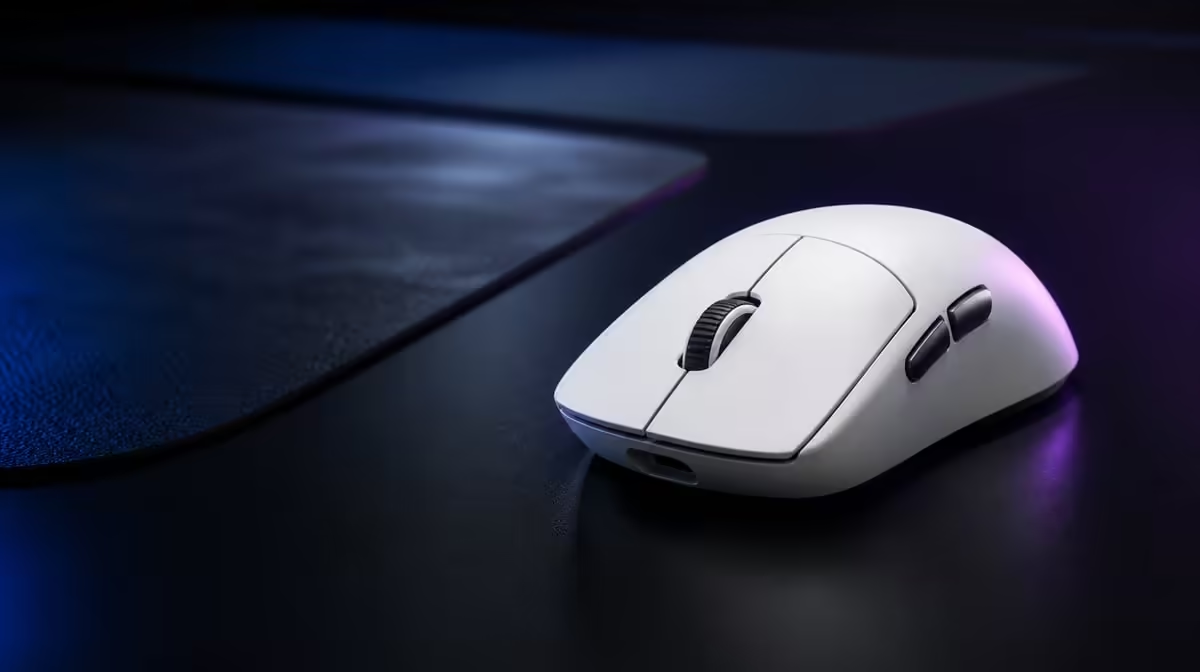
FPS, MOBA and strategy games ask the hand to solve different movement problems. Choosing DPI for FPS, MOBA and strategy games should begin from pad distance, camera behaviour and target size, then preserve enough similarity that switching genres does not feel chaotic. The Hero 44K provides range rather than one correct answer.
Quick Answer
Use lower, controlled effective sensitivity for precise FPS corrections, a balanced cursor-and-camera setting for MOBA play, and a comfortable desktop-style range for strategy, then test each profile through real tasks. At R1,499, the G305 X SUPERLIGHT reaches 44,000 DPI and 678 IPS, leaving ample headroom while practical settings may sit far below the maximum.
🔹 Build the FPS profile
Measure the pad distance used for a common turn and repeat small target corrections. Keep in-game sensitivity fixed while changing DPI.
The Logitech gaming mouse range provides related shapes to compare with the same drill.
Test late-session control
Repeat after fatigue. A profile that creates grip tension should not be retained because its first ten minutes were fast.
🔹 Build the MOBA profile
Test target selection, camera movement and repeated item clicks. Sensitivity should cover the interface without overshooting small targets.
Use the six programmable buttons for a few frequent actions, keeping the aiming hand relaxed.
Preserve related controls
Place related commands on related inputs across games. Muscle-memory continuity reduces profile-switch mistakes.
🔹 Build the strategy profile
Test screen-edge travel, unit selection, drag boxes and menu work. A higher useful DPI may reduce large desktop movement, but accuracy still matters.
Evetech's wider gaming mouse category helps compare shapes and button layouts.
Keep game and desktop behaviour visible
Strategy often resembles desktop cursor use. Test launchers and ordinary work so the profile does not become awkward outside the match.
🔹 Reconcile the three profiles
Record effective movement, report rate and connection. Keep one stable reporting baseline while deciding sensitivity.
Use the accessory best-seller page for R1,499 market context and check the live choice at purchase.
Avoid profile sprawl
Create one profile per genre only when the camera and targeting need differ. Delete small abandoned variants.
Use 678 IPS correctly
It describes high-speed tracking capability, not the ideal cursor speed. Test rapid swipes on a clean surface without chasing the rating.
Recheck after display changes
Resolution, field of view and game interface can alter the experience. Repeat the genre task rather than copying the old DPI blindly.
Create a common physical baseline
Use the same pad, grip and connection before testing all three genres. Mark a neutral starting position and record one comfortable full sweep. This keeps the genre comparison focused on camera and targeting demands rather than changing hardware conditions.
The initial DPI can remain identical across profiles. Only split the settings after a repeatable task shows that the common value creates a specific problem.
Measure effective sensitivity
Record both mouse DPI and in-game sensitivity. A player can produce similar effective movement through several combinations, so quoting one value alone is incomplete.
Change the game layer or mouse layer, not both. Retest the same task and preserve the old pair in the profile notes.
Build an FPS scorecard
Count overshoot, undershoot, pad-edge lifts and lost tracking across ten turns and ten micro-corrections. Repeat during a live match after the training drill.
The winning FPS setting should reduce variation, not merely deliver the fastest single turn. A moderate DPI with consistent arm movement may outperform a higher value that amplifies tension.
Build a MOBA scorecard
Measure accurate target selection, camera repositioning, item clicks and repeated movement commands. Test the same sequence while the screen becomes busy.
If the cursor crosses the interface quickly but misses small units or icons, reduce effective sensitivity. If the player constantly runs out of comfortable movement, raise it carefully.
Build a strategy scorecard
Test edge scrolling, drag selection, minimap movement and menu navigation. Include a late-game state with many actions rather than only a calm opening.
Strategy profiles can value efficient screen travel, but selection accuracy remains important. The best setting should support both without constant profile switching inside the same game.
Coordinate the six buttons
Give FPS, MOBA and strategy maps a shared vocabulary. One side button might consistently serve communication while another handles a genre-specific utility.
Rehearse every mapping without looking at the mouse. Remove commands that change grip or are forgotten under pressure.
Compare report rates after DPI
Once each sensitivity is stable, hold it fixed and test the report-rate ladder. Up to 8kHz may behave differently across games and system loads.
Keep separate winners if necessary. One rate does not need to serve every genre, but every extra profile should have a measured reason.
Audit switching errors
After several days, note how often the player enters a game with the wrong sensitivity or button map. If switching causes more mistakes than the custom profiles solve, bring the settings closer together.
Clear naming and a small profile set create more value than dozens of near-duplicates.
Compare camera systems
An FPS camera turns continuously with relative movement, while many strategy and MOBA interfaces combine camera movement with pointer selection. Test the same physical swipe and observe what each game expects.
This explains why identical DPI can feel appropriate in one genre and awkward in another without implying that the sensor changed.
Build a cross-genre warm-up
Use five minutes of slow targets, five rapid turns and a short menu-selection task before each session. The warm-up confirms that the correct profile is active and gives the hand time to adapt.
If the player repeatedly needs much longer to adjust after switching, narrow the difference between genre settings.
Measure profile maintenance
Record how often a game update changes sensitivity, field of view or interface behaviour. Re-run the genre task after those changes and update only the affected profile.
A profile is useful when it saves setup time over months, not when it requires constant unexplained correction.
Preserve a neutral desktop setting
Keep one ordinary cursor profile for browsing and configuration. This prevents an extreme game sensitivity from making software navigation difficult.
Switch to the game profile deliberately and verify it before play.
Review the tri-mode path
Connection mode should remain fixed while DPI is compared. If another device uses Bluetooth, save its desktop sensitivity separately from the competitive Lightspeed profile.
Wired testing can retain the same DPI to isolate cable and radio behaviour.
Audit the result after one month
Count which genre profiles remain active and which values converged. Remove abandoned experiments and keep the task that justified each survivor.
The final set should be small enough to understand without opening several menus.
Compare another game in each genre
One FPS, MOBA or strategy title cannot represent every camera system. Test a second game from the same genre before declaring the profile universal.
Start from the genre baseline and change only what the new title demonstrates.
Keep a profile handover note
Write the DPI, game sensitivity, connection, rate and buttons in one compact table. Another PC or player should be able to reproduce the setup without guessing.
Compare the charging routine by genre
Long strategy sessions, repeated MOBA matches and shorter FPS practice blocks can create different active-time patterns. Measure the chosen connection and report settings across each.
Use the more-than-130-hour rating as context and schedule charging from the genre profile that consumes the most real session time.
Frequently Asked Questions
Is there one best FPS DPI?
No. Pad space, grip and in-game sensitivity determine the useful effective setting.
Should MOBA DPI match FPS?
It can start there, then change only if target and camera tasks demonstrate a need.
Why might strategy use a different setting?
Large cursor travel and interface selection can favour another movement scale.
Does 44,000 DPI need to be used?
No. It is maximum range, not a target for any genre.
What does 678 IPS add?
It supplies high-speed tracking headroom during rapid physical movement.
Should report rate change with DPI?
Keep reporting stable during sensitivity tests, then tune it separately.
Ready to build genre profiles from real movement?
Compare Evetech's gaming mice through FPS turns, MOBA targeting and strategy cursor travel, then save only settings that remain repeatable.