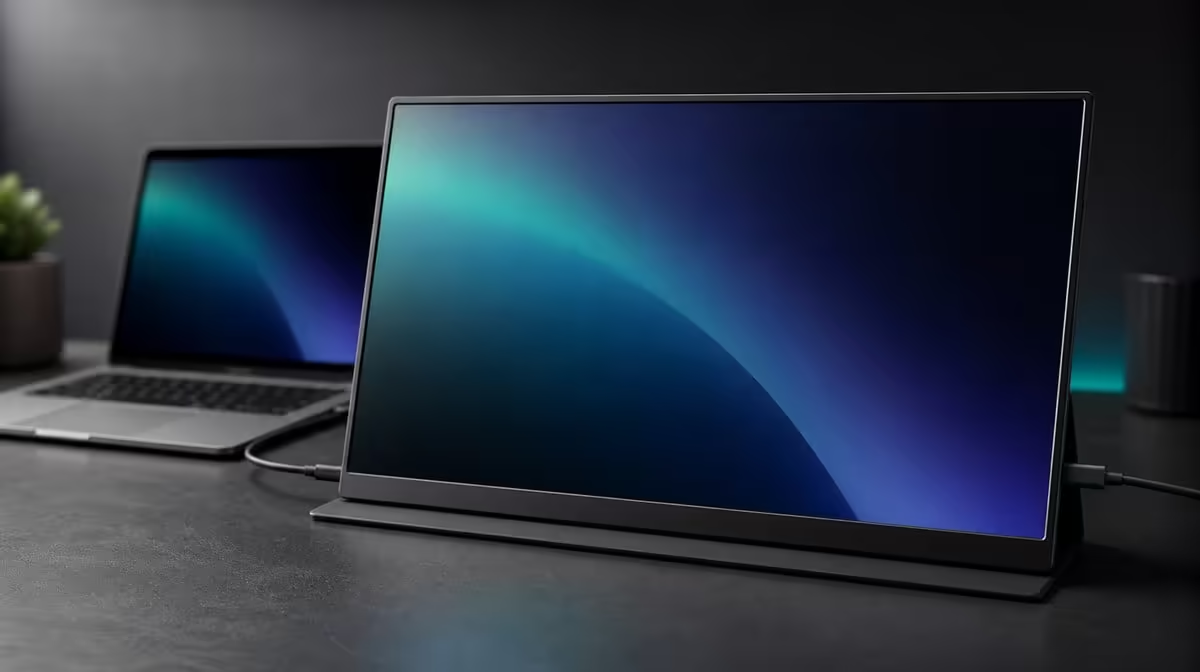
A sensible monitor budget begins with the work the screen must complete, not with the highest price the buyer can tolerate. Deciding how much to spend on a 17.3-inch 4K monitor means pricing native detail, room brightness, source flexibility, mounting, and travel against the frequency of their use.
Quick Answer
Use R5,999 as a South African reference for the UPERFECT UColor J5. Its 17.3-inch IPS panel provides 3840 x 2160 detail with 400cd/m2 brightness. Two input types and VESA support cover connection and placement, while 1000:1 contrast, 10ms response, FreeSync, and Low Blue Light round out the stated display package. Spend more only when another screen solves a compatibility, picture, portability, or positioning need the buyer can name.
💰 Anchor the price to required tasks
List the source devices, applications, rooms, desk surfaces, and travel frequency before setting the ceiling. A lower-cost display that misses a required input is not value; a dearer one with unused features is not automatically better.
The R5,999 J5 establishes what this feature mix costs in the comparison. Confirm current pricing and availability through Evetech's portable monitor range.
Separate requirements from preferences. Native 4K may be essential for detailed work, while FreeSync may be occasional. A 17.3-inch panel can be central to productivity or too large for daily luggage. Weight each by actual use.
🖥️ Price panel features independently
3840 x 2160 offers fine detail when the source and workload use it. Scaling is needed for comfortable text on 17.3 inches. If the screen only holds a simple reference window, 4K may not justify a large portion of the budget.
The 400cd/m2 rating gives bright-room headroom. A controlled indoor desk may need less, while changing workspaces can make the flexibility valuable. The 1000:1 contrast figure does not prove colour accuracy.
IPS identifies the panel technology. Colour-critical buyers should require evidence matched to their task rather than paying extra based on panel type alone. Evetech's monitor category provides context for fixed alternatives.
🔌 Count connections and mounting by frequency
HDMI and USB-C add value when the buyer uses sources that match both routes. USB-C video depends on the port and cable. HDMI still needs the monitor's power arrangement included.
VESA support can help the J5 replace a separate fixed second screen. Confirm pattern, load, screws, and cable slack. The arm is a separate cost, but a useful mount can improve height and free desk space.
If the display travels rarely, compare the R5,999 portable package with a fixed monitor. Paying for mobility makes sense only when the screen actually moves.
🎮 Treat entertainment extras as specific tools
FreeSync can reduce tearing on a compatible path. The 10ms response figure describes panel transition behaviour. Low Blue Light creates a warmer extended-viewing mode. None should receive budget weight without a corresponding use.
Run the same work, gaming, and physical-fit tests on any dearer candidate. Write the improvement beside the price difference. If the sentence is empty, the additional spend is unsupported by the routine.
Evetech's best-selling monitor page offers another current comparison. End the search when all required tasks pass at a justified figure.
The right amount is not universal. R5,999 is a useful benchmark because it ties a real panel, brightness, input, mounting, and entertainment set to a local price. Buyers can move below or above it with a clear reason.
Build three budgets: minimum viable, matched, and premium. The minimum screen passes source and basic task checks. The matched screen adds the panel size, detail, and brightness used weekly. The premium adds a capability that materially improves an essential workflow.
Place the J5 in the matched or premium column according to the buyer. A detail-heavy mobile worker may use 17.3-inch 4K every day. Someone who shows one chat window may find the same specification optional.
Run a price-blind test before finalising. Use the same source, document, room, game, and physical surface. Record connection success, readability, visibility, motion, and carrying practicality. Add prices only after the outcomes are described.
Include recovery in the value score. A dual-input monitor that reconnects easily and restores native 4K settings can save repeated setup time. Documenting the route helps turn the feature into an ownership benefit.
If spending more, write the specific improvement next to the difference. A required source path, better physical fit, or another task result can justify it. More specifications without a changed outcome cannot.
After purchase, revisit the budget assumptions. Count which J5 features became weekly tools. This real-use audit provides a stronger benchmark for the next South African monitor decision.
Set the spending range only after writing the job description. A buyer who needs one reference page beside a laptop may not gain enough from 17.3-inch 4K to justify the same budget as someone working with dense documents or detailed visual material. List the recurring tasks, the devices that must connect, and the rooms where the display will operate. The price then has a purpose rather than acting as the starting specification.
Use R5,999 as a concrete middle card in the comparison. The J5 combines 3840 x 2160 IPS, 400cd/m2, HDMI, USB-C, VESA support, FreeSync, and Low Blue Light. Assign each item a frequency: daily, weekly, occasional, or never. A capability used every day can support the spend; several "never" entries suggest that a simpler option deserves attention even if the larger feature list looks attractive.
For a candidate above this price, require a named improvement that solves a known limit. For one below it, identify which J5 benefit is being surrendered and whether that loss matters. This symmetrical test stops price from being treated as quality by itself. It also exposes cases where the right answer is to protect compatibility or physical fit rather than chase a resolution or brightness number.
Include ownership routines in the final decision. Measure the bag and desk, map video and power for each source, choose readable 4K scaling, and decide whether VESA will be used. Compare current monitor best sellers and check present availability when ready to buy. The sensible amount is the one that purchases frequently used capability without funding idle headroom.
Turn the comparison into a cooling-off test. Keep the task list and scores for a day, then remove product names and prices and choose the column that best fits the routine. Reveal the prices only afterwards. If the preferred package remains the J5 at R5,999, the spend has a use-based foundation. If another column wins, revise the budget around that result instead of defending a number chosen first.
Frequently Asked Questions
What real price anchors this comparison?
The UPERFECT UColor J5 costs R5,999.
Which feature can justify spending more?
A required source, picture, portability, mounting, or task benefit that the J5 does not provide can justify a premium.
When can 4K be unnecessary spending?
When the workload uses one simple window and gains little from fine detail, another resolution may be sufficient.
Does 17.3 inches add practical value?
It adds viewing area when the desk and travel routine can accommodate the larger physical format.
Why do HDMI and USB-C affect price?
They provide source flexibility when each route matches devices the buyer actually uses.
Ready to give your 4K monitor budget a real reference point?
Compare Evetech's current portable displays against the R5,999 J5 and spend extra only for a named, repeated advantage.