Quick Answer
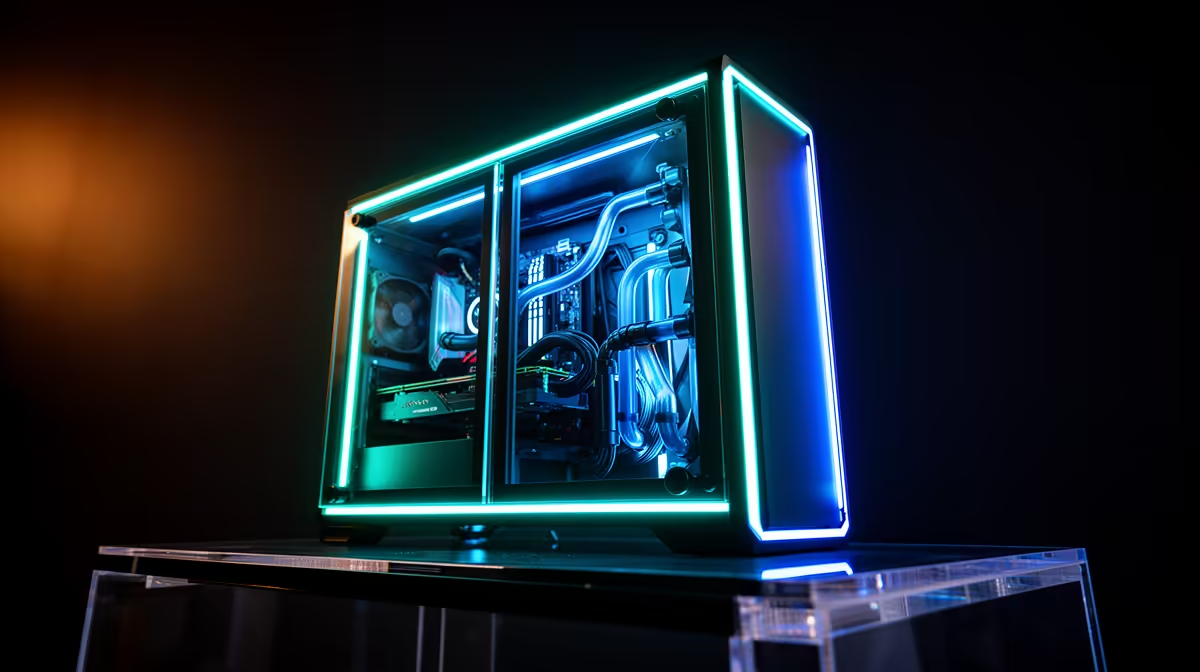
Dual tempered glass PC cases require careful airflow planning because glass blocks all side ventilation, making the front panel mesh quality and fan count the only intake source. Prioritise a fully perforated front panel with two or three 140mm intake fans to compensate for the closed glass sides.
Why Dual Glass Demands a Strong Front Panel 🌬️
In a dual-glass case, every cubic metre of intake air must pass through the front panel opening. Cases with solid or minimally vented fronts combined with dual glass sides create thermally sealed enclosures where the only effective airflow is the rear exhaust fan pulling stale air through tiny front gaps. This results in GPU temperatures 8 to 15 degrees Celsius higher than a mesh-front alternative under identical conditions. The fix is straightforward: choose a dual-glass case with a mesh or punched-metal front covering at least 70 percent of the front face. Cases in the R1,800 to R3,000 range have improved significantly, and several now combine showcase glass sides with a hidden full-mesh front behind a removable decorative fascia.
Fan Layout for Maximum Airflow in a Glass Case 🔧
With glass blocking side intake, the optimal layout is three 140mm fans at the front in intake orientation, one 120mm or 140mm fan at the rear in exhaust, and optionally two 120mm fans at the top in exhaust. This creates a strong front-to-rear airflow path that moves GPU and CPU heat out efficiently. An RTX 5070 Ti generating 250W of heat needs a minimum of two 140mm front intakes to stay below 80 degrees Celsius junction in a 25-degree ambient room. Add a third front 140mm fan in South African summer conditions where ambient temperatures can be 10 to 15 degrees Celsius above typical European benchmark conditions.
Dust, Noise, and Aesthetic Advantages 💎
Dual glass cases earn their popularity by showcasing internal components beautifully while providing passive acoustic isolation. Glass does not transmit fan vibration and mid-frequency noise the way thin steel does, which benefits streamers and content creators with microphones near the PC. Dust management is simplified: filters only need attention at the front and top. ARGB fans glow vividly through glass panels without the colour washing that occurs through mesh side panels, making dual-glass the preferred choice for RGB-centric builds common in South African gaming setups.
Remove the Front Fascia for Better Airflow ⚡
Many dual-glass cases ship with a decorative plastic fascia over the front mesh that restricts intake air by 20 to 40 percent. Remove this fascia permanently after installation if thermals are a priority. The metal mesh underneath provides sufficient protection for the front fans and looks clean with modern glass cases.
FAQ
Does a dual glass case cool as well as a full mesh case?
With an equivalent front panel opening, a dual-glass case comes within 3 to 6 degrees Celsius of an equivalent full-mesh case at the GPU. Full-mesh cases win at maximum airflow; glass cases trade a small thermal margin for aesthetics and noise reduction.
Will dual glass cases show fingerprints easily?
Yes. Both panels collect fingerprints from regular handling. A microfibre cloth with a small amount of isopropyl alcohol removes smudges without scratching the glass coating. Make this a monthly habit alongside dust filter cleaning.
Is it worth buying a dual-glass case for a budget build?
At a sub-R2,000 build level, dual glass adds aesthetic value with minimal thermal downside if the case has a good front mesh. Pair it with a minimum of two front intake fans, which most cases include pre-installed at the R1,400 to R1,800 case tier.
Want a build that looks as good as it performs?
Browse Evetech's dual tempered glass case selection and pair great aesthetics with proper front-panel airflow.