



Hot-Swappable PCB Architecture in Modern Keyboards: Guide
Learn hot-swappable PCB architecture in modern keyboards—what it is, how sockets and traces work, and how to pick the right board. Speed up swaps, reduce risk, and upgrade faster 🔧⚡
Read moreInstall ATX 3.1 PSUs with the native 12V-2x6 cable fully seated and clipped to prevent thermal events under transient GPU loads. Wattage, efficiency tier, and ATX 3.1 readiness shape both your daily power bill and your transient stability.
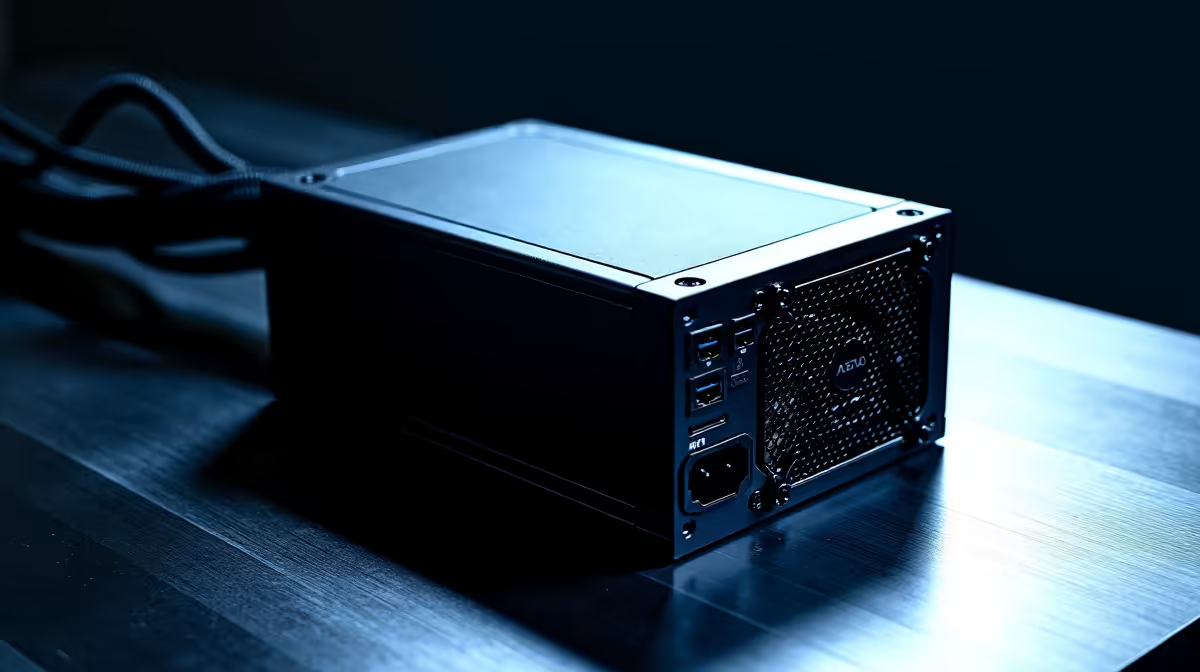
Installing an ATX 3.1 PSU for a high-transient GPU involves four critical steps: using the native 12V-2x6 cable (not an adapter), ensuring the connector is fully latched before powering on, routing the cable without sharp bends, and confirming the PSU wattage covers 150% of GPU TDP for transient headroom.
ATX 3.1 PSUs use the 12V-2x6 connector for GPU power, featuring 12 power pins plus 2 sense pins and a more robust latch than the earlier 12VHPWR design. Before installation, lay out all the modular cables you need: one 24-pin ATX, one or two 8-pin CPU EPS connectors, and the 12V-2x6 GPU cable. Identify the matching port on the PSU for the 12V-2x6 cable; most ATX 3.1 PSUs label this port clearly. Do not use a 12VHPWR-to-12V-2x6 adapter if your PSU did not ship with a native 12V-2x6 harness cable; that configuration is not recommended for GPUs drawing over 300W.
The 12V-2x6 connector requires a definitive click latch to seat correctly on the GPU receptacle. A partially seated connector under high transient load is a fire risk, as arcing at an unseated pin can reach temperatures exceeding 200 degrees Celsius locally. To confirm correct seating: insert the connector until you hear and feel the latch engage, then gently tug back on the cable to confirm it does not release without pressing the latch tab. After routing the 12V-2x6 cable, inspect the connector from multiple angles to confirm all 14 pins are fully engaged with no gap between connector housing and GPU receptacle. If case geometry forces a severe bend, use a right-angle 12V-2x6 adapter rated for the cable's current load.
Before first power-on, confirm all modular cables are seated at both PSU and component ends. Power on, enter BIOS, verify CPU voltage and RAM detection, then boot into the OS. Install hardware monitoring software and observe 12V rail readings at desktop idle: the rail should read 11.9V to 12.1V. Run a GPU stress test for 15 minutes. A quality ATX 3.1 unit should hold the rail within 11.8V to 12.1V under sustained GPU load. Any reading below 11.7V suggests the PSU is marginal for the load and warrants a wattage upgrade.
If the 12V-2x6 connector feels stiff or does not click smoothly, do not force it. Check for bent pins on the GPU receptacle or debris in the connector housing. Some GPU receptacles require 3 to 4 kg of insertion force on first use before the pins seat and the latch becomes smoother. Forcing the connector risks pin damage not covered under GPU warranty.
Yes. Fully disconnect all cables from the existing PSU, unscrew the four PSU mounting screws from the case rear, and slide the unit out before installing the replacement. This prevents any chance of two PSUs sharing a ground path through common components.
No, and this is critical for safety. Modular cable pinouts are not standardised across manufacturers. Using cables from Brand A on a PSU from Brand B can result in incorrect voltages reaching components, potentially destroying the motherboard, GPU, or storage.
Use a right-angle 12V-2x6 cable adapter rated for the GPU's full power draw, or choose a case with a larger cable routing channel near the GPU slot. Never kink the cable or cable-tie it under tension, as this stresses the conductors and connector housing.
Installing an ATX 3.1 PSU for your new GPU? Evetech stocks ATX 3.1 certified power supplies with native 12V-2x6 cables ready for RTX 50-series and RX 9000-series installations. Browse the PSU section at Evetech.
Learn hot-swappable PCB architecture in modern keyboards—what it is, how sockets and traces work, and how to pick the right board. Speed up swaps, reduce risk, and upgrade faster 🔧⚡
Read more
Mechanical switch lifespan explained—what the 50 million keystroke rating really means, plus tips to extend switch life and reduce double-press issues 🔧⌨️
Read more
60-percent vs full-size mechanical keyboard layouts—learn what each layout includes, who it suits, and how to choose the right fit 🧩⌨️ for typing, gaming, and productivity.
Read more
Double injection keycaps last far longer than standard printed keycaps in most setups. Learn typical lifespan ranges, what shortens them, and how to maximize durability for smoother daily typing and gaming 😊⌨️
Read more
Full-key anti-ghosting: does it stop missed inputs during fast-paced gaming? We break down latency, polling, and key matrix limits so you can buy smarter 🎮⚡
Read more
Protect mechanical keyboard switches from South African dust and summer humidity with practical cleaning and storage habits. Keep your switches smooth, reduce failures, and extend lifespan. 🌬️💧
Read more
Wondering if a TKL wireless mechanical keyboard is worth it for everyday productivity? We break down latency, battery life, comfort, and workflow gains for real work. ⚡⌨️

Maximise battery life on a fanless 15-inch laptop using efficiency core architecture. Cut idle drain, tune power profiles, and improve thermals for longer runtime. 🔋⚙️

Learn how to reduce desk clutter with a TKL wireless keyboard using fewer cables, smart placement, and tidy essentials. Get a faster, calmer workspace with better ergonomics. ✅🧼

RGB keyboard lighting too distracting? Learn how to manage backlight modes, set brightness, and reduce distraction for focus and productivity 😌🖱️

Are themed gaming keyboards worth the extra cost? Compare build quality, switch options, features, and resale value to find the best fit for your setup 🎮⌨️

Full-Size vs Tenkeyless mechanical keyboards for gaming: find out if a smaller layout truly improves aim, speed, and comfort. We break down layout, desk space, latency-feel, and keybinds 🎮⌨️

Dedicated media rollers vs function key shortcuts: learn which setup gives you better workflow control, faster media access, and fewer mistakes. 🖱️🎧

Best Mechanical Switch Type for Gaming: Clicky vs Linear vs Tactile. Find your feel, speed, and noise balance with practical guidance for FPS, MOBA, and productivity 😄🎮

Direct mouse answer: Mouse not keeping up with your work? Everything that matters about dual-mode 2.4GHz + BT 5.0: DPI behaviour, channel switching, battery curves and per-app button mapping. Covers when 2.4GHz USB wins (low-latency desk) and when BT 5.0 wins (laptop, d

Plain wireless mouse guide: Mouse not keeping up with your work? Everything that matters about wireless productivity mouse: DPI behaviour, channel switching, battery curves and per-app button mapping. Includes DPI tuning tips, channel switch shortcuts, and ZAR-aware fea

Real productivity numbers: Set up your wireless mouse in this order: everything that matters about wireless productivity mouse: DPI behaviour, channel switching, battery curves and per-app button mapping. Includes DPI tuning tips, channel switch shortcuts, and ZAR-aware

Pen not feeling like paper? Stylus lag and skipping usually trace to old drivers, dirty nibs, or display refresh mismatches, not the pen itself. Covers pressure curve tuning, tilt thresholds, nib swap timing, and SA pricing brackets.