Building a new rig in South Africa means navigating a maze of confusing specs. You finally sort out your CPU and GPU... only to get stuck on USB standards. What is the difference between USB 3.2 Gen 2x2 and USB4? Do you actually need them for gaming? In this practical guide to USB 20Gbps and USB4 ports on modern gaming motherboards, we break down exactly what these high-speed connections mean for your setup. Understanding these ports will save you time and money.
Decoding the High-Speed USB Alphabet Soup 🔧
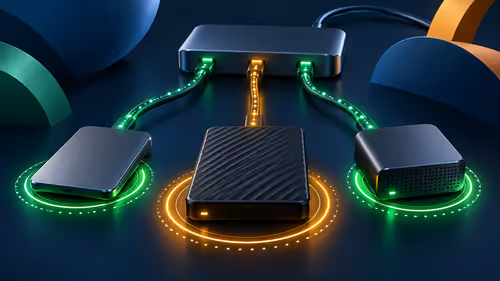
Let us keep it simple. USB 20Gbps offers blazing fast transfer rates. It is often labelled confusingly as USB 3.2 Gen 2x2. This port uses a dual-lane system to double standard speeds. It is absolutely perfect for external NVMe drives.
USB4 takes things to a whole new level entirely. Offering speeds up to 40Gbps, it supports massive data transfers. It can handle high-resolution displays and even external GPUs. It elegantly unifies display, data, and power delivery into one simple Type-C connection. Some USB4 ports can even deliver up to 240W of power. This means fewer cables cluttering up your desk space.
If you are looking to future-proof your build, choosing the right foundation is crucial. You can explore a massive variety of options when you buy motherboards tailored for these next-gen speeds.
Why Gamers and Creators Need Fast Ports ⚡
Moving a 150GB game library used to take hours. With USB 20Gbps, it takes mere minutes. For content creators editing 4K video directly from an external SSD, these ports are essential. They completely prevent bottlenecking and keep your creative workflow smooth.
High-speed ports also reduce input lag for advanced peripherals. When configuring your dream rig, pairing fast ports with high-speed RAM ensures maximum system responsiveness. Upgrading your system is incredibly easy when you browse the latest memory kits to perfectly match your board.
Choosing the Right Platform for Your Needs
Intel and AMD both offer fantastic support for these advanced USB standards. If you prefer Team Blue, you will find excellent Thunderbolt and USB4 integration. Premium boards offer multiple high-speed ports on the rear I/O. Check out the latest ASUS Intel motherboards for top-tier connectivity.
Team Red fans are certainly not left behind. The newest Ryzen platforms fully embrace USB4 technology. AMD has worked hard to ensure seamless compatibility with modern peripherals. You can find incredible value and performance by looking at ASUS AMD motherboards for your next build.
Cable Quality Matters ✨
To actually get 20Gbps or 40Gbps speeds, you need a certified cable. A cheap ZAR 50 cable from the local shop will drop your speeds down to basic USB 2.0 levels. Always check the bandwidth rating on the packaging before you buy.
Maximising Your ZAR on Next-Gen Tech 🚀
Premium motherboards with USB4 can be quite pricey upfront. However... investing in one now saves you from needing a motherboard upgrade in two years. High-speed ports mean your PC stays relevant for much longer.
South African gamers know that stretching every Rand is vital. Future-proofing your connectivity means your expensive peripherals will never outpace your system.
If you want a complete system featuring the best connectivity, you do not have to build it yourself. You can easily grab one of the best gaming PC deals available right now. This guarantees you get a fully tested machine ready for tomorrow.
Ready to Upgrade Your Setup?
High-speed connectivity is just the beginning. Whether you are transferring massive game files or connecting high-end VR headsets, having the right ports makes all the difference. Explore our massive range of PC components and build a rig that never keeps you waiting.