Quick Answer
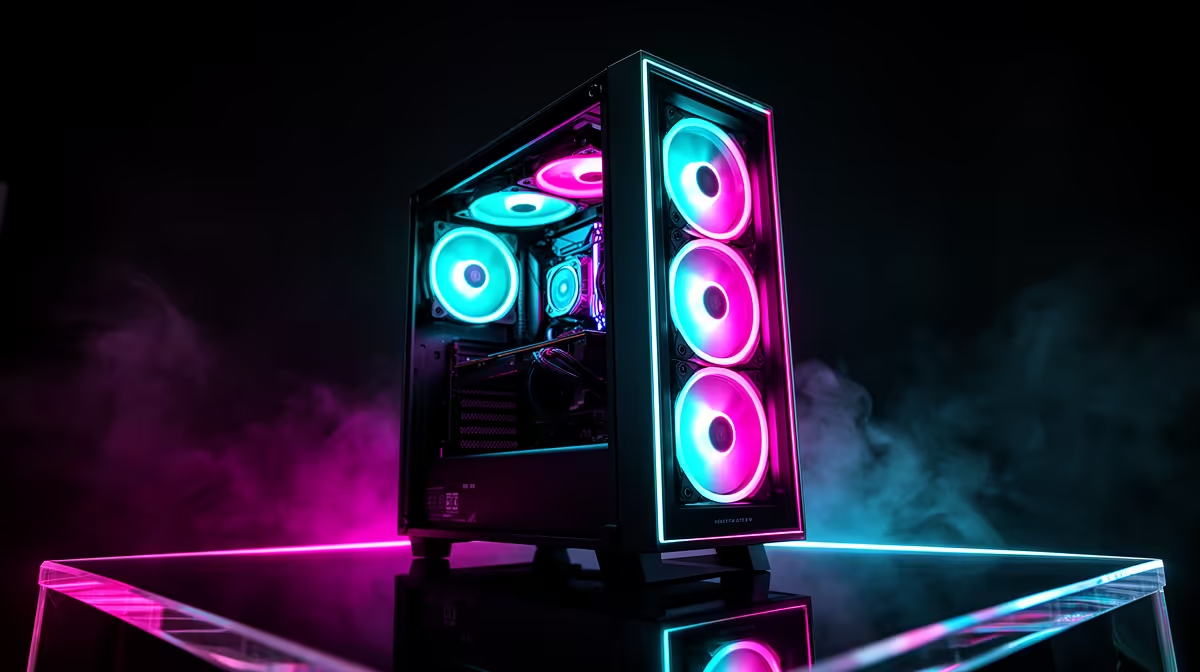
For the best rand-per-feature value, target mid-tower ATX cases in the R900 to R1,600 range that bundle three or four preinstalled ARGB fans, a tempered glass side panel, and a front USB 3.2 Type-C port. This combination typically saves R600 to R1,200 versus buying the case and fans separately, and skips the compatibility headaches of mixing fan ecosystems.
What Features Are Worth Paying For 💰
Not every feature on a gaming case spec sheet delivers proportional value. The features that directly affect your build quality and experience are: sufficient GPU clearance (380mm minimum for current-gen cards), at least two front intake mounting positions for 120mm or 140mm fans, a PSU shroud to hide the power supply and cable bundle, and a front USB Type-C port connected to a USB 3.2 Gen 1 or Gen 2 internal header.
Where to Trim Cost Without Sacrificing Build Quality 🔧
Features you can safely deprioritise without hurting build quality include: LCD pump head displays (adds R1,200 to R2,000 for pure aesthetics), tempered glass on all four sides (adds weight with no functional benefit), built-in vertical GPU riser mounts (useful only if you have a compatible PCIe 4.0 or 5.0 riser cable), and excessive drive bays beyond what you plan to use. Cases with solid steel front panels and no tempered glass front are often structurally identical to their glass-front siblings and sometimes have better airflow through a perforated alternative front panel, available for R100 to R200 as an accessory for some models.
Matching the Case to Your Build Budget 🖥️
For a complete build under R15,000, the case should represent R900 to R1,400 of the total. Spending R2,000 to R2,500 on a case for a R12,000 build skews the budget away from GPU or CPU upgrades that produce real gaming performance gains. For builds above R20,000 anchored on an RTX 5080 or Ryzen 9 9900X, a R1,600 to R2,200 case with full ARGB integration, top-tier cable management, and a quality preinstalled fan set is a proportional investment.
Bundle ARGB Fan Ecosystems From One Brand ⚡
If you buy a case with preinstalled fans from one manufacturer and then add fans from another to expand to five or six total, you will end up managing two separate RGB software applications. Choose cases where the preinstalled fans use standard 3-pin ARGB headers rather than a proprietary connector, so any added fans connect to the same motherboard ARGB header and sync through a single software interface like ASUS Aura Sync or MSI Mystic Light.
FAQ
Is a R1,500 case with preinstalled fans better value than a R800 case with no fans?
In most scenarios, yes. Adding three quality ARGB fans to the R800 case brings your total to R1,550 to R2,150, which is at or above what the bundled case costs. The bundled case also eliminates compatibility uncertainty. The R800 route only wins if you have specific high-performance fans already purchased or prefer a brand the bundled case does not offer.
Do front USB Type-C ports work with all motherboards?
Only if the motherboard has a matching internal USB 3.2 Gen 1 or Gen 2 Type-C header. Entry-level B650 and B760 boards occasionally omit this header. If you have a Type-C port on the case front and no matching header on the motherboard, the port simply will not function. Verify your motherboard's specification before choosing a case based partly on the Type-C port.
How much does a full ARGB build typically cost in SA compared to a standard build?
The ARGB premium across a full build (case, CPU cooler, RAM, and fans) typically adds R800 to R2,000 to the total build cost compared to an equivalent non-RGB build with the same performance components. That is a reasonable aesthetic premium for a showcase build, but the RGB components themselves add zero gaming performance.
Want the best bang for your rand on a case?
Shop gaming PC cases at Evetech with preinstalled ARGB fans, tempered glass side panels, and front Type-C ports at every budget level.