



How to Use a Nano SIM 4G Router for Reliable Home Internet
Master using a Nano SIM 4G router as your primary internet solution. Get stable speeds and seamless connectivity for gaming and streaming at home! 🌐🚀
Read moreActive cooling vs passive cooling for low-power workstation GPUs: choose the right setup for lower temps, stable clocks, and less noise. Compare fans, heatsinks, and real-world thermals to pick smarter. 🧊🔧
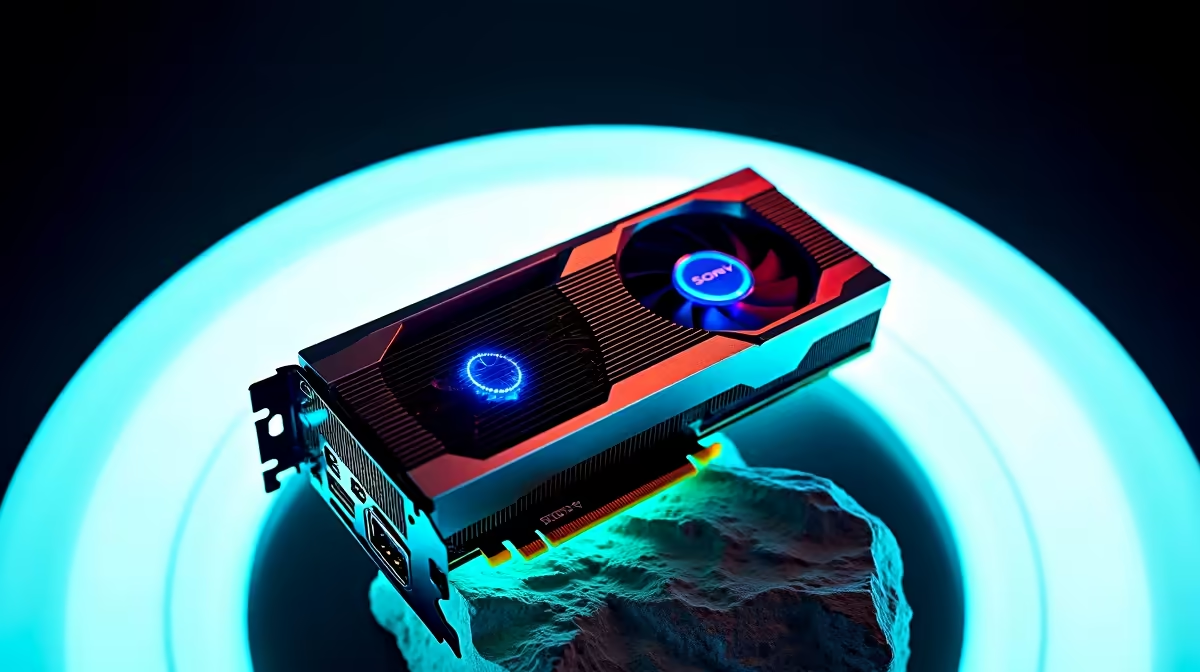
South African builders know the drill... quiet matters, but so does reliability. When your workstation sits under a desk in a warm room, even a low-power GPU can drift from “nice and silent” to “why is this fan shouting?” The choice between active cooling and passive cooling for low-power GPU workstations is not just about noise. It affects stability, dust management, and long-term comfort... especially during load-shedding routines and summer heat 🔧
Active cooling uses fans to move air across the heatsink. Passive cooling depends on a large heatsink and case airflow only. In practice, low-power GPUs can work well with either approach, but the context matters.
If your workstation handles CAD, office suites, light content creation, or multi-monitor productivity, a well-designed active card often offers more flexibility. It can keep temperatures more predictable in compact cases. If you want near-silent operation and your chassis has strong front-to-back airflow, passive cooling can be appealing.
For browsing options, Evetech’s range of graphics cards includes models suited to different noise and thermals needs. If you prefer a specific board partner, you can also look at MSI graphics cards for cooler designs and quieter fan profiles.
Heat dissipation starts with airflow. A passive card is only “silent” if the rest of the system supports it. That means a sensible case layout, clean filters, and enough exhaust.
A low-power workstation with poor airflow may run hotter on passive cooling than a slightly louder active card would. That is why the best answer is rarely “always passive” or “always active”. It is more about matching the GPU to the case, room temperature, and workload.
Passive designs make sense when noise is the top priority. Think recording setups, reception desks, home offices, or editing bays where fan noise becomes annoying fast. They can be brilliant for light workloads, but they need discipline.
If you need a low-power option with workstation-friendly features, Evetech’s workstation graphics cards are a sensible place to start. For users exploring newer efficient options, Intel Arc graphics cards are worth a look too... especially if your workflow leans on modern media acceleration.
On low-power GPUs, case airflow matters as much as the cooler itself. Use one front intake and one rear exhaust at minimum... then keep cables tidy so air can move freely across the card.
Active cooling is usually the safer default if you are unsure. It gives extra thermal headroom and is less dependent on perfect case conditions. That can be useful in South Africa, where room temperatures rise quickly in summer.
Passive cooling can still be excellent. But it rewards careful builders. If you want a balanced route, a low-noise active card often delivers the best compromise. It keeps temperatures in check without turning your office into a wind tunnel ✨
AMD buyers can also compare Radeon graphics cards when looking for efficient workstation-friendly options. The key is to read the cooler design and power target, not just the brand name.
Before buying, check:
In short, passive cooling suits the quietest builds. Active cooling suits the most forgiving builds. For most South African workstation users, that flexibility wins.
Ready to Find Your Perfect Match? The Mac vs Windows debate is complex, but for maximum power, choice, and value in South Africa, Windows is hard to beat. Explore our massive range of laptop specials and find the perfect machine to conquer your world.
Active cooling usually keeps temperatures lower and clocks more stable, while passive cooling can work well for low power loads and quieter operation.
They can, especially during long renders or AI tasks. Passive cooling relies on heatsink mass and case airflow to avoid thermal throttling.
It can, but modern low RPM fans and good fan curves reduce noise. If you prioritize silent builds, compare noise specs and test under load.
Targets vary by model and ambient conditions. Aim for lower steady-state temps with active cooling, while passive cooling may run higher during sustained use.
Sometimes. If your GPU has a large heatsink and your case airflow is strong, passive can be effective. Otherwise, active cooling often performs more reliably.
For short bursts, passive may be sufficient. For sustained exports, compilation, or AI edge workloads, active cooling typically maintains better performance.
Yes. Poor case airflow can raise GPU temps for both methods. Active cooling helps more, while passive cooling needs strong ventilation.
Master using a Nano SIM 4G router as your primary internet solution. Get stable speeds and seamless connectivity for gaming and streaming at home! 🌐🚀
Read more
Confused by Cat4 vs Cat6 LTE routers? 🌐 We break down the technical differences to help you choose the right router for faster gaming and streaming. Get the speed you deserve today! 🚀
Read more
Learn how to setup a VPN server on your 4G LTE router to secure your remote access. Protect your data and browse safely from anywhere with our easy guide! 🌐🔐
Read more
Choosing the best 4G LTE router for South Africa ensures reliable internet when fibre is unavailable. Discover top connectivity tips for rural and urban areas. 🌐📶
Read more
Discover what is passive PoE and how it streamlines outdoor router installations. Eliminate messy cabling and simplify your network setup with this efficient power delivery method. ⚡🌐
Read more
Need to extend internet coverage to outbuildings or farms? 📡 An outdoor 4G router is the ultimate solution for stable, high-speed connectivity in remote locations. Discover how to boost your range and stay connected anywhere on your property. 🌐
Read more
Wondering if a TKL wireless mechanical keyboard is worth it for everyday productivity? We break down latency, battery life, comfort, and workflow gains for real work. ⚡⌨️

Maximise battery life on a fanless 15-inch laptop using efficiency core architecture. Cut idle drain, tune power profiles, and improve thermals for longer runtime. 🔋⚙️

Learn how to reduce desk clutter with a TKL wireless keyboard using fewer cables, smart placement, and tidy essentials. Get a faster, calmer workspace with better ergonomics. ✅🧼

RGB keyboard lighting too distracting? Learn how to manage backlight modes, set brightness, and reduce distraction for focus and productivity 😌🖱️

Are themed gaming keyboards worth the extra cost? Compare build quality, switch options, features, and resale value to find the best fit for your setup 🎮⌨️

Full-Size vs Tenkeyless mechanical keyboards for gaming: find out if a smaller layout truly improves aim, speed, and comfort. We break down layout, desk space, latency-feel, and keybinds 🎮⌨️

Dedicated media rollers vs function key shortcuts: learn which setup gives you better workflow control, faster media access, and fewer mistakes. 🖱️🎧

Best Mechanical Switch Type for Gaming: Clicky vs Linear vs Tactile. Find your feel, speed, and noise balance with practical guidance for FPS, MOBA, and productivity 😄🎮

Direct mouse answer: Mouse not keeping up with your work? Everything that matters about dual-mode 2.4GHz + BT 5.0: DPI behaviour, channel switching, battery curves and per-app button mapping. Covers when 2.4GHz USB wins (low-latency desk) and when BT 5.0 wins (laptop, d

Plain wireless mouse guide: Mouse not keeping up with your work? Everything that matters about wireless productivity mouse: DPI behaviour, channel switching, battery curves and per-app button mapping. Includes DPI tuning tips, channel switch shortcuts, and ZAR-aware fea

Real productivity numbers: Set up your wireless mouse in this order: everything that matters about wireless productivity mouse: DPI behaviour, channel switching, battery curves and per-app button mapping. Includes DPI tuning tips, channel switch shortcuts, and ZAR-aware

Pen not feeling like paper? Stylus lag and skipping usually trace to old drivers, dirty nibs, or display refresh mismatches, not the pen itself. Covers pressure curve tuning, tilt thresholds, nib swap timing, and SA pricing brackets.