



Hot-Swappable PCB Architecture in Modern Keyboards: Guide
Learn hot-swappable PCB architecture in modern keyboards—what it is, how sockets and traces work, and how to pick the right board. Speed up swaps, reduce risk, and upgrade faster 🔧⚡
Read moreAIO cooler LCD display panel — - Explain what it is; - Show benefits for temps, monitoring and aesthetics; - Help you choose and set up the right AIO ✅
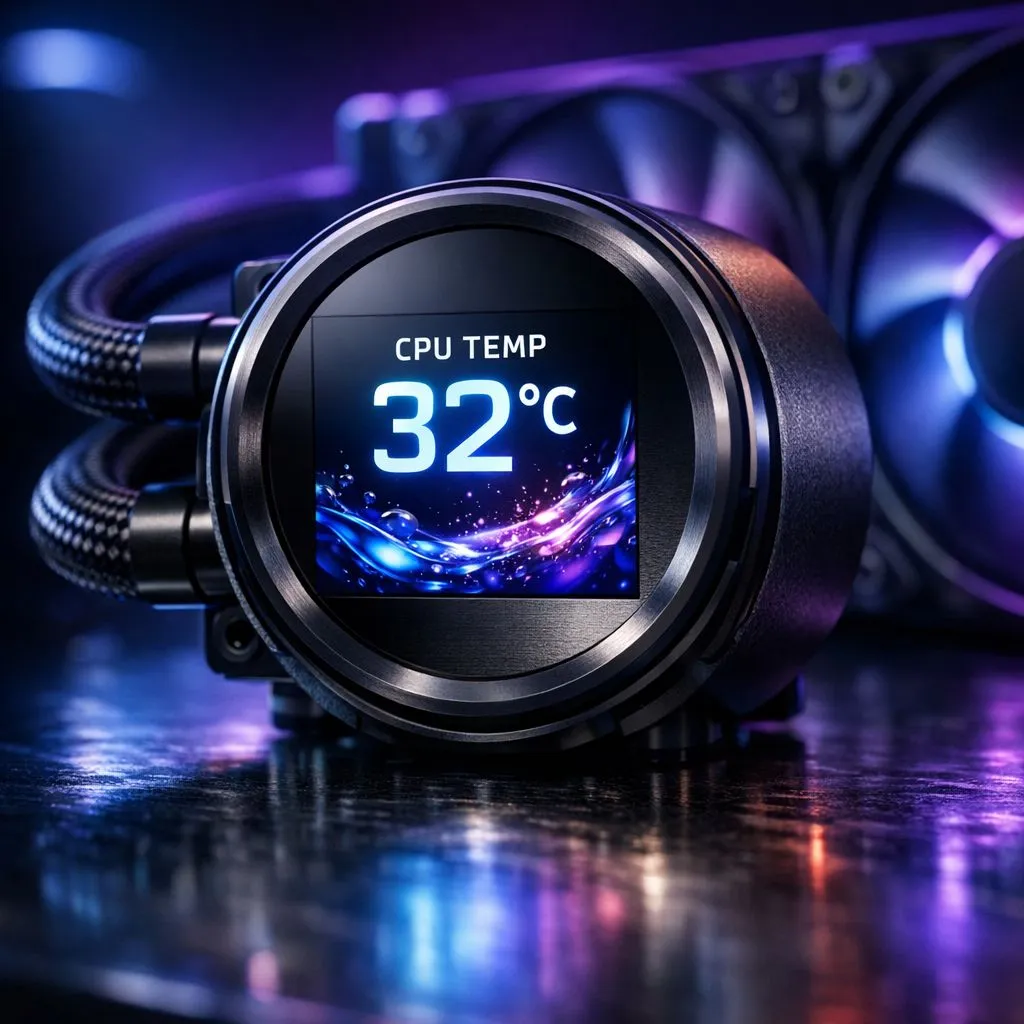
Building a PC in South Africa often means balancing performance with style. If you have browsed high-end setups lately, you have likely seen a screen glowing inside the case. This is an AIO Cooler LCD Display Panel. It is more than just a flashy light show... it is a functional tool that brings your hardware to life while keeping your processor icy cool. ⚡
An AIO (All-In-One) liquid cooler traditionally uses a pump block to move liquid across your CPU. In recent years, manufacturers replaced the plastic caps on these pumps with vibrant screens. When looking for the best cpu coolers, the addition of an LCD panel is the clearest sign of a premium build.
These panels are usually IPS or OLED displays. They connect to your motherboard via internal USB headers. Using proprietary software, you can control exactly what the screen shows. It transforms a static component into a dynamic window into your PC’s soul.
The primary reason to choose a Liquid Cooler (AIO) with a screen is data. South African summers can be brutal on hardware. Having your CPU or GPU temperature displayed right on the pump allows for instant checks during intense gaming sessions.
You no longer need to tab out of your game or run clunky overlays. A quick glance through your side panel tells you if your thermals are stable. Many users also display pump speeds or fan RPMs to ensure everything is functioning correctly.
Let’s be honest... we love to show off our rigs. An AIO Cooler LCD Display Panel allows for unparalleled customisation. You can upload custom GIFs, memes, or even your own clan logo. 🚀
If you want a sleek, professional look, CORSAIR AIOs offer some of the most polished software ecosystems for managing these visuals. You can match the screen colour to your RGB strips perfectly, creating a unified theme that stands out in any room.
When setting up your LCD panel, avoid using high-brightness white backgrounds for long periods if you have an OLED screen. This helps prevent burn-in over time. Instead, use dark themes with vibrant accents to make the data pop while preserving the life of the panel.
Performance is still the priority. If you are running a high-end i9 or Ryzen 9 processor, a 360mm Radiator provides the surface area needed to keep things quiet. The larger radiator often pairs with a larger, more detailed LCD screen on the pump.
For those with mid-tower cases or slightly more modest builds, a 240mm Radiator is the sweet spot. It offers a massive upgrade over air cooling while still giving you that premium screen real estate. 🔧
You do not always have to spend a fortune to get this tech. Brands like Deepcool liquid coolers have made LCD panels much more accessible to local gamers. They offer a great balance between thermal performance and visual flair without the "luxury tax" of other brands.
Ultimately, an AIO with a screen is about control. It gives you control over your thermals and control over your PC's identity. It is the finishing touch for any modern South African gaming station. ✨
Ready to Find Your Perfect Match? Whether you want to monitor your temps in real-time or just want to show off your favourite GIFs, we have the hardware for you. Explore our massive range of AIO coolers and find the perfect display to complete your build.
A small color screen on the AIO pump or block that shows temps, fan speeds and visuals so you can monitor and personalize your PC build.
It shows real-time CPU/GPU temps and pump data on-screen so you can spot thermal spikes faster and adjust cooling or fan curves.
For showcase gaming rigs, an LCD adds style plus instant telemetry. It’s worth it if you want both visuals and on-device monitoring.
No — the LCD is cosmetic and informational. Cooling depends on radiator, pump and fans, not the display itself.
Many AIO LCDs support custom images or GIFs via vendor software or USB, enabling unique personalization of your build.
Verify CPU socket and case clearance, resolution, software support, and that the display shows the metrics you need.
Mount the pump, connect power/data to the motherboard or controller, then use the manufacturer's app to configure the AIO display.
Learn hot-swappable PCB architecture in modern keyboards—what it is, how sockets and traces work, and how to pick the right board. Speed up swaps, reduce risk, and upgrade faster 🔧⚡
Read more
Mechanical switch lifespan explained—what the 50 million keystroke rating really means, plus tips to extend switch life and reduce double-press issues 🔧⌨️
Read more
60-percent vs full-size mechanical keyboard layouts—learn what each layout includes, who it suits, and how to choose the right fit 🧩⌨️ for typing, gaming, and productivity.
Read more
Double injection keycaps last far longer than standard printed keycaps in most setups. Learn typical lifespan ranges, what shortens them, and how to maximize durability for smoother daily typing and gaming 😊⌨️
Read more
Full-key anti-ghosting: does it stop missed inputs during fast-paced gaming? We break down latency, polling, and key matrix limits so you can buy smarter 🎮⚡
Read more
Protect mechanical keyboard switches from South African dust and summer humidity with practical cleaning and storage habits. Keep your switches smooth, reduce failures, and extend lifespan. 🌬️💧
Read more
Wondering if a TKL wireless mechanical keyboard is worth it for everyday productivity? We break down latency, battery life, comfort, and workflow gains for real work. ⚡⌨️

Maximise battery life on a fanless 15-inch laptop using efficiency core architecture. Cut idle drain, tune power profiles, and improve thermals for longer runtime. 🔋⚙️

Learn how to reduce desk clutter with a TKL wireless keyboard using fewer cables, smart placement, and tidy essentials. Get a faster, calmer workspace with better ergonomics. ✅🧼

RGB keyboard lighting too distracting? Learn how to manage backlight modes, set brightness, and reduce distraction for focus and productivity 😌🖱️

Are themed gaming keyboards worth the extra cost? Compare build quality, switch options, features, and resale value to find the best fit for your setup 🎮⌨️

Full-Size vs Tenkeyless mechanical keyboards for gaming: find out if a smaller layout truly improves aim, speed, and comfort. We break down layout, desk space, latency-feel, and keybinds 🎮⌨️

Dedicated media rollers vs function key shortcuts: learn which setup gives you better workflow control, faster media access, and fewer mistakes. 🖱️🎧

Best Mechanical Switch Type for Gaming: Clicky vs Linear vs Tactile. Find your feel, speed, and noise balance with practical guidance for FPS, MOBA, and productivity 😄🎮

Direct mouse answer: Mouse not keeping up with your work? Everything that matters about dual-mode 2.4GHz + BT 5.0: DPI behaviour, channel switching, battery curves and per-app button mapping. Covers when 2.4GHz USB wins (low-latency desk) and when BT 5.0 wins (laptop, d

Plain wireless mouse guide: Mouse not keeping up with your work? Everything that matters about wireless productivity mouse: DPI behaviour, channel switching, battery curves and per-app button mapping. Includes DPI tuning tips, channel switch shortcuts, and ZAR-aware fea

Real productivity numbers: Set up your wireless mouse in this order: everything that matters about wireless productivity mouse: DPI behaviour, channel switching, battery curves and per-app button mapping. Includes DPI tuning tips, channel switch shortcuts, and ZAR-aware

Pen not feeling like paper? Stylus lag and skipping usually trace to old drivers, dirty nibs, or display refresh mismatches, not the pen itself. Covers pressure curve tuning, tilt thresholds, nib swap timing, and SA pricing brackets.