Extra buttons can preserve thumb position, but a competition may restrict what those inputs are allowed to do. Programmable macro buttons in competitive gaming are useful when they hold legal single actions, remain easy to reach and survive practice without accidental presses.
Quick Answer
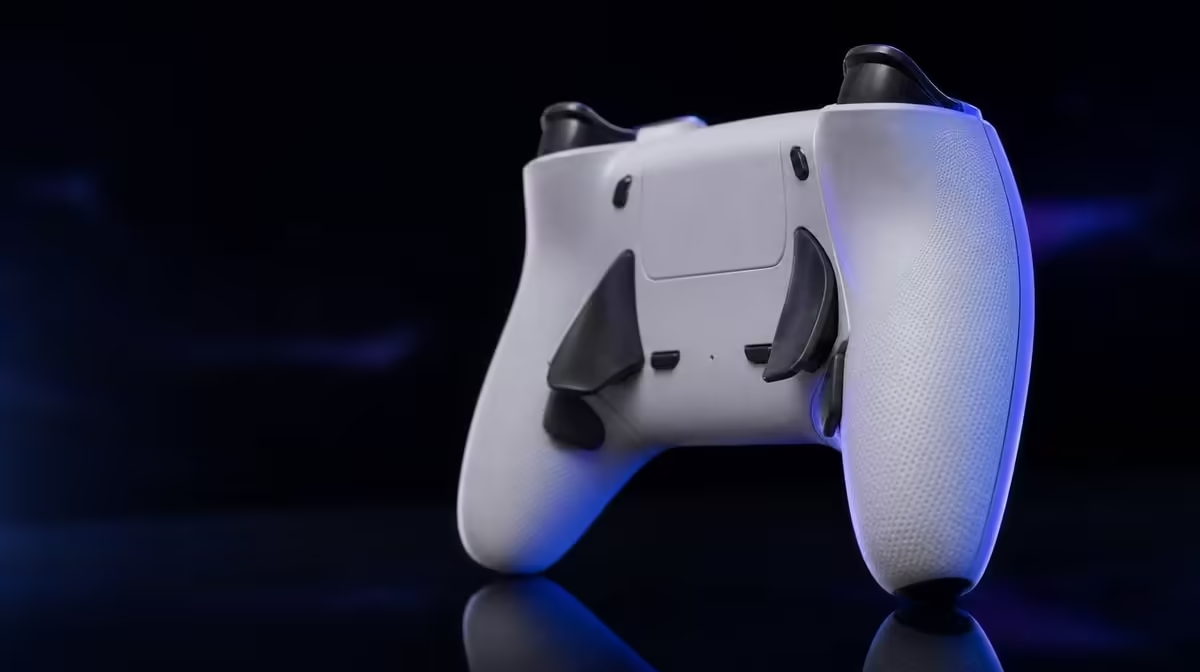
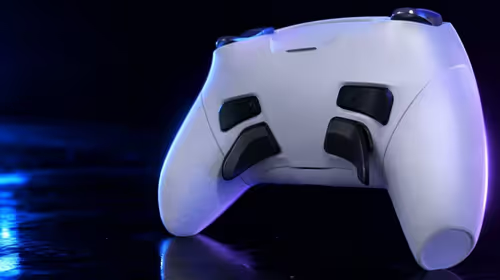
The R1,499 GameSir G7 Pro provides four programmable macro buttons that can move selected commands beneath spare fingers. Their competitive value depends on simple mappings, the rules of the game or event and enough rehearsal to make the layout reliable.
🧭 Start with the rules, not the empty slots
Check the current rules for the competition, platform and game before programming anything. An extra button that mirrors an allowed command is different from an automated sequence, and the distinction must come from the relevant rules rather than assumption.
Write each proposed mapping as an action. "Rear left equals face button" is clear. "Makes a difficult sequence easier" is too vague to judge. If the intended input would automate timing or multiple commands, do not treat it as automatically acceptable.
The G7 Pro offers four macro positions, but all four do not need to be filled. A single well-chosen input can be more dependable than a crowded layout that the player cannot recall under pressure.
Create a rules card before a profile card. Record the event name, game mode, permitted remapping and any restriction that affects multi-command behaviour. Recheck it when rules change rather than copying a configuration from casual play into competition.
If the wording is unclear, use the default map until the organiser or published rules settle the question. A competitive advantage is not useful when it creates an eligibility problem.
Platform comes first. The console requires its lead; PC has cabled and 2.4GHz choices; Android connects by Bluetooth. Confirm the competition device and accepted route before customisation receives attention.
Review options in Evetech's gaming controller range with legal input access as a separate requirement.
✋ Move only actions that disrupt control
Watch the player's hands during a familiar competitive drill. Look for moments when the right thumb leaves the aim stick, the left thumb abandons movement or a face-button reach changes grip.
Select one frequent action that causes that disruption. Map it to an extra button under a finger that is not already overloaded. The goal is continued control access, not adding more commands than the game needs.
Leave the original button active during early practice where the setup permits it. This provides a fallback while the new location becomes familiar. Remove or rethink the mapping if the player alternates unpredictably and creates hesitation.
Study grip pressure. A macro position reached by squeezing the controller may fire during tense moments even if it behaves perfectly in a calm menu. Ask the player to aim, turn and use both triggers while keeping the mapped finger resting naturally.
Choose commands with a clear beginning and end. A frequently tapped action is easier to learn than a context-sensitive command whose function changes across menus and match states. The purpose is to reduce a known reach, not create another decision layer.
Trigger stops can shorten selected actions, while Mag-Res TMR sticks handle thumb position. Test macro access while using those controls, because a rear-button reach that feels comfortable in a menu may disturb aim or trigger pressure during play.
The controller's four rumble motors can add feedback, but vibration does not prove a mapping is accurate. Evaluate input registration and hand position directly.
Evetech's gaming accessory category can help frame the wider competition setup after the controller requirement is fixed.
🧪 Train one mapping through pressure
Build a three-stage drill. First, use the command alone until the correct rear position is known. Second, combine it with movement and aim. Third, run a realistic match segment where attention is divided.
Count missed inputs, accidental activations and grip adjustments. Speed alone is not enough; a mapping that saves a thumb movement but produces unplanned presses is not yet useful.
Practise from a neutral start rather than only repeating the successful part. Pick up the controller, connect through the competition route, load the profile and identify the mapped action. This tests whether the configuration is recoverable on the day.
Add a second macro only after the first remains stable. Choose a different finger or a clearly different role to reduce confusion. Continue until the useful set is complete, even if two positions stay empty.
Save a plain-language profile with game, platform, connection and every mapping. Include a reset layout. If a rule interpretation changes or another player uses the pad, returning to the default should be straightforward.
Use a control group during practice. Run one set with the standard face-button input and another with the macro position, keeping the drill and game settings stable. Compare errors, thumb movement and execution under pressure.
Do not judge the layout only by the best attempt. A competitive mapping should improve repeatability across ordinary runs. Note the worst errors and whether they follow fatigue, grip shift or confusion between two rear positions.
⚖️ Decide whether access improves performance
Macro buttons do not replace mechanical skill, decision-making or timing. They change where an allowed command is reached. The player still has to select and execute the correct action.
At R1,499, the G7 Pro's four macros sit alongside 1000Hz PC polling, TMR sticks and Hall Effect triggers with stops. Give each feature its own evidence. Faster PC reporting does not prove a rear mapping is legal, and magnetic sensing does not make a poor layout comfortable.
Run the chosen map across several sessions and one fatigue test. Hands can shift as a session progresses, exposing accidental presses that a short warm-up misses. If errors rise, reduce the number of mapped inputs or change the assigned finger.
Prepare for a profile failure. The player should know the original control well enough to continue if a custom mapping is unavailable. Extra access should support skill rather than become a single point of confusion.
At the end, classify each of the four positions as essential, helpful, unused or prohibited for the event. Empty positions are a deliberate outcome when they protect consistency.
Use Evetech's popular accessory list after the rules and practice result are written, then check current availability.
Frequently Asked Questions
What practical benefit do macro buttons provide?
They can place a permitted action under a spare finger so the thumb stays on movement or aim controls.
How many macro buttons does the G7 Pro have?
It provides four programmable macro positions.
Are macros allowed in every competitive game?
No universal rule applies. Check the current game, league and event requirements before using a mapping.
What is a safe competitive use for extra buttons?
A simple remap of an allowed single command is easier to assess than an automated sequence, subject to the applicable rules.
Can a macro button replace mechanical skill?
No. It changes access to an input, while timing, aim and decisions remain with the player.
Why should mappings remain simple at first?
Simple layouts are easier to learn, audit and reproduce under pressure.
Do four buttons need to be programmed at once?
No. Use only the positions that solve a real reach problem.
How should a new layout be tested?
Practise the input alone, combine it with movement, then test it in a realistic match sequence while counting errors.
Ready to move one legal action without losing aim?
Compare Evetech's gaming controllers, map a single G7 Pro button and prove it through a pressure drill before adding another.