Single-player games give players room to optimise comfort without turning every extra input into a competitive question. Macro buttons in single-player games can move awkward actions beneath spare fingers, but the player still makes every decision and executes the difficult section.
Quick Answer
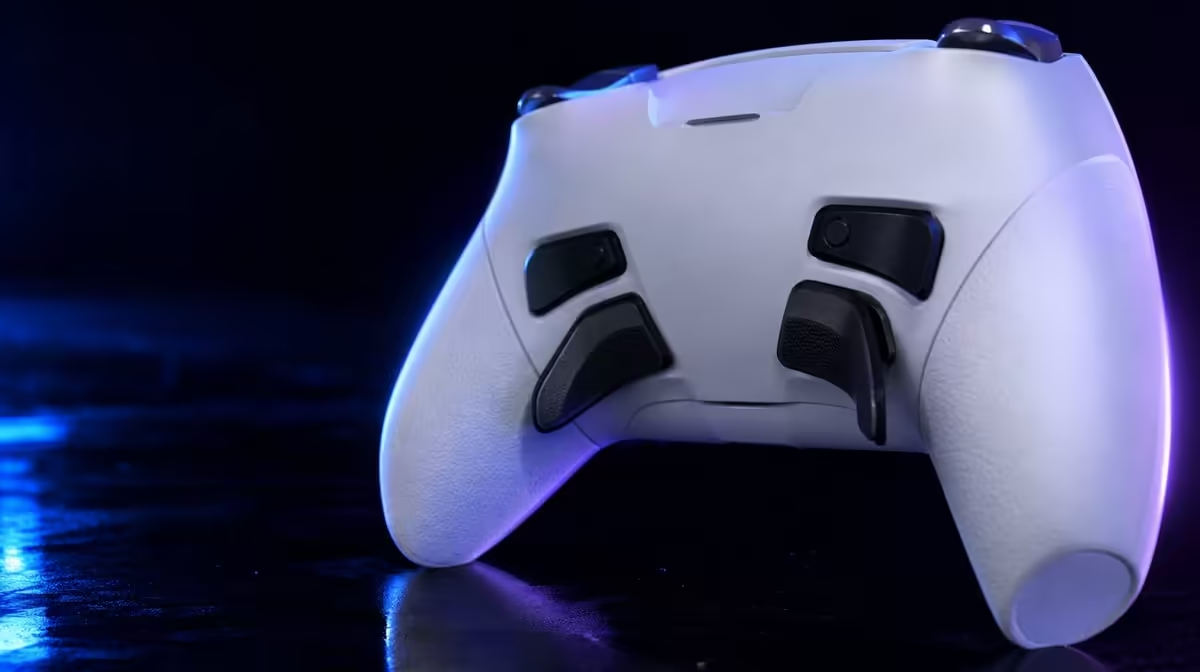
The R1,499 GameSir G7 Pro has four macro buttons that can improve single-player access. Map one frequent utility or awkward combination, practise it through normal play and add more only when the layout remains clear.
🧭 Find friction in the original controls
Watch for moments when a thumb leaves camera or movement control to reach a face button. Note frequent utility, interaction or traversal actions.
Choose one action with a clear meaning. Rare context-sensitive commands are harder to learn in a new position.
Good candidates appear often enough to build memory. Interaction, dodge, sprint or a utility command may fit depending on the title.
Avoid remapping a command merely because it looks advanced. The new position should solve a documented reach or comfort problem.
Keep the original command known as a fallback. A custom map should not make the game inaccessible when a profile is reset.
Write both locations on the profile card during practice. Remove the reminder only after the macro is recalled without hesitation.
If the game changes the command by context, test every common state before accepting the map.
Browse Evetech's gaming controller category with the access problem written down.
✋ Map for comfort and recall
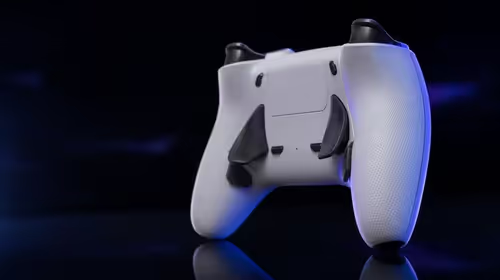
Use a rear position reached without squeezing. Test sticks and triggers while the finger rests nearby.
Try the relaxed exploration grip and the tighter grip used in combat. Accidental activation often appears only under pressure.
Check whether the mapped finger must leave another macro or alters trigger pressure. Easier face-button access should not create a new conflict.
Count accidental activations during calm exploration and a more demanding encounter.
Compare a sequence with the original input and another with the macro. Record comfort, errors and camera or movement interruption.
Repeat over several short sessions. Initial unfamiliarity can improve, while grip-related errors may persist.
Add a second button only after the first becomes automatic. Four empty slots are not a failure.
Give each extra position a distinct purpose. Two similar utility commands can become difficult to distinguish during a long campaign.
Leave a button unmapped when the hand rests on it heavily. Simplicity supports comfort.
🎮 Adapt profiles to different games
An action adventure may benefit from interaction or dodge access. A role-playing game may use shortcuts, and a driving title can prioritise another utility.
Build a new card for every game rather than importing a map by habit. The same rear position can serve another action if the owner can identify the active profile.
Test menus and gameplay separately. A macro helpful during combat can create surprising navigation behaviour.
Save each profile with game, platform and connection. G7 Pro owners use a console lead, choose cable or dedicated wireless on PC, and pair Android by Bluetooth.
Include trigger-stop state and sensitivity. A macro comparison is difficult to interpret when the rest of the controller changed too.
For Android, confirm the title accepts controller input. Device pairing alone does not guarantee that the profile is usable.
Trigger stops and TMR sticks are separate controls. Test the macro without changing those settings simultaneously.
Use Evetech's gaming accessories range after the controller map is stable.
🧪 Review advantage without overclaiming
Macro access can reduce awkward reaches. It does not automate judgement, timing, aiming or puzzle solving.
It also does not create skill in a difficult encounter. The player still learns patterns and chooses the action.
The benefit is ergonomic and organisational: a command can be available to another finger while thumbs remain on primary controls.
Run the same sequence with the original and new position. Compare comfort, errors and grip changes.
Add a longer play block to expose fatigue. A mapping that looks useful in a five-minute test may become tiring or fire unintentionally later.
Ask another player to restore the default map. Reversibility matters when the controller or save is shared.
At R1,499, extra inputs add value when they improve hours of play, not just the setup menu.
The G7 Pro's TMR sticks, Hall Effect triggers and dock remain separate benefits. Do not use them as evidence that a macro layout works.
Review the profile after a week and classify each position as essential, helpful, unused or harmful. Keep only the first two.
End with a named gain: fewer thumb departures, easier utility access or reduced hand strain. That makes the single-player advantage clear without pretending the controller completed the action.
Create a cold-start test. Connect to the platform, load the game profile and identify each mapped command without pressing it experimentally. A comfortable layout should remain understandable after several days away.
Use one profile with no macros as the control. Play the same sequence and compare camera interruption, grip changes and execution errors. The extra buttons earn credit only for differences that matter.
Keep a note for accessibility and comfort preferences without claiming a universal result. Another player may need different positions or fewer assignments.
Test the macro alongside both trigger modes if the title uses them. A stopped trigger can shift grip enough to change rear-button access.
On PC, leave 1000Hz fixed during the mapping test. Polling changes report cadence and should not be used to explain a comfort result.
On wired Xbox, verify cable placement during the longer session. A good macro profile cannot fix a room layout that makes the connection awkward.
On Bluetooth Android, confirm each game's control support before judging the map. The operating system connection is only the first step.
Use the dock as the final reset point for wireless routines. Restore default or label the active game profile before putting the controller away.
At R1,499, the four positions are valuable when a small, memorable subset improves long sessions. The strongest layout can contain one or two assignments and still use the hardware well.
Create an end-of-game reset. Restore the default map or label the active profile, disengage specialised trigger stops where needed and leave the controller in a state the next session can understand.
Repeat the chosen mapping after several days away. If the player cannot recall it without experimental presses, simplify the card or remove the assignment.
The final recommendation should name the exact action, original reach problem and observed comfort gain. That evidence explains single-player value without implying automation.
Review Evetech's popular accessories after a week of the chosen mapping.
Frequently Asked Questions
Which single-player actions suit extra buttons?
Frequent utility, interaction or movement commands that are awkward to reach can fit well.
How many mapping positions does the G7 Pro add?
It provides four programmable macro buttons.
Can macros reduce awkward button combinations?
They can move an action to another finger, reducing some difficult reaches.
Should story-game players map all four buttons?
No. Use only positions with a clear repeated purpose.
Do macro buttons play difficult sections automatically?
No. The player still makes decisions and performs the inputs.
Can mappings change between different games?
Yes. Save a distinct profile and reset routine for each title.
How should a new single-player mapping be learned?
Practise it alone, combine it with movement and use it through an ordinary gameplay sequence.
Ready to make a long campaign easier on the hands?
Compare Evetech's gaming controllers and test one G7 Pro macro against the original reach before building a full profile.