




IPS vs VA for Strategy and Sim Games in SA
IPS vs VA for strategy and sim games should be judged by fit, not a single winner. Compare compatibility, latency, capacity, upgrade path, cost planning, and South African setup needs.
Read moreBoost your modding experience with the best gaming PC. Discover key components and tips for smooth mod installation. 💻🎮
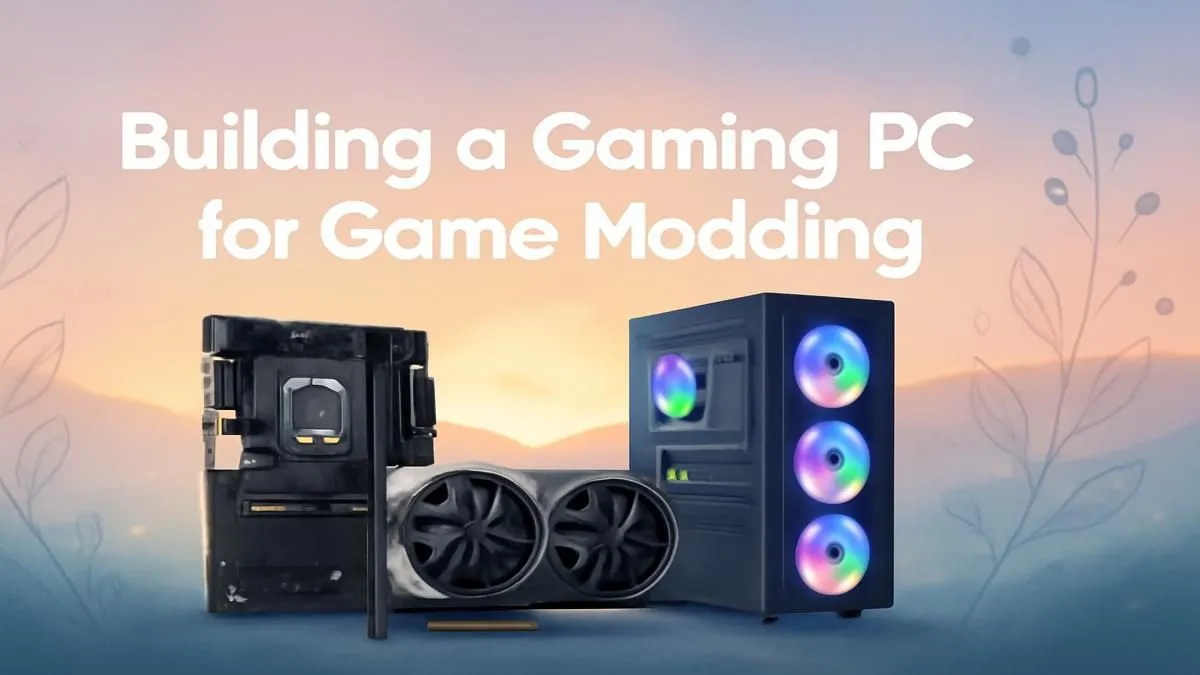
Tired of your rig stuttering every time you install a 4K texture pack for Skyrim? For many South African gamers, modding isn't just a hobby; it's the main event. It’s about transforming a game you love into something uniquely yours. But this creative freedom demands serious hardware. Building or buying the best gaming PC for game modding isn't just about chasing high frame rates… it's about unlocking a world of limitless customisation without the lag. 🚀
Unlike a standard gaming setup focused purely on FPS, a great modding PC needs a balanced and robust profile. You're not just playing the game; you're often running the game, a mod manager, and maybe even creation tools all at once. It's a different kind of workload that puts unique stress on your components.
A truly effective PC for modding excels in four key areas: processing power for compiling files, ample RAM for massive asset lists, lightning-fast storage to cut down load times, and a GPU with enough VRAM to handle high-resolution textures. Getting this balance right is the secret to a smooth, crash-free modding experience.
Let's break down the hardware that separates a frustrating experience from a seamless one. When you're looking for the best gaming PC for game modding, these are the parts that deserve your budget.
Your CPU does the heavy lifting when you're installing, unpacking, and managing mods. Heavily scripted mods in games like Fallout 4 or Arma 3 rely heavily on single-core speed, but the entire process of managing large mod lists benefits from more cores and threads.
Running a game with 200+ mods is incredibly RAM-intensive. Each texture pack, new NPC, and custom script eats into your available memory.
Use a dedicated tool like Vortex or Mod Organizer 2. They handle conflicts and load orders automatically, saving you hours of troubleshooting headaches so you can spend more time actually playing.
Ever waited five minutes for a modded game to load, only for it to crash? The culprit is often slow storage. The difference between a traditional hard drive (HDD) and a modern Solid State Drive (SSD) is night and day.
Finally, the GPU! While raw power is great, VRAM (video memory) is arguably more important for a modding PC. High-resolution 4K and 8K texture packs, alongside complex lighting overhauls (ENBs), consume VRAM like nothing else.
Ready to Build Your Ultimate Modding Machine? Stop letting your hardware limit your imagination. Design the best gaming PC for game modding with Evetech's powerful custom PC builder and bring your wildest virtual worlds to life.
Prioritize RAM (16GB+), a strong CPU, and SSD storage for optimal mod performance.
Budget-friendly options start at R15,000, while high-end setups exceed R50,000.
Laptops work, but ensure top specs for smoother modding—powerful GPU and RAM upgrades are key.
Use tools like Vortex or Nexus Mod Manager alongside mod-compatible PC builds.
Skyrim, Fallout, and Minecraft are top mod choices across mod-friendly gaming PCs.
Regular driver updates, clean builds, and enough storage optimize mod performance.
IPS vs VA for strategy and sim games should be judged by fit, not a single winner. Compare compatibility, latency, capacity, upgrade path, cost planning, and South African setup needs.
Read more
Gen 5 NVMe SSD guide for Bloemfontein gamers should be shortlisted around the job it must do. South African buyers should compare capacity, speed, thermals, and motherboard support, warranty path, and upgrade room before treating any pick as best.
Read more
Skip the RTX 5070 if your first-time builder budget needs better balance. Better SA picks can free room for the right CPU, PSU, case, monitor, storage, and cooling while still giving a strong first gaming PC experience this year in South Africa.
Read more
RTX 5080: weighing the pros and cons for SA should be shortlisted around the job it must do. South African buyers should compare GPU tier, VRAM, cooling, and PSU headroom, warranty path, and upgrade room before treating any pick as best.
Read more
Core i5-13400F gives South African PC builders a capable mid-range CPU choice with clear limits. Check its gaming fit, discrete GPU requirement, LGA1700 platform costs, and upgrade path before locking in your parts list.
Read more
Pros and cons of the Wi-Fi 7 routers for SA should be shortlisted around the job it must do. South African buyers should compare WiFi standard, coverage, latency, and device support, warranty path, and upgrade room before treating any pick as best.
Read more
Steam content servers unreachable needs a download-path check, not an immediate reinstall of every game. Restart the client, inspect download settings and compare another connection when practical. Clearing the download cache is separate from deleting installed games.

Keychron G6 HE has built-in and swappable battery versions with different weights. The product brief lists 42g and 46g respectively, each with a 3g tolerance. Choose by grip and battery preference before treating one headline weight as universal.

Corsair HS80 v2 MAX supports 2.4GHz wireless and Bluetooth. Its maximum battery figures use RGB-off conditions and differ by connection. Check microphone routing, comfort and the exact device support before assuming every wireless mode behaves alike.

Windows taskbar notification badges can be shown or hidden in Taskbar behaviours. This changes the small app indicators, not the underlying messages. Choose a calmer desktop while keeping a deliberate routine for checking important conversations and app updates.
Windows taskbar notification badges can be shown or hidden in Taskbar behaviours. This changes the small app indicators, not the underlying messages. Choose a calmer desktop while keeping a deliberate routine for checking important conversations and app updates.

Windows USB device in use can mean a program still has the drive open. Finish transfers and close files before retrying ejection. Better performance caching requires safe removal; a replacement drive is not the first fix for an open-file warning.

Windows Nearby Sharing not working starts with feature, Bluetooth and visibility checks on both PCs. My devices only depends on matching Microsoft accounts. Test a small harmless file before buying networking hardware or changing your home router.

Windows hardware reserved RAM is different from memory used by applications. Compare installed memory with firmware detection and the usable amount before buying modules. Reservations and reporting limits vary by system; no universal setting restores every byte.

Windows title bar window shake can minimise other open windows when you shake the active window by its title bar. Inspect the Multitasking setting and switch it off if that gesture interrupts your work. The preference costs R0 and does not require new hardware.

Windows Print Screen opens Snipping Tool when its keyboard preference is enabled. Change the option under Accessibility, Keyboard to choose another workflow. Test whether you need a clipboard image or a saved file.

Windows desktop icons missing may be a visibility setting. Right-click the desktop, choose View and inspect Show desktop icons. If only system icons are absent, use Desktop icon settings. Check the Desktop folder before assuming files were deleted.

Windows set time zone automatically greyed out calls for a location and device-policy check. Automatic time-zone selection relies on location services. A manual time-zone choice is separate from synchronising the clock; check both before replacing hardware.