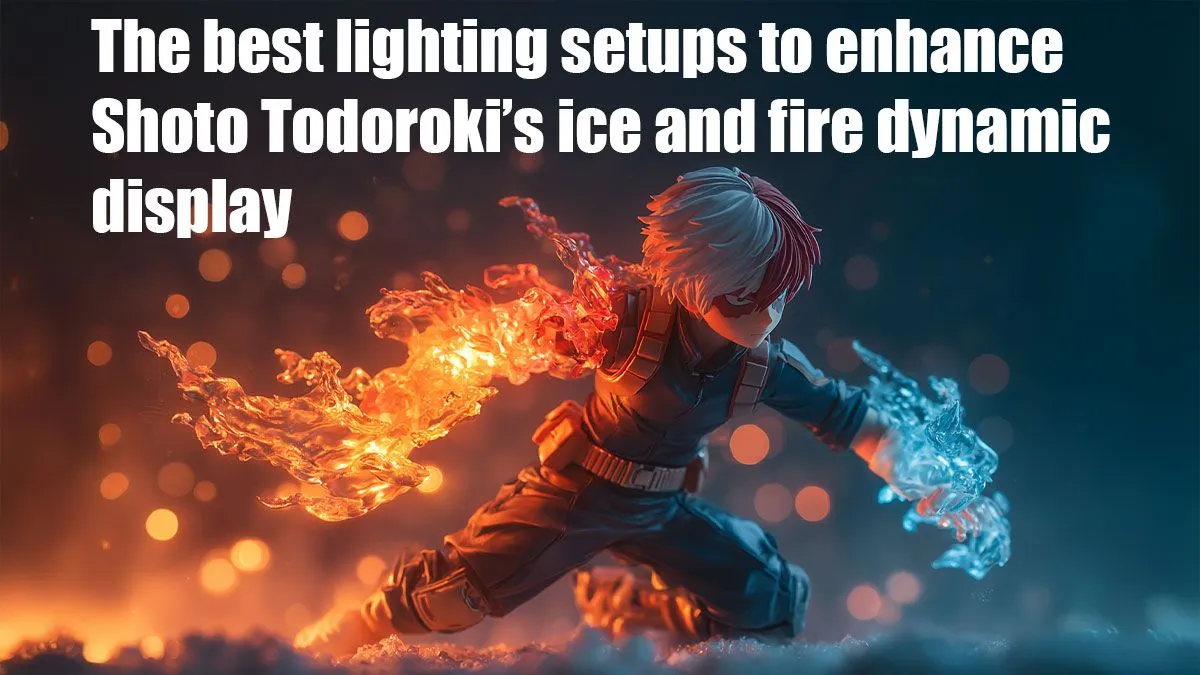
Ready to give your battle station a "Plus Ultra" upgrade, South Africa? Shoto Todoroki’s iconic Half-Cold Half-Hot Quirk isn't just for anime... it's the ultimate inspiration for a jaw-dropping PC lighting setup. We're diving deep into how to capture his fiery rage and icy calm with RGB, turning your rig into a masterpiece that looks as powerful as it performs. Forget boring, single-colour builds; it’s time for a truly heroic aesthetic. ✨
Nailing the Dual-Colour Aesthetic
The key to creating one of the best lighting setups for Shoto Todoroki’s ice and fire effects is balance. You're essentially splitting your PC case, desk, or entire room down the middle.
- The Left Side (Ice ❄️): This is all about his mother's ice Quirk. Think cool, crisp colours. Focus on bright whites, light cyans, and deep blues. The goal is to create a frosty, almost chilling effect. A slow "breathing" or "pulse" effect on the lighting here can mimic the calm, controlled nature of his ice powers.
- The Right Side (Fire 🔥): This represents his father's fire Quirk. You'll want intense, vibrant colours. Go for deep reds, bright oranges, and hints of yellow. Dynamic effects like "comet" or "fire" in your RGB software will perfectly capture the raw, flickering power of his flames.
Achieving this sharp divide is what makes a Todoroki lighting setup so visually striking.
Essential Gear for Your Todoroki Lighting Setup
You don’t need the most expensive gear in Mzansi to pull this off, just the right components. A few strategic choices can make all the difference in creating a stunning ice and fire PC theme.
Key RGB Components
- Case Fans: This is your primary tool. Position fans with blue/white lighting on the left side of your case (e.g., front intake, top-left exhaust) and fans with red/orange lighting on the right side (e.g., rear exhaust, bottom intake).
- LED Strips: Flexible and powerful, LED strips are perfect for defining the colour zones. Run a white/blue strip along the top and left side of your case interior, and a red/orange one along the bottom and right.
- RAM & AIO Coolers: Many modern RAM kits and AIO CPU coolers feature customisable RGB. You can set your RAM sticks to a gradient from blue to red or split the colours on your CPU block’s display for a fantastic centrepiece.
Imagine how a high-quality Premium Figure of Shoto would look inside a case lit this way, perfectly illuminated by his own powers. Even smaller, stylised Kawaii Figures can add a pop of character to your build without taking up too much space.
Pro Tip: Use Diffusion
For a smoother, less spotty glow, choose components with good diffusers. Frosted fan blades or white silicone LED strips blend the light for a more professional, less "Christmas light" look. It’s a small detail that elevates the entire build.
Software & Syncing: Bringing the Quirk to Life
The real magic happens in the software. Programs like Corsair iCUE, ASUS Aura Sync, or Gigabyte RGB Fusion 2.0 give you granular control over every LED. This is where you perfect your lighting setup for Shoto Todoroki’s effects.
Instead of using a single preset, you'll need to manually assign colours to individual zones or even individual LEDs.
- Isolate Components: Select your left-side fans in the software and assign them a static blue or a slow white pulse.
- Ignite the Other Side: Select your right-side fans and apply a dynamic fire or wave effect in red and orange.
- Sync Peripherals: Extend the theme! Set your keyboard, mouse, and mousepad lighting to match the split-colour scheme.
This level of customisation turns your setup from a simple PC into a piece of art. It becomes the perfect backdrop for displaying your favourite Prize Figures, making your desk the envy of any anime fan. You can even theme the area around your PC with awesome Plushies & Accessories to complete the look.
Beyond the PC: Completing Your Hero Setup
Why stop at the case? To truly create the best lighting setup for Shoto Todoroki, extend the theme to your entire room.
Use smart LED light bars or strips behind your monitor to cast a dual-colour glow on the wall. This technique, known as bias lighting, not only looks incredible but can also reduce eye strain during those long gaming sessions.
For the ultimate collector, placing a detailed Scale Figure on your desk, strategically lit by your new setup, creates a stunning display. It ties everything together, making it clear that this isn't just a gaming rig… it's a tribute to a hero. Whether you're a seasoned collector or just starting, our huge selection of gaming collectables has the perfect piece to finish your masterpiece.
Find Your Centrepiece
Your heroic setup deserves a hero. Explore Evetech’s massive range of anime figures and gaming collectables to find the perfect statue to complete your build.