



How to Use a Nano SIM 4G Router for Reliable Home Internet
Master using a Nano SIM 4G router as your primary internet solution. Get stable speeds and seamless connectivity for gaming and streaming at home! 🌐🚀
Read moreOptimize your PC: Choose top motherboard chipsets to eliminate CPU bottlenecks. 🚀 Discover high-performance options that ensure seamless gaming & multitasking. 🔍 Read the full breakdown →
import { TipBox, CALLTOACTION } from '@components/MdxComponents';
So, you’ve just invested in a beastly new processor, expecting buttery-smooth frame rates, but your PC still stutters in the latest titles? It’s a kak feeling. Before you point fingers at your GPU, the real culprit might be your motherboard’s chipset. Picking one of the best motherboard chipsets to prevent CPU bottlenecks is the secret to unlocking your rig's true potential. Let's get your components working together properly. 🚀
A CPU bottleneck happens when your processor is so fast that it's constantly waiting for other components to catch up. Think of it as a Formula 1 car stuck in rush-hour traffic. The motherboard chipset is the traffic controller for your entire system, managing the flow of data between your CPU, RAM, graphics card, and storage drives.
A weak or outdated chipset creates digital traffic jams. It might limit memory speed, offer fewer high-speed connections (PCIe lanes) for your GPU and NVMe SSD, or have poor power delivery that throttles your CPU under load. Essentially, choosing the right motherboard chipset ensures a wide-open highway for your data.
Matching your chipset to your CPU's capabilities is crucial. You wouldn't put a V8 engine in a go-kart, right? The same logic applies here. Here’s a breakdown of the best motherboard chipsets to prevent CPU bottlenecks based on your needs.
If you're running a top-of-the-line processor and demand absolute maximum performance for 4K gaming or heavy content creation, you need a flagship chipset.
These premium chipsets are designed to be paired with the best CPU processors on the market, ensuring zero compromises.
For the vast majority of South African gamers, the mid-range offers the perfect blend of features and value. These chipsets can easily handle high-end CPUs without throttling them.
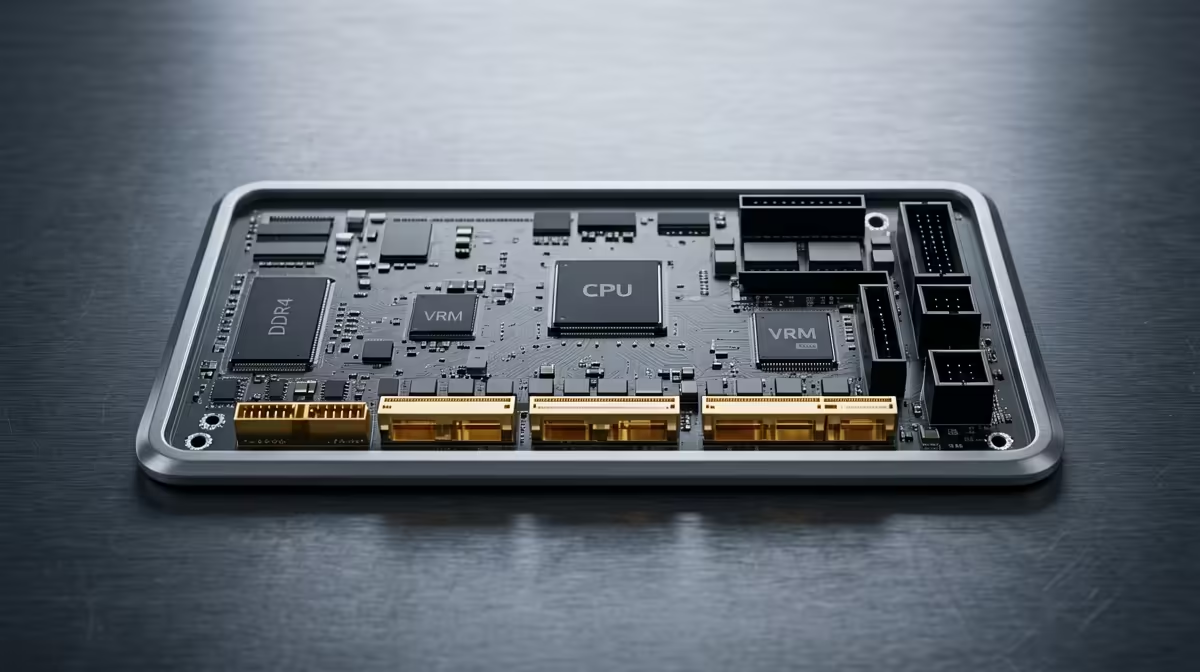
A chipset is only part of the story. The motherboard's Voltage Regulator Modules (VRMs) deliver power to the CPU. A board with a robust, well-cooled VRM setup will prevent your powerful CPU from thermal throttling under heavy load, giving you more consistent performance. ✨
Building on a tighter budget? You can still create a balanced system. Chipsets like AMD's A620 are designed for entry-level to mid-range CPUs. While they cut back on features like PCIe 5.0 and have more basic power delivery, they provide a stable, affordable platform. This is an excellent match for a budget-friendly AMD CPU from the Ryzen 5 series, ensuring your money goes towards performance where it counts most.
When comparing motherboards, focus on these three things to avoid performance issues:
By carefully selecting a motherboard with the right chipset and features for your processor, you guarantee that you're getting every last drop of performance you paid for.
Ready to Unleash Your CPU's Full Potential? Don't let a mismatched motherboard hold your rig back. A balanced build is a fast build. Shop our full range of CPUs at Evetech and find the perfect heart for your machine today.
The chipset regulates data flow between the CPU, RAM, and peripherals. Modern high-bandwidth options like Z690 or B550 minimize CPU bottlenecks by enabling faster communication.
Intel Z690 and AMD B550 chipsets excel at reducing bottlenecks through PCIe 5.0 support, multi-GPU compatibility, and optimized VRM designs for consistent power delivery.
Yes - AMD A620 and Intel H610 offer basic bottleneck prevention through adequate PCIe 3.0 lanes and thermal management, though they lack advanced connectivity features.
PCIe 5.0 (Z690/B550) doubles bandwidth compared to PCIe 4.0, significantly reducing potential bottlenecks for high-speed SSDs and GPUs that would otherwise strain CPU resources.
Look for chipsets with PCIe 5.0 support, multiple M.2 slots, robust VRM cooling, and compatibility with fast DDR5 memory to create efficient pathways between CPU and components.
Yes - inadequate chipset cooling can cause thermal throttling. Prioritize motherboards with aluminum heatsinks to maintain stable communication between CPU and peripherals.
Chipsets with multiple PCIe x16 lanes (like Z690) distribute GPU workloads efficiently, preventing bottleneck issues that occur when a single GPU overwhelms CPU resources.
Master using a Nano SIM 4G router as your primary internet solution. Get stable speeds and seamless connectivity for gaming and streaming at home! 🌐🚀
Read more
Confused by Cat4 vs Cat6 LTE routers? 🌐 We break down the technical differences to help you choose the right router for faster gaming and streaming. Get the speed you deserve today! 🚀
Read more
Learn how to setup a VPN server on your 4G LTE router to secure your remote access. Protect your data and browse safely from anywhere with our easy guide! 🌐🔐
Read more
Choosing the best 4G LTE router for South Africa ensures reliable internet when fibre is unavailable. Discover top connectivity tips for rural and urban areas. 🌐📶
Read more
Discover what is passive PoE and how it streamlines outdoor router installations. Eliminate messy cabling and simplify your network setup with this efficient power delivery method. ⚡🌐
Read more
Need to extend internet coverage to outbuildings or farms? 📡 An outdoor 4G router is the ultimate solution for stable, high-speed connectivity in remote locations. Discover how to boost your range and stay connected anywhere on your property. 🌐
Read more
Wondering if a TKL wireless mechanical keyboard is worth it for everyday productivity? We break down latency, battery life, comfort, and workflow gains for real work. ⚡⌨️

Maximise battery life on a fanless 15-inch laptop using efficiency core architecture. Cut idle drain, tune power profiles, and improve thermals for longer runtime. 🔋⚙️

Learn how to reduce desk clutter with a TKL wireless keyboard using fewer cables, smart placement, and tidy essentials. Get a faster, calmer workspace with better ergonomics. ✅🧼

RGB keyboard lighting too distracting? Learn how to manage backlight modes, set brightness, and reduce distraction for focus and productivity 😌🖱️

Are themed gaming keyboards worth the extra cost? Compare build quality, switch options, features, and resale value to find the best fit for your setup 🎮⌨️

Full-Size vs Tenkeyless mechanical keyboards for gaming: find out if a smaller layout truly improves aim, speed, and comfort. We break down layout, desk space, latency-feel, and keybinds 🎮⌨️

Dedicated media rollers vs function key shortcuts: learn which setup gives you better workflow control, faster media access, and fewer mistakes. 🖱️🎧

Best Mechanical Switch Type for Gaming: Clicky vs Linear vs Tactile. Find your feel, speed, and noise balance with practical guidance for FPS, MOBA, and productivity 😄🎮

Direct mouse answer: Mouse not keeping up with your work? Everything that matters about dual-mode 2.4GHz + BT 5.0: DPI behaviour, channel switching, battery curves and per-app button mapping. Covers when 2.4GHz USB wins (low-latency desk) and when BT 5.0 wins (laptop, d

Plain wireless mouse guide: Mouse not keeping up with your work? Everything that matters about wireless productivity mouse: DPI behaviour, channel switching, battery curves and per-app button mapping. Includes DPI tuning tips, channel switch shortcuts, and ZAR-aware fea

Real productivity numbers: Set up your wireless mouse in this order: everything that matters about wireless productivity mouse: DPI behaviour, channel switching, battery curves and per-app button mapping. Includes DPI tuning tips, channel switch shortcuts, and ZAR-aware

Pen not feeling like paper? Stylus lag and skipping usually trace to old drivers, dirty nibs, or display refresh mismatches, not the pen itself. Covers pressure curve tuning, tilt thresholds, nib swap timing, and SA pricing brackets.