Quick Answer
For rand-conscious SA gamers building a showcase setup, the five features that deliver the most visual and thermal value per rand are: a full-length tempered glass side panel, a PSU shroud with cable grommets, at least two pre-installed ARGB fans, a USB 3.2 Gen 2 Type-C front port, and magnetic dust filters on all intakes. Cases offering all five typically start around R2,200 to R3,800 in the local market.
Which Features Deliver the Most Visual Impact per Rand ✨
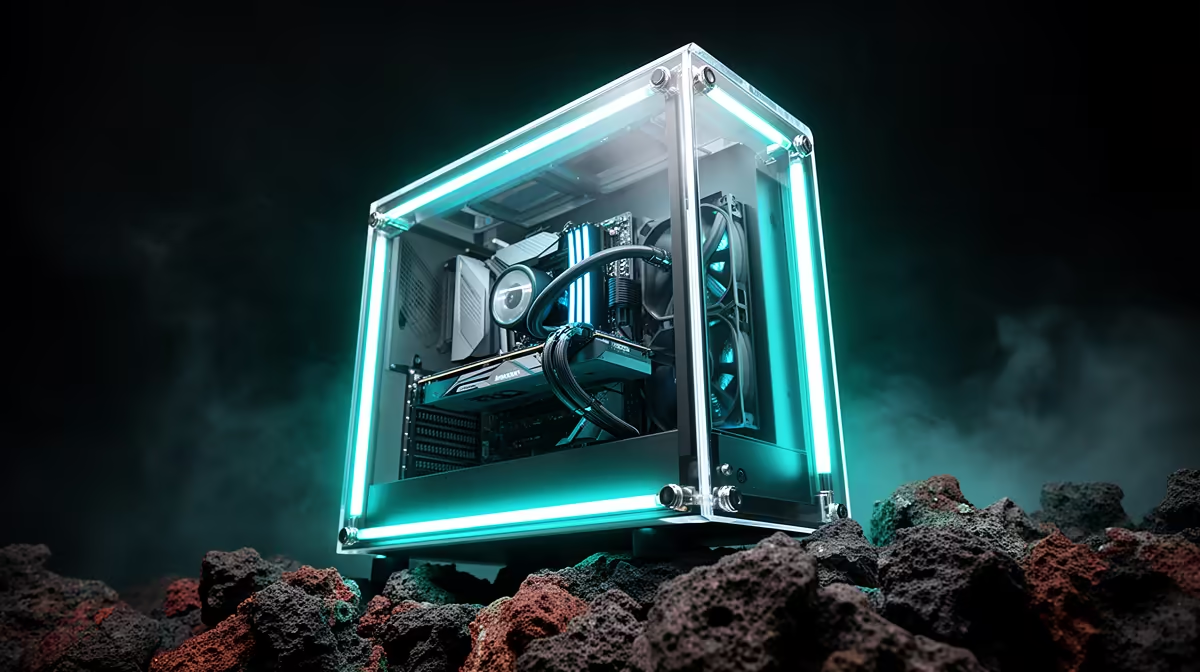
The tempered glass side panel is the single highest-impact showcase feature for the money. Even a R1,600 case with a full-height glass panel turns a standard component set into a visible showcase. Pair that with ARGB fans already included in the case and you have a synchronised light show without spending an extra R800 to R1,400 on separate fans. A PSU shroud, even on a budget case, hides the worst of the cable mass below the motherboard and makes the visible zone above look intentionally designed. Together these three features produce roughly 80 percent of the showcase effect of a R6,000 premium case at a fraction of the cost.
Features Worth the Premium Upgrade 💎
Once basic showcase elements are covered, two upgrades are worth paying for. The first is a vertical GPU mount riser slot or included riser cable. Mounting the GPU vertically so the cooler faces the side glass transforms it from a slot-mounted card into the centrepiece of the build. This feature typically adds R300 to R800 to the case cost when included, and a PCIe 4.0 riser cable bought separately costs R350 to R600. The second worthwhile upgrade is a built-in ARGB fan hub with software control via a 3-pin ARGB header, which is a significant quality-of-life improvement for builds with five or more RGB fans.
Features Not Worth Extra Spend on a Showcase Build 🚫
Do not overpay for LCD panel displays on the front of the case. These small screens show CPU or GPU temperatures already visible in software and add R400 to R800 to the price without improving thermal performance or visual impact. Tempered glass top panels sound appealing but create a greenhouse effect that traps heat exhaust inside the case, forcing a choice between looks and performance. For a rand-conscious showcase build, skip these features and redirect the budget toward a better GPU or a 240mm AIO that improves the interior visual of the build itself.
Match Cable Colours to Your Build Theme ⚡
Buying a set of sleeved or braided extension cables in your build's colour scheme costs R300 to R700 and adds more visual impact than most case upgrades in the same price range. White cables in a white case, or matching a GPU shroud colour to the cable extensions, creates a coherent aesthetic that no amount of extra RGB can replicate.
FAQ
What is the minimum case budget for a showcase build in South Africa?
A genuine showcase effect is achievable from around R1,800 to R2,200 if the case includes a full-length glass panel, PSU shroud, and two ARGB fans. Under R1,500, the glass panel is usually small or positioned as only a partial window, which limits the showcase impact significantly.
Should the case be chosen before or after other components for a showcase build?
Choose the case before fans and cables but after the motherboard and GPU. The case determines your aesthetic direction: white, black, glass or panoramic. Once the case is decided, match fan colours, cable sleeve colours, and RAM heatspreader colour to the established theme.
Do showcase cases run hotter than standard cases?
Glass-front showcase cases can run 3 to 7 degrees Celsius hotter than mesh-front cases under sustained load because glass restricts intake airflow. Choosing a case with enough fan mount positions to offset the glass front restriction keeps temps in the safe range.
Maximising your build's looks without overspending?
Evetech stocks showcase-ready gaming cases across every price tier, with multiple options in the R2,200 to R4,000 sweet spot for rand-conscious SA gamers. Browse the full range at Evetech.