Quick Answer
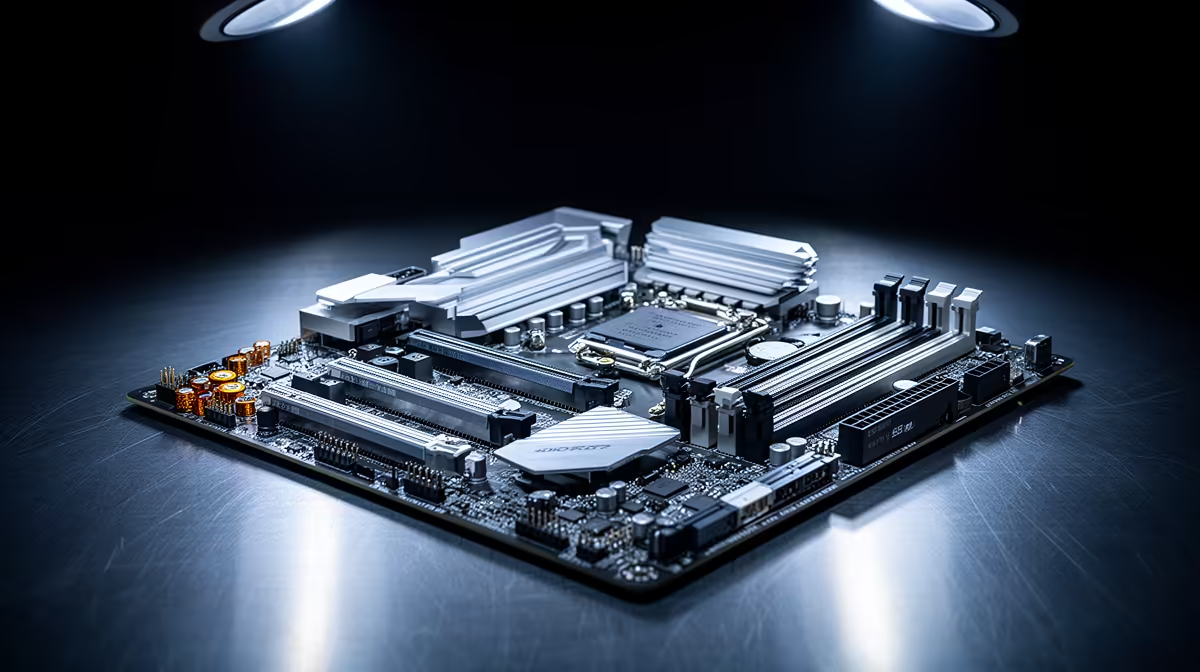
Buy now if engineering simulations needs capacity, ports, or stability immediately; upgrade later only when the current part is not limiting the work. The safer SA move is to buy the reliable middle tier once instead of replacing a stopgap. A practical shortlist should include MSI B650 Tomahawk WiFi, ASUS TUF B760-Plus, Gigabyte B650 Eagle AX, or ASRock B650M-class boards, a cautious SA budget band of R2,000 to R5,500, and a spec floor of PCIe 4.0 NVMe support, enough USB, stable VRMs, and WiFi 6 or 2.5Gb Ethernet where needed. That is concrete enough to compare Evetech listings without pretending every desk, dorm room, or build has the same answer.
Match The Part To The Job
Engineering work rewards stability: long CAD sessions, MATLAB or ANSYS runs, Teams demos, and USB lab gear need predictable hardware more than flashy extras. Write down the current limit before comparing motherboard options: desk space, noise, ports, storage, fps target, travel, or comfort. That single limit decides whether the correct spend is entry level, balanced, or premium. South African buyers also need to account for local stock timing, courier handling, and warranty support, especially when the part is needed for a varsity deadline, LAN weekend, or client edit.
What The Spec Sheet Must Prove
A useful baseline is PCIe 4.0 NVMe support, enough USB, stable VRMs, and WiFi 6 or 2.5Gb Ethernet where needed. Named options such as MSI B650 Tomahawk WiFi, ASUS TUF B760-Plus, Gigabyte B650 Eagle AX, or ASRock B650M-class boards keep the comparison grounded, while the R2,000 to R5,500 band prevents the shortlist from drifting into overbuying. Platform buys should be judged by the workload target: 60fps to 144fps for gaming, stable exports for creators, and enough cores, RAM, and ports for coursework. A strong CPU with weak storage or poor cooling still feels unfinished. Check two or more M.2 slots, BIOS support, M.2 slots, headers, rear I/O, and whether the part still pairs cleanly with a Ryzen 5, Core i5, RTX 4060, or similar mid-range system.
Local Checks Before Checkout
The cheapest option can become expensive when it needs adapters, extra fans, a stand, a USB hub, or a second storage drive. Before checkout, confirm dimensions, connector type, software support, return handling, and how the product will be used in Johannesburg, Cape Town, Durban, Pretoria, or a campus residence. A R300 saving is not useful if it delays the build or makes the setup awkward every day.
FAQ
What is the minimum spec I should accept?
Accept PCIe 4.0 NVMe support, enough USB, stable VRMs, and WiFi 6 or 2.5Gb Ethernet where needed as the baseline for engineering simulations. Below that, the saving is usually smaller than the frustration of replacing the motherboard sooner.
How much should I budget in South Africa?
Use R2,000 to R5,500 as a cautious planning band, then compare current Evetech stock before deciding. The balanced tier usually gives better warranty comfort and fewer missing features than the cheapest option.
Which named models are useful comparison points?
Start by comparing MSI B650 Tomahawk WiFi, ASUS TUF B760-Plus, Gigabyte B650 Eagle AX, or ASRock B650M-class boards. You do not need those exact models, but they give a concrete spec and price reference for judging similar Evetech options.
Buying Tip
one hard number before checkout: two or more M.2 slots. If the shortlist cannot meet it cleanly, step up one tier; if it already can, keep the saving for the next bottleneck.