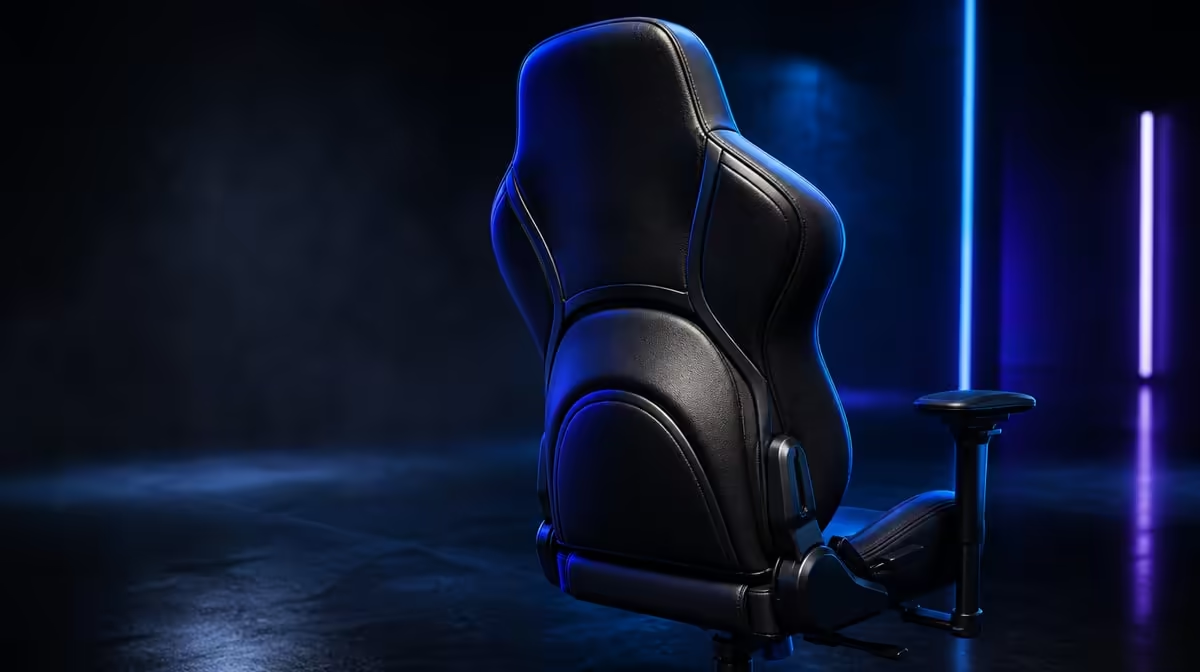
A poorly matched chair can encourage reaching, raised shoulders or lower-back contact that does not suit the user, all of which may contribute to discomfort. The question can the wrong gaming chair cause neck and back pain needs a careful answer: a chair can influence posture, but it cannot diagnose the source of pain. The R8,599 noblechairs HERO Black Edition offers fit controls, not treatment.
Quick Answer
A chair that misses the user's body or desk can contribute to positions associated with discomfort. The R8,599 HERO lets users refine lumbar depth and enlarged 4D armrest placement, while the screen and controls still need to sit within easy reach. Stop changes that worsen symptoms and seek qualified professional assessment for persistent neck or back pain.
🧭 Find the position the desk creates
Sit fully back, then observe whether the keyboard, mouse and screen can be used without the head or torso moving forward. A chair may receive blame for a reach problem created by the desk.
Check both sides. A distant mouse can pull one shoulder forward, while an off-centre screen can encourage repeated turning. Bring equipment towards the supported body before increasing chair pressure.
Look at the hands and elbows. Unsupported forearms can make the shoulders work harder. Pads that sit too high can create another tension pattern.
Evetech's noblechairs gaming chair selection provides the relevant HERO context.
🎚️ Use the HERO controls conservatively
Reduce lumbar depth to mild contact, then change it in small steps. The setting should meet the lower back without pushing the torso away from the rest of the backrest.
Set the enlarged 4D armrests under relaxed forearms. Adjust height, location and angle to follow the task rather than forcing both sides into a visually matching position.
Test one change through a familiar activity. Several simultaneous changes make it impossible to know which one helped or worsened the setup.
Do not chase pain with maximum pressure. If a setting increases discomfort, return to the previous neutral arrangement and stop.
Structural context comes from the HERO's steel frame and its intended range, which extends to 150kg. Neither fact establishes a medical outcome or universal fit.
Use a task-by-task checklist. During typing, watch for reaching towards the keyboard. During pointer work, notice whether one shoulder advances. With a controller, see whether the forearms can rest closer to the torso without the back losing contact.
Repeat after another user changes the chair. A lumbar and armrest system is valuable only when the intended person can restore a comfortable reference without chasing pain through the full adjustment range.
Include the feet and seated base in the observation. A stable base helps the user judge backrest contact without treating one exact pose as a medical prescription.
🖥️ Include screen, movement and heat
Position the screen so content can be read without leaning towards it. Change text or application layout where that helps before moving the body away from support.
Stand and move during extended work or play. Returning after a break provides a better time to reassess the chair than repeatedly adjusting while the body is already uncomfortable.
The HERO's breathable covering and air channels address contact ventilation. Heat can affect the experience of a session, but it should be recorded separately from neck or back pain.
Keep a short note of session duration, break timing and which controls were active. This can reveal that discomfort appears only after prolonged stillness or one reach pattern. It still does not identify a diagnosis.
Do not add cushions or covers during the first chair check. They alter lower-back contact and surface feel, making it harder to understand the original setup.
After movement, return to a mild lumbar position and retest desk reach. A setting that feels different after a break may need reassessment rather than immediate increase.
Use Evetech's broader gaming chair category to compare fit and support approaches.
🩺 Know the limit of a chair check
A new chair cannot identify why pain exists. It can only provide different support and adjustment options.
Persistent, worsening or concerning symptoms need assessment from an appropriate healthcare professional. A product article should not delay that step.
Keep a note of which task, reach pattern or adjustment was present when discomfort appeared. That information can help the user explain the context without claiming a diagnosis.
Compare another chair through the same routine. Use the same desk, controls and session length so the test focuses on fit rather than a different environment.
The HERO's R8,599 price should be judged by whether its fine control solves an observed mismatch. A premium label cannot replace professional advice or guarantee a pain-free session.
Stop the comparison entirely if symptoms become concerning. Product evaluation is secondary to the user's wellbeing.
At R8,599, evaluate the HERO on fit, desk compatibility and adjustable contact. Compare premium options through Evetech's gaming chairs over R4,000, then check the current range.
Build a neutral reset for future sessions: chair centred on the desk, controls within reach, mild lumbar contact and pads under relaxed forearms. Return to that reference before investigating a new complaint. It prevents a chain of accumulated adjustments from becoming the starting position.
Ask another person to observe obvious reaching or raised shoulders without trying to diagnose the pain. A simple outside view can reveal that the user leaves the backrest whenever the pointer moves to the edge of the desk.
Keep the HERO's price and capabilities in proportion. Its fine controls may make a better fit possible, yet even a successful chair setup does not prove that the chair caused or resolved a medical condition.
Review the screen after changing text size or application zoom. If the user can remain back after content becomes easier to read, the workstation adjustment has contributed without changing the chair.
Keep a short symptom-and-setup note if discomfort appears. Record the task, screen position, control reach, lumbar depth and armrest placement, then change one variable and observe what happens. This can reveal an avoidable workstation pattern, such as reaching past the pads or sitting forward to see the display. It is not a diagnosis. Stop treating the chair as an experiment if pain is severe, continues, worsens or affects normal activity, and seek a qualified professional's assessment. Product features can alter contact and support; they cannot determine the medical cause of neck or back pain.
Frequently Asked Questions
How can poor chair fit affect the neck?
It can encourage reaching or shoulder tension, but it cannot establish the cause of pain.
What chair issue can affect the lower back?
Support that misses the seated curve or pushes too firmly may contribute to an uncomfortable position.
Which HERO controls refine fit?
Its infinite lumbar adjustment and enlarged 4D armrests change lower-back and forearm contact.
Can replacing a chair diagnose pain?
No. Diagnosis belongs with a qualified professional.
Why does screen position matter?
A difficult viewing position can pull the head and torso away from the backrest.
What if an adjustment makes pain worse?
Stop, return to a mild neutral setting and seek appropriate advice if discomfort persists.
Are movement breaks still needed?
Yes. Adjustable support does not make prolonged stillness harmless.
Does the 150kg design change medical advice?
No. It is an intended user range, not a statement about neck or back health.
Should an extra cushion be added immediately?
No. Test the chair as configured first, because added layers change support contact.
Ready to compare fit controls without turning a chair into a medical promise?
Explore Evetech gaming chairs and test the HERO alongside screen position, desk reach and regular movement.