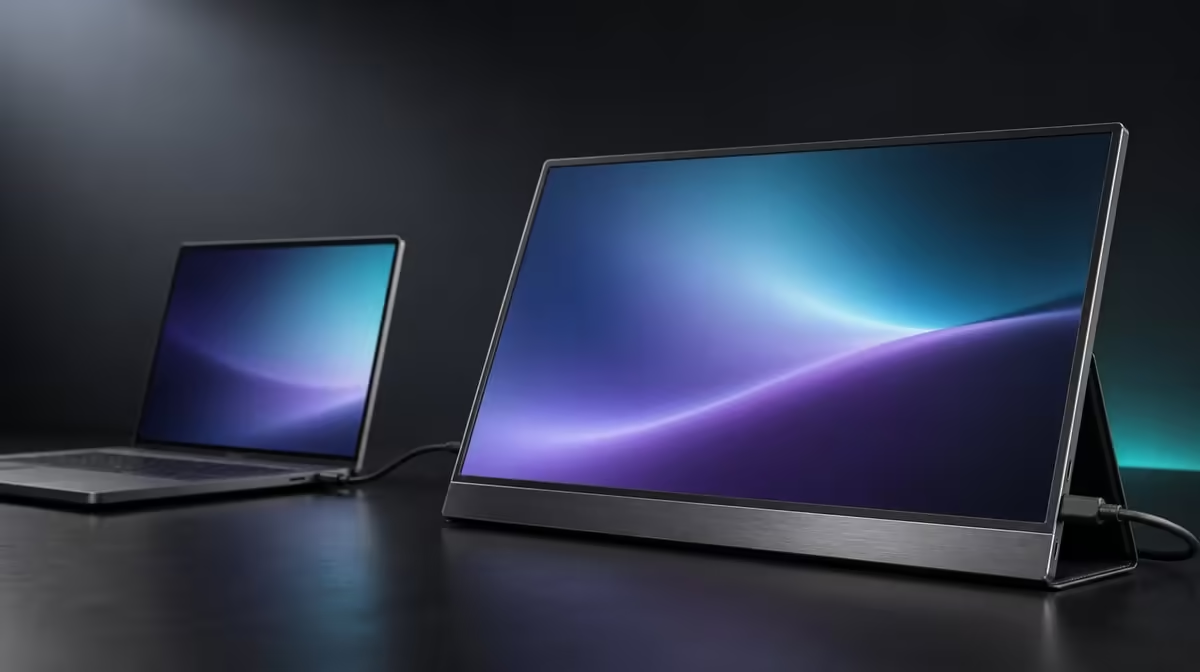
An under-R5,000 search becomes misleading if a R5,999 screen is quietly treated as though it fits. A disciplined portable monitor under R5,000 shortlist protects the price ceiling first, then ranks input compatibility, usable brightness, travel size, and resolution without borrowing features from a more expensive reference.
Quick Answer
The UPERFECT UColor J5 does not fit an under-R5,000 budget: at R5,999 it sits R999 above that ceiling. Use its 17.3-inch 3840 x 2160 IPS panel, 400cd/m2 output, HDMI, USB-C, VESA, FreeSync, and Low Blue Light as a step-up comparison, while choosing the best sub-R5,000 option by the devices and tasks it must actually serve.
💰 Keep the budget boundary honest
Set the maximum amount before comparing specifications and remove any product above it from the eligible list. The J5 remains useful as a reference for what an additional R999 buys, but it must not appear in the under-R5,000 result.
This separation protects two decisions. The budget shortlist asks which screen works below the ceiling. The step-up comparison asks whether exceeding the ceiling solves a need important enough to justify the difference. Mixing them can make every affordable option look deficient beside features it was never priced to match.
Confirm current figures when shopping. Evetech's portable monitor category provides a current South African view for building the sub-R5,000 list and checking the R5,999 reference.
🔌 Protect compatibility before premium pixels
Write down the source devices and their proven outputs. USB-C is useful only when the selected source socket outputs video and the chosen lead supports that signal. HDMI offers another video route but may sit alongside a separate power arrangement. A lower-priced screen with the correct input is better value than a 4K panel the source cannot drive.
Plan power and cables with the display. Portable does not mean every host can deliver picture and power through one lead. Use exact source capability rather than the connector's appearance.
Test host detection, native resolution, and readable scaling before judging secondary features. If the screen is meant for one document, reference page, or chat window, 4K may be less important than reliable connection and a comfortable physical size.
The broader PC monitor selection also helps determine whether a fixed display offers more value when frequent travel is not part of the use case.
🎒 Make size and brightness earn the budget
A smaller panel can fit daily luggage and crowded desks more easily than the J5's 17.3-inch format. A larger screen provides viewing area, but carrying it becomes part of the cost in space and routine. Measure the bag and intended surfaces before ranking diagonals.
Brightness should be judged in the rooms where the display will work. The J5's 400cd/m2 rating gives useful indoor headroom, but a buyer in controlled lighting may not need the same maximum output. Reflection control can matter more than adding luminance.
Below R5,000, prioritise a screen that remains readable at a comfortable setting. Avoid sacrificing the required source input or practical size merely to chase a headline brightness number.
📊 Decide whether the step-up is justified
The J5's native 4K IPS panel can reward detailed documents, images, entertainment, and dense workspaces. VESA support adds a fixed-desk route; FreeSync addresses tearing on a compatible gaming path; Low Blue Light offers a warmer extended-viewing mode. Its 1000:1 contrast and 10ms response are additional characteristics, not universal quality guarantees.
List which of those features the under-R5,000 candidates lack, then write the task each missing item would improve. If 4K detail or VESA solves a frequent need, reconsidering the ceiling may be rational. If the difference consists of rarely used extras, keep the original budget.
Use Evetech's best-selling monitor page for another current reference. The final purchase should either stay genuinely below R5,000 or acknowledge that the budget changed for a named benefit.
An honest result might be that a simpler monitor is better for the primary source and bag. Another buyer may decide that the R999 step to the J5 earns its cost through larger 4K work and mounting. Both answers are stronger than pretending the R5,999 model occupies the lower band.
Build the under-R5,000 shortlist before reading the step-up features again. Every candidate should pass the source, power, size, brightness, and basic readability tests. This prevents the J5 from resetting the requirements around specifications the original budget never demanded.
When the lower-band options are viable, compare one repeated task. A simple second window, travel presentation, or study reference may not benefit enough from 4K to justify R999 more. Detailed images, dense workspaces, or a planned VESA desk might.
Count ownership costs in space and complexity. A larger panel needs protection and a bigger surface; multiple inputs need the right cables; a mount needs compatible hardware. These are not reasons to reject the step-up, but they belong in the decision beside resolution and price.
Write two final verdicts. The first names the best monitor that remains under R5,000. The second says whether the J5's specific benefit is worth breaking the ceiling. Keeping both answers visible makes the budget change honest and reviewable.
If the step-up wins, update the ceiling deliberately rather than describing the R5,999 product as an under-R5,000 choice. If it does not, retain the simpler shortlist with confidence that the premium was tested against a real task.
Build the under-R5,000 list from current category options, then remove anything that cannot accept video from the primary device. That order protects the purchase from a false bargain: a lower-priced screen has no value if it requires a connection the laptop or console cannot provide. For USB-C candidates, confirm video output at the source and a suitable cable. For HDMI, include the monitor's power arrangement in the desk and travel plan.
Use the R5,999 J5 as a comparison card rather than quietly moving the ceiling. Its 17.3-inch 4K IPS panel, 400cd/m2 rating, dual inputs, and VESA support show what the extra R999 is being considered for. Write down which of those capabilities addresses a repeated task. If none does, the budget boundary should remain firm. If one removes a genuine limitation, the buyer can decide explicitly whether to save longer or keep searching below the cap.
Size deserves its own cost test. A larger screen may make documents and split views easier to manage, yet it also needs a suitable bag, a stable surface, and room beside the source device. Compare shortlisted dimensions against the actual workspace rather than assuming every portable monitor travels equally well. The best budget result is the compatible display that fits the routine and leaves no paid-for feature searching for a purpose.
Frequently Asked Questions
How far above R5,000 is the J5?
At R5,999, it is R999 above the stated ceiling.
Which feature should a tight budget protect first?
Protect confirmed source compatibility and the power plan. A screen that cannot connect correctly offers no value.
Is 4K essential for a secondary display?
Not always. It matters more for repeated fine-detail work than for one simple reference window.
Can 17.3 inches be too large for the shortlist?
Yes. Measure the bag, desk, cables, and source arrangement rather than considering the panel alone.
Why retain the J5 as a comparison?
It shows what the R5,999 step-up includes, helping buyers decide whether exceeding the ceiling solves a real task.
Ready to keep an under-R5,000 search honest?
Compare Evetech's current portable monitors inside your ceiling first, then evaluate any step-up only against a specific benefit worth funding.