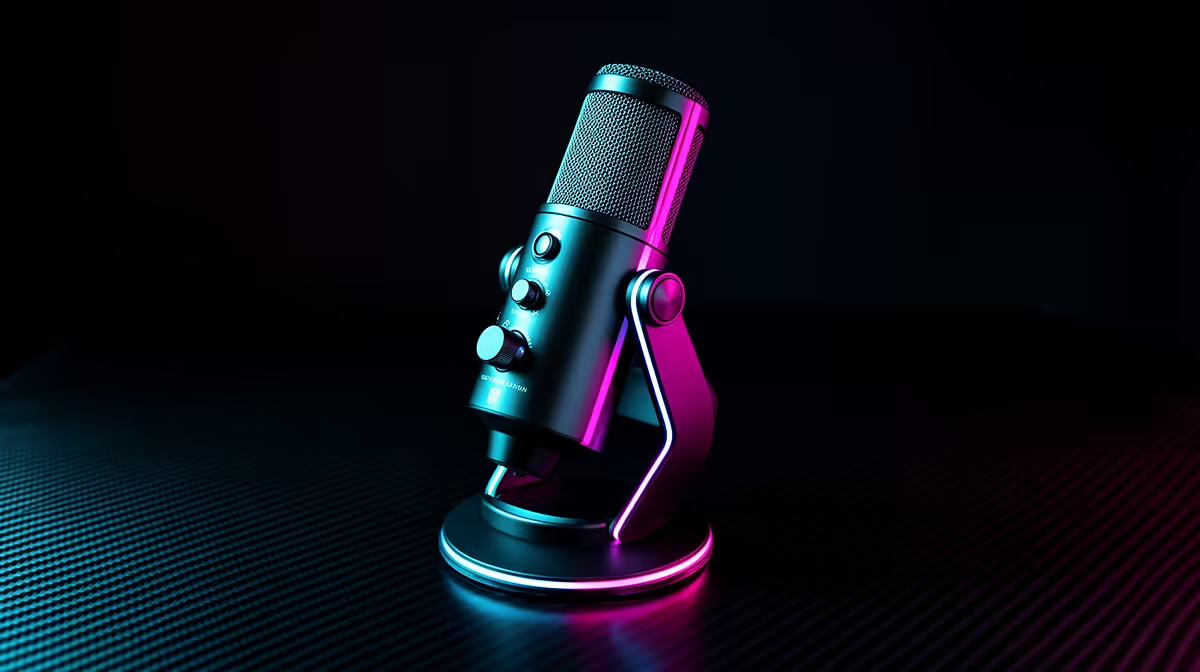
Every gaming microphone spec sheet lists five numbers and three acronyms, and almost none of them are the ones that actually matter for your stream. The complete gaming microphone buying guide for streamers comes down to fewer decisions than the marketing suggests: capsule type, pickup pattern, physical controls, connection format, and how the mic handles noise from a gaming PC. Get those five right and the rest takes care of itself.
Quick Answer
For streaming, pick a dynamic capsule with a supercardioid pattern, onboard gain and mute controls, and USB connectivity. This combination rejects keyboard and fan noise at the capsule level, lets you adjust live without alt-tabbing, and plugs directly into any PC. Everything else on the spec sheet is secondary.
🔧 Capsule Type: Dynamic vs Condenser for Gaming
The capsule is where the audio chain begins and where most gaming microphone mistakes originate. Condensers dominate the budget mic market because they are cheaper to produce and their sensitivity looks impressive on paper. For gaming, that sensitivity is a liability.
A condenser capsule responds to subtle pressure changes across a wide frequency range. In a recording studio built for music, that sensitivity captures the air around a vocalist beautifully. In a gaming room with a mechanical keyboard, two or three case fans, and a PC under GPU load, that same sensitivity broadcasts every noise in the room to your audience. The mic does exactly what it is designed to do. The problem is the room.
A dynamic capsule requires the sound source to be physically close and reasonably loud before it responds to it. Fan noise and keyboard rattle a metre away simply do not have enough presence at close range to excite the capsule meaningfully. Your voice, 12 to 15cm from the grille, is the dominant signal. The noise rejection happens at the physical level, before any software processing is involved. That is a fundamentally more reliable approach than capturing everything and trying to filter it out afterwards.
Self-Noise and Frequency Response
Two condenser spec numbers that get misused in gaming contexts are self-noise and frequency response. A condenser's low self-noise, often 5 to 10dB, sounds like a technical advantage until you realise that a quiet gaming room still has 30 to 40dB of ambient noise from the hardware. Self-noise is irrelevant in that environment. Frequency response flatness matters enormously for music and broadcast but is largely invisible in voice chat. Do not pay extra for these specs when shopping for a gaming mic.
🎯 Pickup Pattern: Why Supercardioid Is the Gaming Standard
Pickup pattern describes the three-dimensional zone from which a microphone captures sound. The naming conventions from cardioid through to supercardioid and hypercardioid describe progressively tighter front capture zones with stronger side and rear rejection.
For gaming, supercardioid is the practical sweet spot. It captures a roughly 115-degree cone in front of the capsule, which is wide enough to keep your voice in the pickup even if you turn slightly during gameplay, but narrow enough to reject the keyboard to your left, the monitor speakers behind the mic, and the room reflections coming from the walls.
A standard cardioid pattern, common on most entry-level mics, is wider. It is more forgiving of positioning, which is why it suits beginners, but it admits more of the room and creates more work for noise processing. For a streamer with an untreated home setup, the tighter pattern of a supercardioid mic starts doing noise rejection work from the first sentence.
Omnidirectional mics, which capture equally in all directions, have no place in gaming or streaming setups. They are designed for conference tables and interview situations where multiple speakers are in the room. Avoid them entirely.
⚡ Onboard Controls: Why They Matter on a Live Stream
The gap between a mic with physical gain and mute controls and one without only becomes obvious the moment something unexpected happens on stream. A delivery arrives, your flatmate walks in, you need to sneeze. On a mic with a hardware mute button, that is a single press and 50 milliseconds of latency. On a mic with no physical controls, it means alt-tabbing from the game, navigating to audio settings, adjusting, and returning, by which time the moment has already played out on stream.
A gain knob is equally valuable for a different reason. Stream audio levels vary depending on the game you are playing and how excited you are during the session. A physical knob on the mic lets you ride the gain in real time during a moment of energy without interrupting the stream or the game. Software gain controls buried in settings menus are technically equivalent but practically useless mid-session.
The best gaming mics carry both a stepped or continuous gain knob and a one-touch mute with a visual indicator, usually an LED that changes colour when muted. The visual confirmation matters. You do not want to discover mid-rant that the mute was already on or had toggled off.
Pro Tip ⚡
Before going live, record a 30-second test with your game running at typical load. Check whether your PC fans appear in the recording at normal speaking distance. If they do, move the mic 5cm closer and re-test. Proximity gain from the close capsule raises your voice relative to the fixed noise floor without touching any setting in software.
🔌 USB vs XLR: The Practical First Decision
USB is the correct starting point for most streamers. A USB gaming mic is plug-and-play, needs no additional hardware, and on a modern PC the audio quality is more than sufficient for any streaming platform. The convenience factor is not trivial: a driver-free connection that works immediately on any PC, including a backup machine, simplifies troubleshooting significantly.
The argument for XLR becomes relevant when you add a second person to the stream who also needs a microphone, when you want hardware gain control from a physical mixing board, or when you want to feed the same mic signal to both a PC recording and a hardware recorder simultaneously. None of those scenarios apply to most solo streamers starting out.
Dual USB/XLR microphones exist and represent excellent long-term value. They plug directly via USB today, and the XLR connection is available whenever you add an interface or mixer. You buy the upgrade path without committing to it prematurely. For a South African streamer planning to grow a show, this is the format worth targeting in the R2,000 to R3,000 range.
Frequently Asked Questions
What capsule type suits gaming best?
A dynamic capsule is the better fit for gaming. Its lower sensitivity means it only responds strongly to sound sources close to the capsule, so keyboard noise and fan rumble at normal room distances simply do not register significantly. A condenser captures everything in the room with equal enthusiasm, which creates constant noise management problems in a typical gaming setup.
Which pickup pattern should a gamer choose?
A supercardioid pattern is the practical gaming standard. Its roughly 115-degree front capture zone focuses on your voice while rejecting sound from the sides and rear. A standard cardioid is wider and more forgiving of mic placement but lets more room noise in. Omnidirectional patterns are unsuitable for gaming entirely.
Do onboard controls matter for streaming?
They matter considerably. A hardware mute button and a gain knob let you respond to unexpected moments on stream instantly, without leaving the game or interrupting the broadcast. Software controls are a substitute, not an equivalent. For professional-quality live streaming, physical controls on the mic are a practical necessity.
USB or XLR for a first gaming microphone?
USB is the right starting point. It is plug-and-play, requires no interface, and delivers excellent quality for all streaming platforms. XLR becomes worth adding when you need a second mic for a co-host, want hardware gain from a mixer, or plan to use the mic in a multi-input audio chain. A dual USB/XLR mic gives you both options from a single purchase.
How much should a streaming microphone cost?
Around R1,500 to R3,000 is the range that covers capable dynamic mics with onboard controls and supercardioid patterns. Below R1,500 you are mostly choosing between budget condensers. Above R3,000 the gains for streaming voice quality diminish and the money is more effectively spent on a boom arm and room treatment.
Ready to find the right microphone for your stream?
Browse the full gaming microphone range at Evetech and match capsule type, pattern and controls to your setup and content style.