



How to Use a Nano SIM 4G Router for Reliable Home Internet
Master using a Nano SIM 4G router as your primary internet solution. Get stable speeds and seamless connectivity for gaming and streaming at home! 🌐🚀
Read moreUnsure which Corsair keyboard switches are right for you? This guide breaks down everything from the lightning-fast OPX optical to the tactile MGX. Discover the perfect switch for your gaming style and typing needs to unlock peak performance and comfort. ⌨️✨
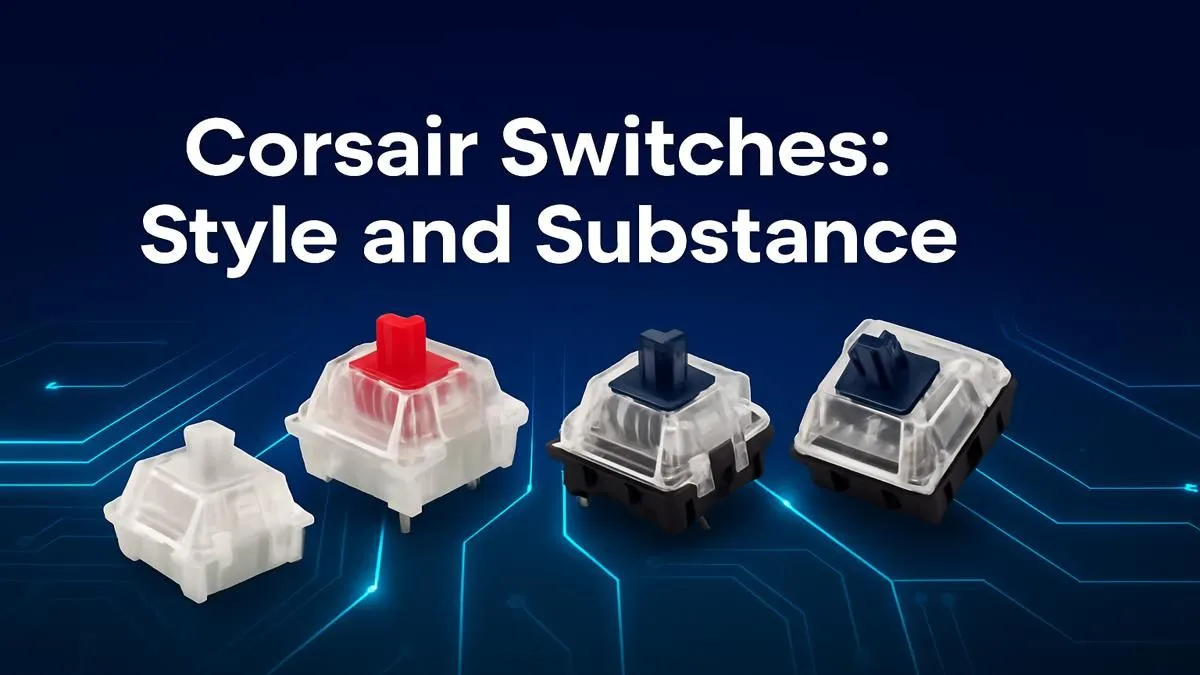
Ever felt like your keyboard is holding you back in a tense firefight? Or that typing an assignment just feels... mushy? You're not alone. The secret to a next-level PC experience in South Africa lies beneath your keycaps. We're talking about the heart of your board: the mechanical switches. This guide demystifies the world of Corsair keyboard switches, helping you find the perfect type for ultimate speed, precision, and satisfaction. Let's dive in. ✨
Unlike the cheap rubber domes in a standard office keyboard, a mechanical switch is a dedicated physical mechanism for each key. Think of it as a tiny, spring-loaded engine. When you press a key, this engine completes an electrical circuit, telling your PC what you've typed. This design is what gives mechanical keyboards their signature feel, durability, and performance.
Each switch is made of several parts: the plastic housing, the spring (which determines resistance), and the stem that your custom keycaps sit on. The shape of this stem is what creates the different switch types.
Corsair primarily uses world-renowned Cherry MX switches, but they also have their own high-performance variants. While the names might change, they generally fall into three main categories. Understanding these Corsair keyboard switches is key to making the right choice.
If you need the fastest possible response time to get the edge in Apex Legends or Valorant, a linear switch is your best friend. The lack of tactile feedback means you can actuate keys with the lightest touch.
This is often the go-to switch type for people new to mechanical keyboards. It provides satisfying feedback for typing while still being smooth enough for intense gaming sessions. Many of our best gaming keyboard deals feature these versatile switches.
There's nothing quite as satisfying as the crisp sound of a clicky switch. However, be warned: your family, roommates, or colleagues might not appreciate the noise! If you work or game in a shared space, a tactile or linear switch may be a more considerate choice.
Still on the fence? Consider getting a small switch tester. These affordable little gadgets let you physically press a variety of switches (like Red, Brown, and Blue) side-by-side. It's the absolute best way to feel the difference before committing to a full keyboard. It’s like test-driving a car, but for your fingers!
Finding your ideal Corsair keyboard switch comes down to personal preference and primary use. Ask yourself:
If you’re looking to upgrade your entire station, many of our top-rated keyboard and mouse combos feature boards with these popular switch options.
The customisation rabbit hole goes deep. For the true enthusiast, some high-end Corsair keyboards are hot-swappable, meaning you can actually buy individual keyboard switches and change them without any soldering.
Beyond that, optimising your comfort is crucial. Pairing your new keyboard with one of our ergonomic wrist rests can seriously reduce strain during those long gaming sessions, letting you play and work for longer.
Choosing the right Corsair keyboard switches explained here is the most important first step to building a setup that feels perfect for you.
Ready to Find Your Perfect Type? The world of Corsair keyboard switches is no longer a mystery. Armed with this knowledge, you can confidently choose a keyboard that feels like it was built just for you. Explore our massive range of gaming keyboards and find the perfect match to elevate your setup.
Corsair offers several switch types, primarily their own OPX optical-mechanical for speed, MGX for a traditional feel, and various Cherry MX switches like Red, Blue, and Speed.
The Corsair OPX optical-mechanical switches are widely considered the best for gaming due to their incredibly fast 1.0mm actuation point and smooth linear travel for rapid inputs.
Most Corsair keyboards have soldered switches and are not hot-swappable. However, some newer models like the K70 MAX are introducing this feature for easy customization.
Both are fast linear switches. The key difference is that Corsair OPX switches use optical technology for faster, more durable actuation versus the mechanical contact of Cherry MX Speed.
Corsair MGX switches are their new line of traditional mechanical switches. They are factory-lubricated for a smooth keypress and are designed for both gamers and typists.
Choose based on your primary use. For competitive gaming, pick OPX. For a balance of typing and gaming with a tactile bump, consider Cherry MX Brown or similar options.
Master using a Nano SIM 4G router as your primary internet solution. Get stable speeds and seamless connectivity for gaming and streaming at home! 🌐🚀
Read more
Confused by Cat4 vs Cat6 LTE routers? 🌐 We break down the technical differences to help you choose the right router for faster gaming and streaming. Get the speed you deserve today! 🚀
Read more
Learn how to setup a VPN server on your 4G LTE router to secure your remote access. Protect your data and browse safely from anywhere with our easy guide! 🌐🔐
Read more
Choosing the best 4G LTE router for South Africa ensures reliable internet when fibre is unavailable. Discover top connectivity tips for rural and urban areas. 🌐📶
Read more
Discover what is passive PoE and how it streamlines outdoor router installations. Eliminate messy cabling and simplify your network setup with this efficient power delivery method. ⚡🌐
Read more
Need to extend internet coverage to outbuildings or farms? 📡 An outdoor 4G router is the ultimate solution for stable, high-speed connectivity in remote locations. Discover how to boost your range and stay connected anywhere on your property. 🌐
Read more
Wondering if a TKL wireless mechanical keyboard is worth it for everyday productivity? We break down latency, battery life, comfort, and workflow gains for real work. ⚡⌨️

Maximise battery life on a fanless 15-inch laptop using efficiency core architecture. Cut idle drain, tune power profiles, and improve thermals for longer runtime. 🔋⚙️

Learn how to reduce desk clutter with a TKL wireless keyboard using fewer cables, smart placement, and tidy essentials. Get a faster, calmer workspace with better ergonomics. ✅🧼

RGB keyboard lighting too distracting? Learn how to manage backlight modes, set brightness, and reduce distraction for focus and productivity 😌🖱️

Are themed gaming keyboards worth the extra cost? Compare build quality, switch options, features, and resale value to find the best fit for your setup 🎮⌨️

Full-Size vs Tenkeyless mechanical keyboards for gaming: find out if a smaller layout truly improves aim, speed, and comfort. We break down layout, desk space, latency-feel, and keybinds 🎮⌨️

Dedicated media rollers vs function key shortcuts: learn which setup gives you better workflow control, faster media access, and fewer mistakes. 🖱️🎧

Best Mechanical Switch Type for Gaming: Clicky vs Linear vs Tactile. Find your feel, speed, and noise balance with practical guidance for FPS, MOBA, and productivity 😄🎮

Direct mouse answer: Mouse not keeping up with your work? Everything that matters about dual-mode 2.4GHz + BT 5.0: DPI behaviour, channel switching, battery curves and per-app button mapping. Covers when 2.4GHz USB wins (low-latency desk) and when BT 5.0 wins (laptop, d

Plain wireless mouse guide: Mouse not keeping up with your work? Everything that matters about wireless productivity mouse: DPI behaviour, channel switching, battery curves and per-app button mapping. Includes DPI tuning tips, channel switch shortcuts, and ZAR-aware fea

Real productivity numbers: Set up your wireless mouse in this order: everything that matters about wireless productivity mouse: DPI behaviour, channel switching, battery curves and per-app button mapping. Includes DPI tuning tips, channel switch shortcuts, and ZAR-aware

Pen not feeling like paper? Stylus lag and skipping usually trace to old drivers, dirty nibs, or display refresh mismatches, not the pen itself. Covers pressure curve tuning, tilt thresholds, nib swap timing, and SA pricing brackets.