



Hot-Swappable PCB Architecture in Modern Keyboards: Guide
Learn hot-swappable PCB architecture in modern keyboards—what it is, how sockets and traces work, and how to pick the right board. Speed up swaps, reduce risk, and upgrade faster 🔧⚡
Read moreCPU cooler temperature display gives real-time thermal feedback to speed troubleshooting, optimize fan curves, and protect components. Learn practical benefits and buying tips. 🌡️🔧
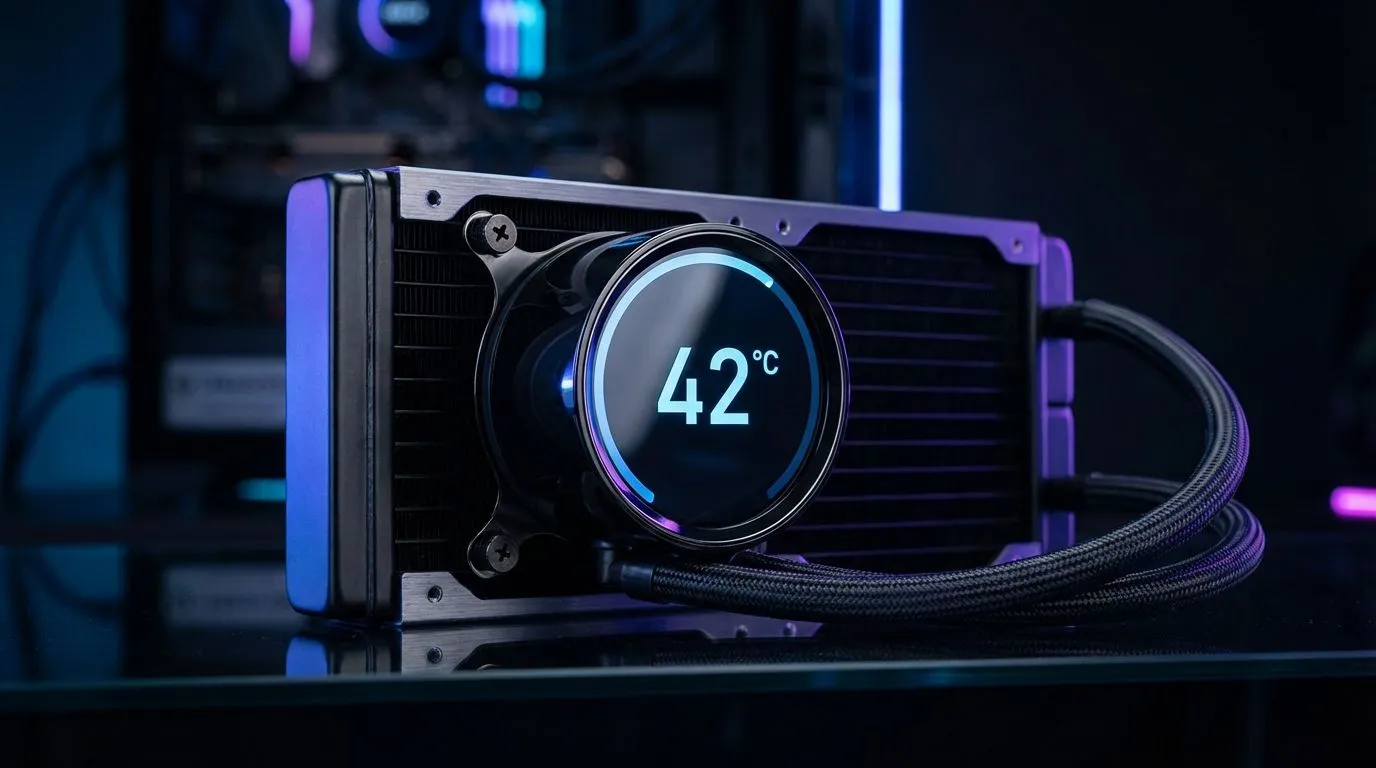
Ever felt your PC case getting warm during a long session of Warzone? In the South African heat, monitoring your hardware is more than just a hobby. A CPU cooler temperature display offers real-time data right through your side panel. It transforms your build from a silent box into an intelligent workstation that tells you exactly how it feels... providing peace of mind when the ambient temperature climbs. ✨
When you browse the latest CPU coolers, you might notice a shift toward integrated screens. The primary advantage is immediate feedback. Instead of tabbing out of a game or keeping a clunky software overlay active, you simply glance at your chassis. This direct line of sight helps you identify if a fan has failed or if your thermal paste is losing its effectiveness before any permanent damage occurs. 🔧
We all know that a summer afternoon in Gauteng or the Karoo can push hardware to its limits. If you prefer the reliability of a traditional Air Cooler, having a built-in readout is a massive win. It allows you to correlate your room's ambient temperature with your CPU's load. If you see those numbers creeping toward 90°C, you know it is time to give the PC a break or crank up the air conditioning.
Always ensure your case has a positive pressure setup to reduce dust build-up. Dust acts as an insulator, trapping heat and forcing your cooler to work harder. A quick glance at your temperature display after a cleaning session will often show a noticeable drop in idle degrees, proving that maintenance is worth the effort.
For those running compact builds, space is a premium. Choosing a model with 120mm Fans ensures compatibility with most mid-tower cases while still offering enough surface area for the display to be legible. It is about balancing the physical size of the heatsink with the digital utility of the screen.
Beyond the practical safety benefits, there is an undeniable aesthetic appeal. Brands like Deepcool have mastered the art of blending high-performance cooling with sleek, digital interfaces. These displays do not just show numbers... they often allow for custom logos or GIFs, letting you personalise your rig to match your setup's colour scheme. 🚀
If you are on a tighter budget but still want that premium look, checking out the EINAREX range can be a smart move. You get the benefits & advantages of a CPU cooler temperature display without the massive price tag often associated with high-end liquid coolers. Investing a few hundred Rand extra now can save you thousands in potential hardware replacements later. ⚡
Monitoring your thermals is the easiest way to ensure your PC lives a long, healthy life. Whether you are rendering 4K video or climbing the ranks in competitive shooters, seeing those digits stay low is the ultimate satisfaction for any tech enthusiast.
Ready to Find Your Perfect Match? Keeping your system cool is the best way to ensure peak performance and longevity. For the best thermal solutions and value in South Africa, our experts have you covered. Explore our massive range of CPU coolers and find the perfect unit to protect your rig.
A CPU cooler temperature display shows live CPU or coolant temps on the cooler, enabling instant thermal awareness and easier tuning.
Displays give real-time temps so you can safely push clocks, adjust voltages, and avoid thermal throttling. See 'temperature display benefits for overclocking'.
Many AIOs with temp displays provide accurate readings from pump or coolant sensors, but compare sensor placement and calibration for best results.
Yes. Real-time CPU temperature display helps spot fan failures, pump issues, or poor mounting quickly, speeding up repairs and diagnostics.
Displays enable smarter fan curves by showing exact temps. That leads to quieter operation during light loads and responsive cooling under load.
LCD panels show richer data and customization; basic readouts give quick temps. Pick based on aesthetics, budget, and 'best CPU coolers with LCD' options.
Cross-check with motherboard sensors or software, review manufacturer calibration notes, and test under controlled loads to confirm readings.
Learn hot-swappable PCB architecture in modern keyboards—what it is, how sockets and traces work, and how to pick the right board. Speed up swaps, reduce risk, and upgrade faster 🔧⚡
Read more
Mechanical switch lifespan explained—what the 50 million keystroke rating really means, plus tips to extend switch life and reduce double-press issues 🔧⌨️
Read more
60-percent vs full-size mechanical keyboard layouts—learn what each layout includes, who it suits, and how to choose the right fit 🧩⌨️ for typing, gaming, and productivity.
Read more
Double injection keycaps last far longer than standard printed keycaps in most setups. Learn typical lifespan ranges, what shortens them, and how to maximize durability for smoother daily typing and gaming 😊⌨️
Read more
Full-key anti-ghosting: does it stop missed inputs during fast-paced gaming? We break down latency, polling, and key matrix limits so you can buy smarter 🎮⚡
Read more
Protect mechanical keyboard switches from South African dust and summer humidity with practical cleaning and storage habits. Keep your switches smooth, reduce failures, and extend lifespan. 🌬️💧
Read more
Wondering if a TKL wireless mechanical keyboard is worth it for everyday productivity? We break down latency, battery life, comfort, and workflow gains for real work. ⚡⌨️

Maximise battery life on a fanless 15-inch laptop using efficiency core architecture. Cut idle drain, tune power profiles, and improve thermals for longer runtime. 🔋⚙️

Learn how to reduce desk clutter with a TKL wireless keyboard using fewer cables, smart placement, and tidy essentials. Get a faster, calmer workspace with better ergonomics. ✅🧼

RGB keyboard lighting too distracting? Learn how to manage backlight modes, set brightness, and reduce distraction for focus and productivity 😌🖱️

Are themed gaming keyboards worth the extra cost? Compare build quality, switch options, features, and resale value to find the best fit for your setup 🎮⌨️

Full-Size vs Tenkeyless mechanical keyboards for gaming: find out if a smaller layout truly improves aim, speed, and comfort. We break down layout, desk space, latency-feel, and keybinds 🎮⌨️

Dedicated media rollers vs function key shortcuts: learn which setup gives you better workflow control, faster media access, and fewer mistakes. 🖱️🎧

Best Mechanical Switch Type for Gaming: Clicky vs Linear vs Tactile. Find your feel, speed, and noise balance with practical guidance for FPS, MOBA, and productivity 😄🎮

Direct mouse answer: Mouse not keeping up with your work? Everything that matters about dual-mode 2.4GHz + BT 5.0: DPI behaviour, channel switching, battery curves and per-app button mapping. Covers when 2.4GHz USB wins (low-latency desk) and when BT 5.0 wins (laptop, d

Plain wireless mouse guide: Mouse not keeping up with your work? Everything that matters about wireless productivity mouse: DPI behaviour, channel switching, battery curves and per-app button mapping. Includes DPI tuning tips, channel switch shortcuts, and ZAR-aware fea

Real productivity numbers: Set up your wireless mouse in this order: everything that matters about wireless productivity mouse: DPI behaviour, channel switching, battery curves and per-app button mapping. Includes DPI tuning tips, channel switch shortcuts, and ZAR-aware

Pen not feeling like paper? Stylus lag and skipping usually trace to old drivers, dirty nibs, or display refresh mismatches, not the pen itself. Covers pressure curve tuning, tilt thresholds, nib swap timing, and SA pricing brackets.