



How to Use a Nano SIM 4G Router for Reliable Home Internet
Master using a Nano SIM 4G router as your primary internet solution. Get stable speeds and seamless connectivity for gaming and streaming at home! 🌐🚀
Read moreDDR5 64GB vs 32GB vs 128GB for professional workstations: learn what actually matters for multitasking, 3D, and AI builds, plus upgrade tips. 🚀💾
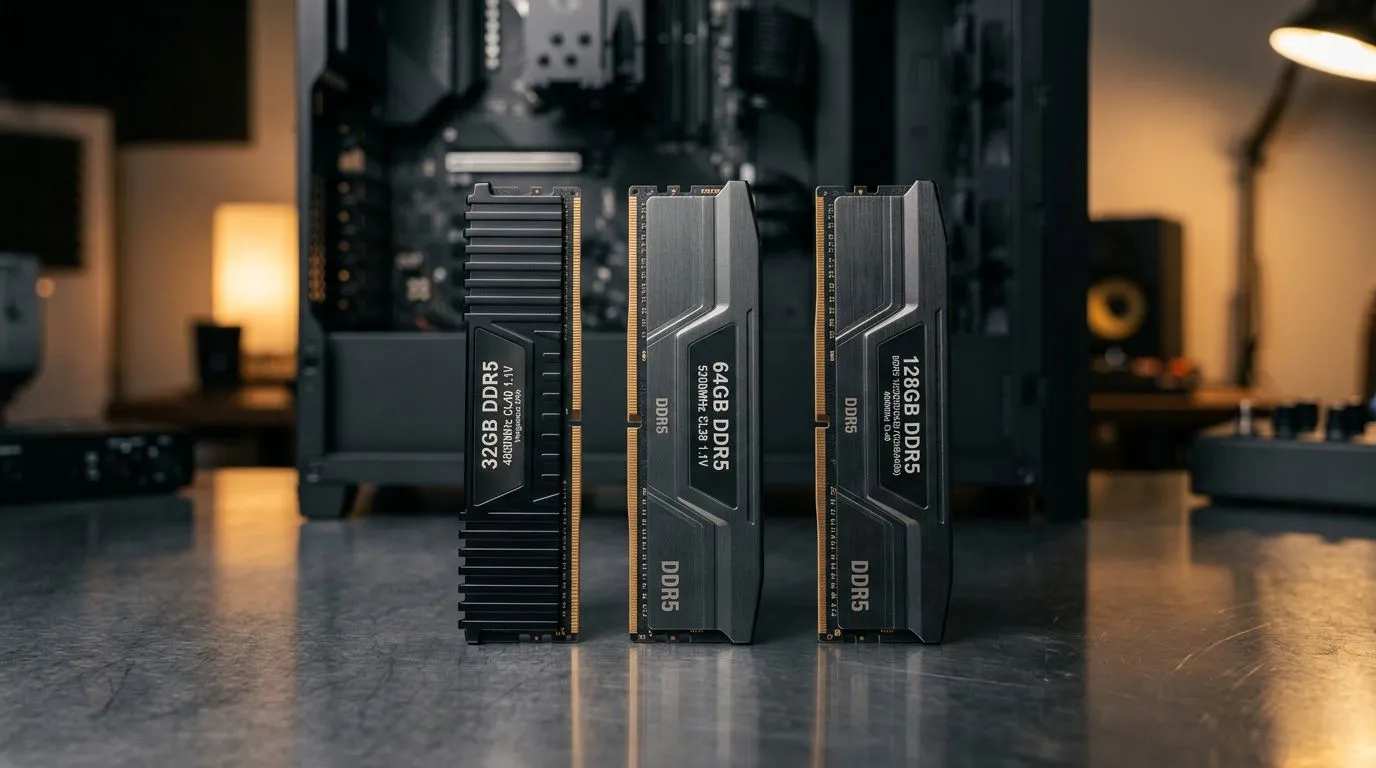
Building a high-performance workstation in South Africa often feels like a balancing act between budget and future-proofing. When choosing between DDR5 64GB vs 32GB vs 128GB, many local creators fall into the trap of overspending on capacity they will never actually utilise. Whether you are rendering 4K video in Premiere Pro or running complex virtual machines, your RAM capacity is the unsung hero of your system's responsiveness. 🔧
For the average gamer or content creator, 32GB is the current "sweet spot." It allows for seamless multitasking without the system dipping into your page file. If you are browsing our pre-built PC deals, you will find that 32GB provides more than enough headroom for modern AAA gaming and light-to-medium productivity tasks.
However, if your daily grind involves heavy Adobe After Effects or 3D modelling in Blender, you might find that 32GB starts to choke during complex renders. If you prefer high-end performance, our NVIDIA GeForce gaming PCs are often configured with this baseline, providing a solid foundation for upgrades later.
Moving up to 64GB is where professional workflows truly begin to breathe. This is the recommended capacity for 4K video editing, heavy multitasking with dozens of browser tabs, and complex data sets. If you are leaning towards an all AMD Ryzen PC deal, opting for 64GB ensures your multi-threaded performance isn't bottlenecked by memory. ⚡
Only consider 128GB if you are deep into professional-grade tasks like 8K video production, massive orchestral sample libraries, or running multiple server environments. For most, this is overkill. If you are looking for a reliable machine, our Intel PC deals offer the stability required for these high-RAM configurations.
When selecting your workstation, check the motherboard's DIMM slots. If you plan on upgrading from 32GB to 64GB later, ensure your board has four slots and that your CPU cooling solution doesn't block access to them. It is often cheaper to buy a 2x32GB kit now than to replace a 4x8GB kit later.
The choice of processor and GPU is just as critical as your memory. Whether you are eyeing a dedicated workstation PC for architectural rendering or exploring all Intel Arc gaming PCs for a unique build, ensure your RAM speed aligns with your CPU's memory controller limits for the best results. ✨
Ready to Find Your Perfect Match? Building the ultimate workstation doesn't have to be a guessing game. From high-speed DDR5 memory to the latest processors, we have everything you need to build your dream rig. Explore our range of professional workstations and start creating with confidence.
32GB DDR5 can be enough for everyday pro tasks, but heavy timelines, large datasets, and multitasking often hit limits. Many users move to 64GB for safety.
For 4K/6K editing with multiple effects and exports, 64GB DDR5 typically reduces stutter during scrubbing and caching versus 32GB.
128GB DDR5 helps for large scenes, high-res assets, big spreadsheets, and memory-hungry AI or simulation workflows where datasets exceed typical 64GB usage.
3D rendering needs vary, but 3D artists often benefit from 64GB for smoother scene work. 128GB is better for massive textures, crowds, and complex geometry.
Capacity matters most when you run out of RAM. If paging to disk happens, upgrading from 32GB to 64GB can feel like a performance boost even at similar speeds.
Plan for 64GB first for most pros, then step to 128GB if workloads grow. Check your motherboard slots and support for DDR5 module sizes.
AI workloads often need lots of RAM for preprocessing and data loading. 64GB is a common baseline, while 128GB helps when you handle larger datasets.
Watch your memory usage during real work. If you frequently approach full utilization or see frequent slowdowns from disk paging, 64GB is usually the next practical step.
Master using a Nano SIM 4G router as your primary internet solution. Get stable speeds and seamless connectivity for gaming and streaming at home! 🌐🚀
Read more
Confused by Cat4 vs Cat6 LTE routers? 🌐 We break down the technical differences to help you choose the right router for faster gaming and streaming. Get the speed you deserve today! 🚀
Read more
Learn how to setup a VPN server on your 4G LTE router to secure your remote access. Protect your data and browse safely from anywhere with our easy guide! 🌐🔐
Read more
Choosing the best 4G LTE router for South Africa ensures reliable internet when fibre is unavailable. Discover top connectivity tips for rural and urban areas. 🌐📶
Read more
Discover what is passive PoE and how it streamlines outdoor router installations. Eliminate messy cabling and simplify your network setup with this efficient power delivery method. ⚡🌐
Read more
Need to extend internet coverage to outbuildings or farms? 📡 An outdoor 4G router is the ultimate solution for stable, high-speed connectivity in remote locations. Discover how to boost your range and stay connected anywhere on your property. 🌐
Read more
Wondering if a TKL wireless mechanical keyboard is worth it for everyday productivity? We break down latency, battery life, comfort, and workflow gains for real work. ⚡⌨️

Maximise battery life on a fanless 15-inch laptop using efficiency core architecture. Cut idle drain, tune power profiles, and improve thermals for longer runtime. 🔋⚙️

Learn how to reduce desk clutter with a TKL wireless keyboard using fewer cables, smart placement, and tidy essentials. Get a faster, calmer workspace with better ergonomics. ✅🧼

RGB keyboard lighting too distracting? Learn how to manage backlight modes, set brightness, and reduce distraction for focus and productivity 😌🖱️

Are themed gaming keyboards worth the extra cost? Compare build quality, switch options, features, and resale value to find the best fit for your setup 🎮⌨️

Full-Size vs Tenkeyless mechanical keyboards for gaming: find out if a smaller layout truly improves aim, speed, and comfort. We break down layout, desk space, latency-feel, and keybinds 🎮⌨️

Dedicated media rollers vs function key shortcuts: learn which setup gives you better workflow control, faster media access, and fewer mistakes. 🖱️🎧

Best Mechanical Switch Type for Gaming: Clicky vs Linear vs Tactile. Find your feel, speed, and noise balance with practical guidance for FPS, MOBA, and productivity 😄🎮

Direct mouse answer: Mouse not keeping up with your work? Everything that matters about dual-mode 2.4GHz + BT 5.0: DPI behaviour, channel switching, battery curves and per-app button mapping. Covers when 2.4GHz USB wins (low-latency desk) and when BT 5.0 wins (laptop, d

Plain wireless mouse guide: Mouse not keeping up with your work? Everything that matters about wireless productivity mouse: DPI behaviour, channel switching, battery curves and per-app button mapping. Includes DPI tuning tips, channel switch shortcuts, and ZAR-aware fea

Real productivity numbers: Set up your wireless mouse in this order: everything that matters about wireless productivity mouse: DPI behaviour, channel switching, battery curves and per-app button mapping. Includes DPI tuning tips, channel switch shortcuts, and ZAR-aware

Pen not feeling like paper? Stylus lag and skipping usually trace to old drivers, dirty nibs, or display refresh mismatches, not the pen itself. Covers pressure curve tuning, tilt thresholds, nib swap timing, and SA pricing brackets.