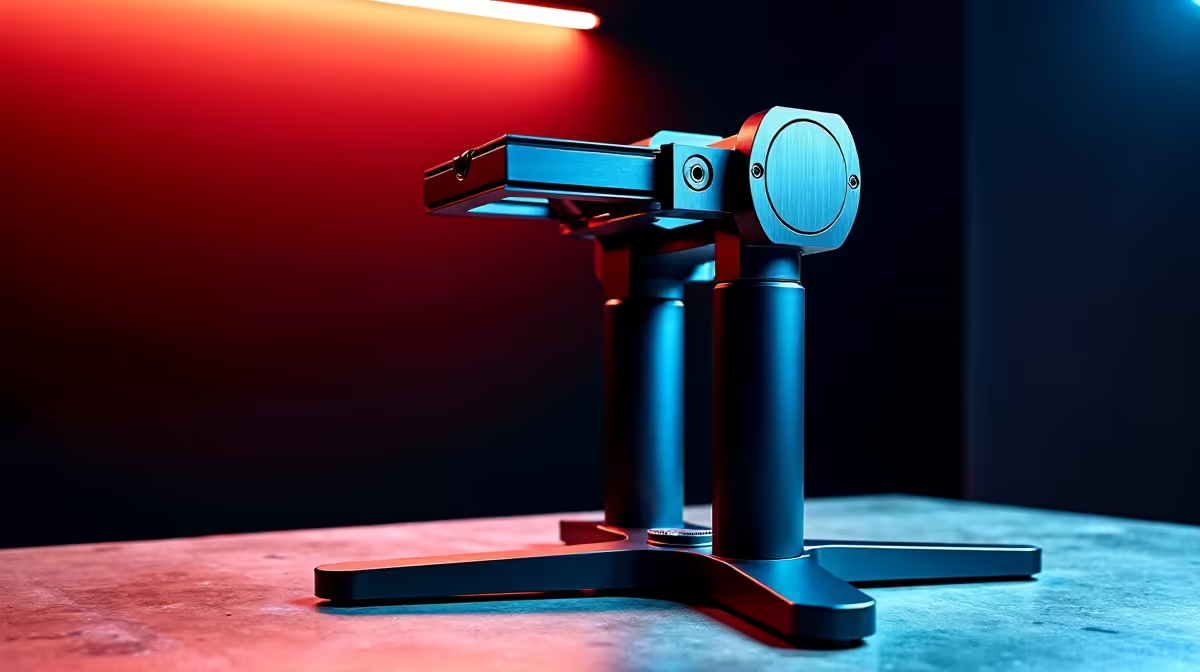
Pick up any desktop camera stand and you are holding a solution to three distinct engineering problems at once: how to resist tipping on a flat surface, how to reach the right height, and how to point the camera precisely at the subject. The people who understand that these are three separate problems, each with its own design variables, make much better buying decisions than the ones shopping purely on price or look. This is the complete breakdown of desktop camera stand mechanics, from the base plate up to the mounting head.
Quick Answer
A desktop camera stand has three functional parts: a base for stability, a column for height, and a head for angle. Stability depends on base mass and spread. Height depends on column travel and lock quality. Angle control depends on the head type, with a ball head giving the widest freedom and a fixed bracket giving none.
🔧 Base Mechanics: Stability From the Ground Up
The base is the part of the stand that touches the desk, and its job is to resist tipping under any combination of camera weight and angle. How well it does that job depends on two independent properties: mass and spread.
Mass matters because a heavier base lowers the overall centre of gravity. A base that outweighs the camera mounted above it ensures the combined system stays naturally upright even as the camera tilts or shifts slightly. Metal die-cast bases accomplish this in a compact footprint; their material density puts meaningful mass into a relatively small form factor compared to plastic shells of the same shape.
Spread matters because it determines how far the anti-tip geometry extends. A narrow base with three feet close together has a small stability polygon: the slightest forward imbalance moves the centre of gravity outside that polygon and the stand tips. A wide tripod-style spread or a flat circular base extending 100mm or more from the central column creates a much larger polygon to work against.
Non-slip pads at the contact points stop the stand migrating across a polished desk under cable pull or minor vibration. A stand that slides forward gradually produces the same result as a tilt: the camera ends up pointing somewhere you did not set it.
Desk Clamp Bases
A clamp base removes tipping from the equation by fixing to the desk structure rather than balancing against it. The clamping mechanism grips the desk edge between 10mm and 55mm thick and transfers load directly into the desk. For heavy camera setups, this is mechanically simpler than engineering a base heavy enough to counterbalance the load. A rubberised jaw face prevents marking on timber or finished surfaces.
⚡ Column Mechanics: Height and Lock Quality
The column connects the base to the head and determines the height range the stand can cover. Telescoping columns use an outer sleeve and an inner shaft that slides through it, locked at a chosen position by either a twist collar or a lever clamp.
Twist-collar columns compress the outer sleeve around the inner shaft via a threaded ring. Simple and reliable, but require two hands when adjusting. Lever-clamp columns use a cam mechanism that opens and closes with a single flip, allowing single-handed height changes. For setups that change height frequently, the lever design saves meaningful time.
Column travel on compact desktop stands typically runs from around 200mm to 400mm, covering desk-level to seated eye level. Taller models reaching 450mm or 500mm suit creators who mount above a monitor stack or simply need extra reach.
Materials and Creep
Aluminium columns hold their lock position indefinitely under the loads involved in desk camera work. Plastic columns develop creep over time: the material under compression at the lock point slowly deforms, allowing the column to sink a few millimetres per session. This is not immediately obvious but becomes apparent over weeks. Metal columns from a reputable manufacturer do not exhibit this behaviour under normal camera weights.
✨ Head Mechanics: Angle and Precision
The head is the mechanical interface between the column and the camera, and its design determines what angles are achievable and how repeatable they are.
A fixed bracket holds one angle and is found on inexpensive bundled stands. A tilt head adds a single forward-back axis locked by a lever or thumb screw, which covers the most common adjustment without adding complexity.
A ball head is the most flexible option: loosening a single collar frees the camera to move in tilt, pan, and roll simultaneously. Fine adjustments require a feel for the friction level. Too loose and the camera drifts before you lock; too tight and repositioning takes more force than the joint warrants.
Quick-Release Plates
Many heads include a quick-release plate system. A plate mounts semi-permanently to the camera's tripod socket and clicks into the head receiver. Removing and re-seating the camera takes a second and returns it to the exact angle it left, which eliminates the realignment step for streamers who pull the camera off the desk between sessions.
Pro Tip ⚡
When choosing a ball head for a desk setup, pick one with a separate panning lock that controls only horizontal rotation. This lets you lock the tilt angle perfectly level while leaving pan free, so you can track left or right across the desk without disturbing the height you spent time setting.
🎯 Cable Management in Stand Design
Cable management becomes significant after the first few sessions. USB and XLR cables that drape freely across the desk snag on keyboard corners and pull on the camera head, gradually shifting the set angle.
Better stands route cables through a hollow column or provide clip points along the arm. A hollow column threads the USB cable from the mount down to the desk surface invisibly. On a ball head with moderate friction, a cable running laterally off the camera acts as a constant mechanical bias. Routing it straight down the column removes that tension and keeps the angle where you set it.
Frequently Asked Questions
What are the three functional parts of a desktop camera stand and what does each do?
The base provides stability by resisting tipping through mass and spread. The column controls height through telescoping travel locked by a collar or lever. The head provides angle through a fixed bracket, tilt joint, or ball and socket. Each part operates independently, which means you can evaluate them separately when comparing stands.
How does base spread affect stability more than base mass alone?
Spread determines the size of the stability polygon: the area within which the centre of gravity must fall for the stand to stay upright. A wide spread tolerates forward lean before tipping; mass alone lowers the centre of gravity but does not extend the polygon. The most stable bases combine both.
Can a column be adjusted quickly during an active session?
Yes, on stands with cam lever column locks. The lever flips open, you set the height, and the lever closes. Twist-collar systems require more rotation and tend to need two hands. For setups where height changes frequently, the lever design is faster and more practical.
Why do plastic joints drift while metal joints hold angle?
Plastic under compression deforms slowly over time, a property called creep. At the clamping point of a column lock or tilt joint, that deformation gradually reduces the grip force, allowing the locked position to shift. Metal, particularly aluminium, does not exhibit significant creep under the loads present in desktop camera work, so a metal joint holds its set angle for the lifetime of the stand.
Does cable routing affect camera angle on ball heads?
Yes. A cable running laterally off the camera pulls on the ball head through the body, biasing the angle over a long session on a head set to medium friction. Routing the cable down through a hollow column or straight down the column face removes that lateral tension.
Ready to put together a desk camera setup that holds its position and scales with your studio?
Browse the camera stands, ball heads, and mounting accessories at Evetech and build the foundation your streaming or content setup needs.