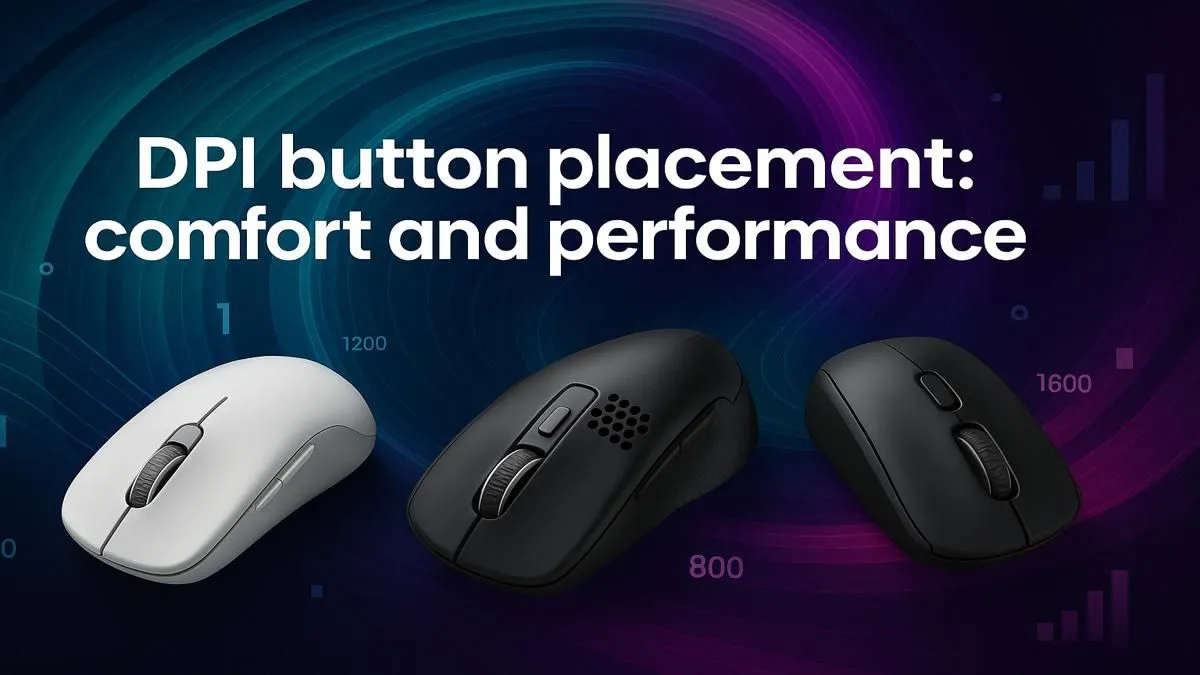
Ever been in a frantic build-fight in Fortnite or holding a tight angle in CS2, only to fumble for your DPI switch? That split-second hesitation can cost you the round. The truth is, the ideal DPI button placement isn't just about comfort; it's a critical part of your performance hardware. Getting it right means faster reactions and more consistent aim, giving you a real competitive edge when it matters most. 🚀
Why Your Mouse's DPI Button Placement is Crucial
Let's break it down. The DPI (Dots Per Inch) button lets you change your mouse's sensitivity on the fly. You might want high sensitivity for quick 180-degree turns and looting, but low sensitivity for precise, long-range sniper shots. The problem? Not all mice place this button where you need it.
A poorly placed DPI button forces you to shift your grip, taking your finger off the trigger at a critical moment. This tiny delay is all an opponent needs. An optimal DPI button placement, however, feels like a natural extension of your hand, allowing you to adapt your aim instantly without thinking. It’s a small detail that makes a massive difference, and it’s something you should always consider when browsing for a new gaming mouse.
Common DPI Button Locations: The Good & The Bad
Gaming mice typically feature one of three common placements for the DPI switch. Each has distinct advantages and disadvantages depending on your playstyle and grip.
Top-Mounted (Behind the Scroll Wheel)
This is the classic placement. It's safe, secure, and you'll almost never press it by accident.
- Pros: Excellent for preventing misclicks during intense moments. Ideal for gamers who stick to one or two sensitivity profiles and don't need rapid changes.
- Cons: It's the slowest to access. You have to physically move your index finger back, which can be clumsy mid-fight. Many modern wireless mice still use this reliable layout, but it's not for everyone.
Side-Mounted (Thumb Buttons)
Becoming more popular in esports-focused designs, this placement puts DPI control right under your thumb.
- Pros: Unbeatable speed. You can cycle through DPI settings without ever moving your trigger finger. It’s perfect for games requiring constant sensitivity adjustments.
- Cons: The risk of accidental clicks is much higher, especially if you have a tense grip. It can also feel crowded if the mouse already has other side buttons for abilities or macros.
Pro Tip: Use the Software 🔧
Most gaming mice from brands like Logitech, Razer, and SteelSeries come with powerful software. If you love a mouse's shape but hate its default DPI button setup, you can often remap the DPI function to a more convenient side button.
Underside Button
This minimalist approach hides the button on the bottom of the mouse.
- Pros: A clean, sleek look with zero chance of accidental presses.
- Cons: Completely impractical for on-the-fly adjustments. This design is only suitable for players who find their single perfect sensitivity and never change it. You'll often see this on ultra-lightweight or ambidextrous wired mouse models aimed at purists.
How to Choose the Right DPI Button Setup for You ✨
So, which one is best? It all comes down to you.
Think about the games you play most. Are you an AWPer in Valorant who needs to instantly drop sensitivity for a pixel-perfect shot? A side-mounted button is probably your best bet. Are you a steady Apex Legends fragger who values consistency above all? A top-mounted button might be more reliable.
Your grip style also matters. A palm gripper might find a top-mounted button awkward, while a claw or fingertip gripper can reach it more easily. Don't be afraid to enhance your grip and comfort further with items from our mouse accessories range, like custom grips that can help you avoid misclicks. Ultimately, the best DPI button placement is the one that disappears, letting you focus entirely on the game.
Ready to Find Your Perfect Match?
Stop letting your gear hold you back. Explore our incredible selection of gaming mice and find the perfect fit for your hand and playstyle. Check out our latest gaming mouse deals and start playing with precision.