



How to Use a Nano SIM 4G Router for Reliable Home Internet
Master using a Nano SIM 4G router as your primary internet solution. Get stable speeds and seamless connectivity for gaming and streaming at home! 🌐🚀
Read moreErgonomic gaming mouse design isn’t just comfort—button placement and weight shape control and reduce fatigue. Learn what to look for before you buy 🎮🖱️
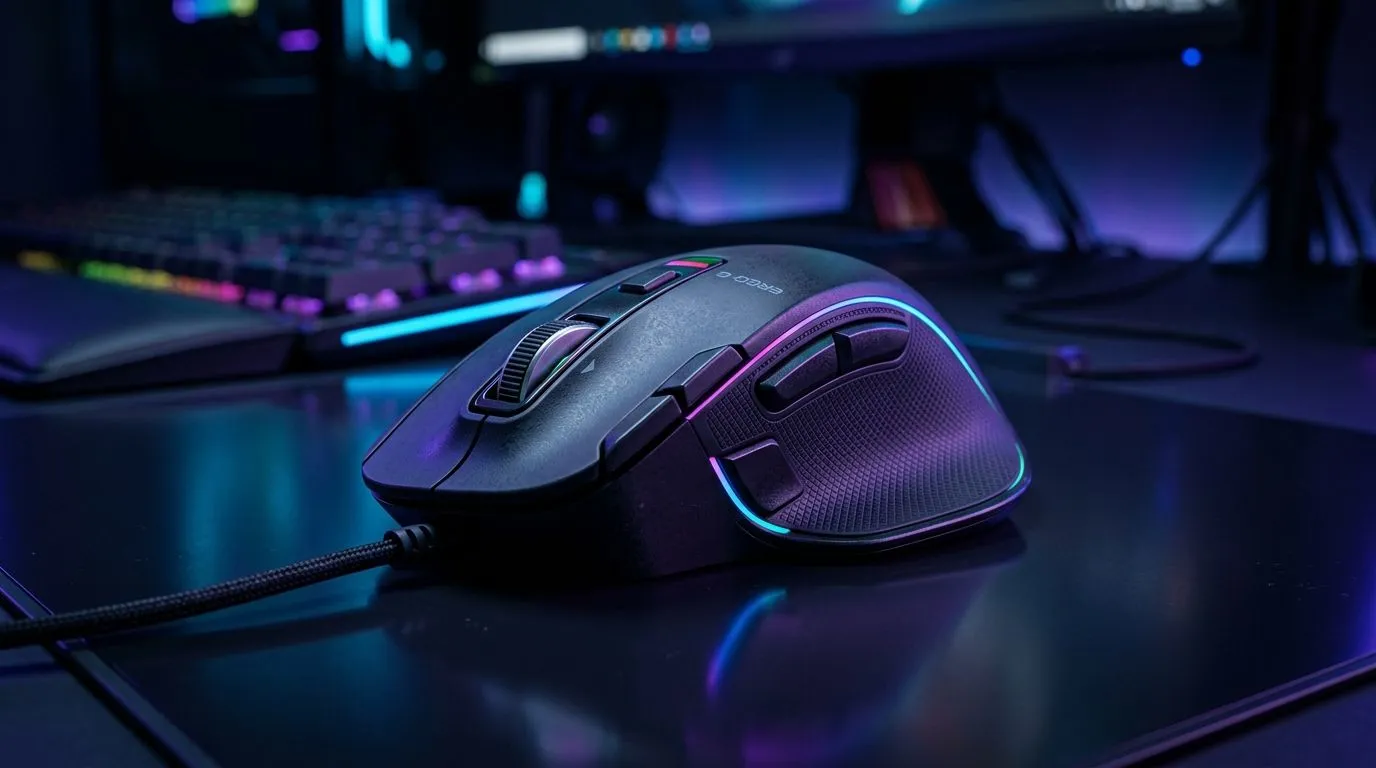
If your aim feels “off” even after you tweak your DPI… it might not be your sens. Button placement and weight are huge. In South Africa, where many of us bounce between FPS at night and work during the day, your mouse needs to stay comfortable through long sessions. 🔧 In this deep dive, we’ll break down how ergonomics affects reach, fatigue, and control, plus how to choose confidently before you hit checkout.
The best button layout isn’t about looking fancy. It’s about how naturally your fingers land while you keep your wrist and forearm stable.
What to look for:
A practical way to test? Do 30 seconds of controlled movement. Then try pressing side buttons while tracking a target. If your mouse shifts even slightly, your grip is compensating, not controlling.
On Windows, use the PowerToys FancyZones utility to create custom snap layouts for your games, Discord, and browser. Having consistent window positions helps you avoid “reaching” for UI, which mirrors good mouse ergonomics habits when you’re switching tasks.
Weight is not just “heavier is better” or “lighter is faster”. What matters is how the mouse balance feels in your grip.
Common truths:
The smart approach is to match weight to your playstyle and desk setup. If your mouse cable tugs or drags, even a “perfect” weight becomes a problem. Check your connectivity and how the mouse behaves on your specific surface.
If you’re buying accessories, consider ergonomic-friendly upgrades like the right mouse feet and surface pairing. Evetech stocks accessories that can improve glide and feel: buy mouse accessories.
“Ergonomics” also includes the invisible stuff: latency feel, cable drag, and charging habits.
South Africans know the real-world trade-offs: load shedding schedules, late-night sessions, and switching between PC and office work. A mouse you forget to charge is a mouse you can’t use. Plan for it.
For players who want to trial different feels without overpaying, keep an eye on current savings. Check the latest deals here: best gaming mouse deals.
When you’re narrowing down options, don’t only compare DPI and RGB. Think in terms of reach comfort, stability, and weight distribution.
If you’re building your setup and want to compare proven designs and variants, start from Evetech’s mouse range. You can explore gaming mouse options and specs in their dedicated category page: gaming mouse components. 🚀
Before checkout, ask yourself:
Get these right and you’ll feel it immediately. Your aim may still need tuning, but your body won’t be fighting the gear.
Ready to Find Your Perfect Match? The Mac vs Windows debate is complex, but for maximum power, choice, and value in South Africa, Windows is hard to beat. Explore our massive range of laptop specials and find the perfect machine to conquer your world.
Ergonomic gaming mouse design reduces fatigue by matching your grip, improving support points, and keeping button reach comfortable to limit strain.
Best button placement keeps side buttons within natural finger travel. Aim for positions that let you press without stretching or bending your wrist.
Yes. Weight and balance change how the mouse stops and starts. Stable balance can improve control, while overly heavy or light can feel twitchy.
Weight distribution affects pivot feel and glide. Even if total weight matches, a front- or rear-heavy mouse can change control and comfort.
Choose based on your movement style. If you fatigue easily, moderate weight with good balance often helps. If you prefer steadiness, slightly heavier can feel smoother.
Palm, claw, and fingertip grips need different shapes and heights. The right contour reduces pressure hotspots and improves button reach consistency.
Yes. If side buttons sit too far forward or require awkward finger angles, you can create repeated micro-strain that leads to fatigue.
Check grip comfort, button placement reach, mouse height, and weight/balance feel. If possible, verify with similar-hand measurements and in-store testing.
Master using a Nano SIM 4G router as your primary internet solution. Get stable speeds and seamless connectivity for gaming and streaming at home! 🌐🚀
Read more
Confused by Cat4 vs Cat6 LTE routers? 🌐 We break down the technical differences to help you choose the right router for faster gaming and streaming. Get the speed you deserve today! 🚀
Read more
Learn how to setup a VPN server on your 4G LTE router to secure your remote access. Protect your data and browse safely from anywhere with our easy guide! 🌐🔐
Read more
Choosing the best 4G LTE router for South Africa ensures reliable internet when fibre is unavailable. Discover top connectivity tips for rural and urban areas. 🌐📶
Read more
Discover what is passive PoE and how it streamlines outdoor router installations. Eliminate messy cabling and simplify your network setup with this efficient power delivery method. ⚡🌐
Read more
Need to extend internet coverage to outbuildings or farms? 📡 An outdoor 4G router is the ultimate solution for stable, high-speed connectivity in remote locations. Discover how to boost your range and stay connected anywhere on your property. 🌐
Read more
Wondering if a TKL wireless mechanical keyboard is worth it for everyday productivity? We break down latency, battery life, comfort, and workflow gains for real work. ⚡⌨️

Maximise battery life on a fanless 15-inch laptop using efficiency core architecture. Cut idle drain, tune power profiles, and improve thermals for longer runtime. 🔋⚙️

Learn how to reduce desk clutter with a TKL wireless keyboard using fewer cables, smart placement, and tidy essentials. Get a faster, calmer workspace with better ergonomics. ✅🧼

RGB keyboard lighting too distracting? Learn how to manage backlight modes, set brightness, and reduce distraction for focus and productivity 😌🖱️

Are themed gaming keyboards worth the extra cost? Compare build quality, switch options, features, and resale value to find the best fit for your setup 🎮⌨️

Full-Size vs Tenkeyless mechanical keyboards for gaming: find out if a smaller layout truly improves aim, speed, and comfort. We break down layout, desk space, latency-feel, and keybinds 🎮⌨️

Dedicated media rollers vs function key shortcuts: learn which setup gives you better workflow control, faster media access, and fewer mistakes. 🖱️🎧

Best Mechanical Switch Type for Gaming: Clicky vs Linear vs Tactile. Find your feel, speed, and noise balance with practical guidance for FPS, MOBA, and productivity 😄🎮

Direct mouse answer: Mouse not keeping up with your work? Everything that matters about dual-mode 2.4GHz + BT 5.0: DPI behaviour, channel switching, battery curves and per-app button mapping. Covers when 2.4GHz USB wins (low-latency desk) and when BT 5.0 wins (laptop, d

Plain wireless mouse guide: Mouse not keeping up with your work? Everything that matters about wireless productivity mouse: DPI behaviour, channel switching, battery curves and per-app button mapping. Includes DPI tuning tips, channel switch shortcuts, and ZAR-aware fea

Real productivity numbers: Set up your wireless mouse in this order: everything that matters about wireless productivity mouse: DPI behaviour, channel switching, battery curves and per-app button mapping. Includes DPI tuning tips, channel switch shortcuts, and ZAR-aware

Pen not feeling like paper? Stylus lag and skipping usually trace to old drivers, dirty nibs, or display refresh mismatches, not the pen itself. Covers pressure curve tuning, tilt thresholds, nib swap timing, and SA pricing brackets.