




IPS vs VA for Strategy and Sim Games in SA
IPS vs VA for strategy and sim games should be judged by fit, not a single winner. Compare compatibility, latency, capacity, upgrade path, cost planning, and South African setup needs.
Read moreFront panel speed comes from the internal header, not the connector: 20Gbps needs a 20-pin key-A plug on the board. 60W means Power Delivery at 20V and 3A, while USB-A runs 5Gbps or 10Gbps. Confirm any port list before you buy a R15,999 chassis.
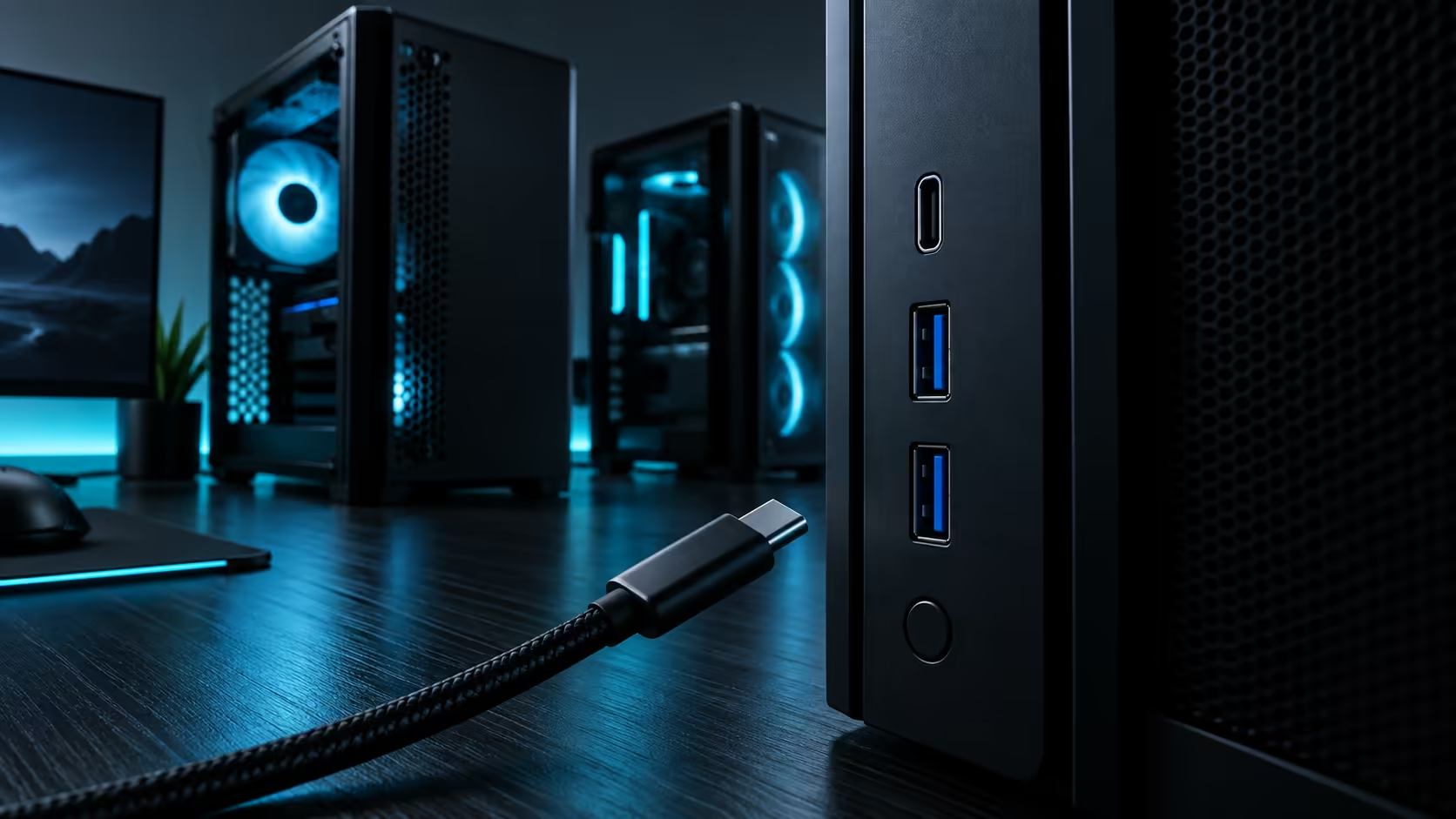
A mid-tower case's front panel spec line reads like a foreign language until you know what each term actually promises. Front I/O covers connector shape, data speed and power delivery, three separate specifications that a single port can bundle together or leave apart, and the header inside the case matters as much as the port you can see.
USB-C 20Gbps refers to USB 3.2 Gen 2x2, which needs a 20-pin key-A header on the motherboard to reach its full speed. 60W charging means USB Power Delivery negotiating up to 20V at 3A through that same port. USB-A ports typically run at either 5Gbps or 10Gbps depending on the generation, using a simpler internal header. None of these speeds or wattages are guaranteed by a case's price tier, so read the specific listing for the chassis you are buying rather than assuming from the category.
USB-C 20Gbps is the external label for USB 3.2 Gen 2x2, a specification that doubles the single 10Gbps lane of Gen 2 by running two lanes at once. Reaching that speed needs a 20-pin key-A header on the motherboard connected by a cable to the case's front port, and critically, the board itself has to support Gen 2x2 on that header for the full speed to be available at all.
A case with a 20Gbps-rated front port connected to a board whose header only supports Gen 2 will run at half the advertised speed, because the bottleneck sits at whichever end of the connection is slower. Check both the case's header type and your board's supported speed on that specific header before assuming the full number applies to your build.
This mismatch is common enough to be worth checking twice, since a board's manual usually lists header capability separately from its rear I/O speeds, and the two are easy to conflate when reading quickly.
USB Power Delivery is a negotiation protocol, not a fixed voltage. A 60W-capable port typically negotiates 20V at 3A once a compatible device is plugged in, though the exact voltage and current combination depends on what the connected device requests and what the port's internal power circuitry supports.
This differs meaningfully from a basic charging port that only supplies a fixed 5V, which caps out far below 60W regardless of what device is connected. A 60W PD-capable header needs its own power delivery circuitry on the case's internal board, wired back to a supply rail, which is part of why this feature is not automatically included even on a premium-priced case.
USB-A ports on a case front panel typically run at 5Gbps, the original USB 3.0 speed, or 10Gbps on a newer design, both using a simpler internal header than USB-C's 20-pin connector requires. USB-A remains genuinely useful because a large share of existing peripherals, flash drives and older external drives still use the older connector shape, and not every accessory in a typical household has moved to USB-C yet. A wireless mouse or keyboard receiver is a common example that quietly keeps a USB-A port relevant long after the rest of a desk has moved on.
A well-specified case front panel typically pairs at least one USB-A port with USB-C rather than offering USB-C exclusively, precisely because assuming everyone has already replaced every USB-A device they own is not yet a safe assumption for most builders. A flash drive bought today might use either connector depending on the model, so having both available at the front panel avoids needing an adapter for either.
The three specifications, data speed, charging wattage, and connector type, are independent of each other and independent of price. A case can offer fast data with no charging capability, charging capability with only modest data speed, or both at a genuinely premium level, and the only way to know which combination a specific model offers is to read that model's own listing.
Manufacturers list front I/O inconsistently, sometimes burying the header type in fine print and sometimes omitting it entirely in favour of just the port shape. An unstated speed or wattage on the product page is not an oversight worth assuming your way past; a docking station sidesteps the guesswork entirely by delivering a known, published specification regardless of what any particular chassis provides.
Keep a short mental checklist when comparing options: connector shape, rated speed, charging wattage, and whether the internal header actually matches what your specific board can supply. Four questions, each answered from the listing rather than assumed, is enough to avoid every mismatch covered here.
Save the answers somewhere you can find them again, since a board upgrade months later is exactly when this checklist gets forgotten and a perfectly good front panel port quietly stops running at the speed it once did.
A sticky note inside the case, listing which header runs which port, sounds trivial but has saved plenty of builders a confusing hour of testing after a component swap they made without thinking to check the front I/O wiring first. It costs nothing and outlives whatever notes you might have taken on a phone that gets replaced before the case does.
It refers to USB 3.2 Gen 2x2, which needs a 20-pin key-A header on both the case and the motherboard to reach its full rated speed.
No. USB Power Delivery negotiates voltage and current based on the connected device, typically up to 20V at 3A for a 60W-capable port.
Because many existing peripherals and drives still use the older connector shape, and offering both avoids forcing an adapter for devices that have not moved to USB-C.
No. Data speed, charging wattage and connector type are independent specifications that vary by model regardless of price tier, so always check the specific listing.
Ready to decode a case's front I/O before you buy it? Check the header type, the wattage and the connector mix on the specific listing, not the category.
It refers to USB 3.2 Gen 2x2, which needs a 20-pin key-A header on both the case and the motherboard to reach its full rated speed.
No. USB Power Delivery negotiates voltage and current based on the connected device, typically up to 20V at 3A for a 60W-capable port.
Because many existing peripherals and drives still use the older connector shape, and offering both avoids forcing an adapter for devices that have not moved to USB-C.
No. Data speed, charging wattage and connector type are independent specifications that vary by model regardless of price tier, so always check the specific listing.
IPS vs VA for strategy and sim games should be judged by fit, not a single winner. Compare compatibility, latency, capacity, upgrade path, cost planning, and South African setup needs.
Read more
Gen 5 NVMe SSD guide for Bloemfontein gamers should be shortlisted around the job it must do. South African buyers should compare capacity, speed, thermals, and motherboard support, warranty path, and upgrade room before treating any pick as best.
Read more
Skip the RTX 5070 if your first-time builder budget needs better balance. Better SA picks can free room for the right CPU, PSU, case, monitor, storage, and cooling while still giving a strong first gaming PC experience this year in South Africa.
Read more
RTX 5080: weighing the pros and cons for SA should be shortlisted around the job it must do. South African buyers should compare GPU tier, VRAM, cooling, and PSU headroom, warranty path, and upgrade room before treating any pick as best.
Read more
Core i5-13400F gives South African PC builders a capable mid-range CPU choice with clear limits. Check its gaming fit, discrete GPU requirement, LGA1700 platform costs, and upgrade path before locking in your parts list.
Read more
Pros and cons of the Wi-Fi 7 routers for SA should be shortlisted around the job it must do. South African buyers should compare WiFi standard, coverage, latency, and device support, warranty path, and upgrade room before treating any pick as best.
Read more
Steam content servers unreachable needs a download-path check, not an immediate reinstall of every game. Restart the client, inspect download settings and compare another connection when practical. Clearing the download cache is separate from deleting installed games.

Keychron G6 HE has built-in and swappable battery versions with different weights. The product brief lists 42g and 46g respectively, each with a 3g tolerance. Choose by grip and battery preference before treating one headline weight as universal.

Corsair HS80 v2 MAX supports 2.4GHz wireless and Bluetooth. Its maximum battery figures use RGB-off conditions and differ by connection. Check microphone routing, comfort and the exact device support before assuming every wireless mode behaves alike.

Windows taskbar notification badges can be shown or hidden in Taskbar behaviours. This changes the small app indicators, not the underlying messages. Choose a calmer desktop while keeping a deliberate routine for checking important conversations and app updates.
Windows taskbar notification badges can be shown or hidden in Taskbar behaviours. This changes the small app indicators, not the underlying messages. Choose a calmer desktop while keeping a deliberate routine for checking important conversations and app updates.

Windows USB device in use can mean a program still has the drive open. Finish transfers and close files before retrying ejection. Better performance caching requires safe removal; a replacement drive is not the first fix for an open-file warning.

Windows Nearby Sharing not working starts with feature, Bluetooth and visibility checks on both PCs. My devices only depends on matching Microsoft accounts. Test a small harmless file before buying networking hardware or changing your home router.

Windows hardware reserved RAM is different from memory used by applications. Compare installed memory with firmware detection and the usable amount before buying modules. Reservations and reporting limits vary by system; no universal setting restores every byte.

Windows title bar window shake can minimise other open windows when you shake the active window by its title bar. Inspect the Multitasking setting and switch it off if that gesture interrupts your work. The preference costs R0 and does not require new hardware.

Windows Print Screen opens Snipping Tool when its keyboard preference is enabled. Change the option under Accessibility, Keyboard to choose another workflow. Test whether you need a clipboard image or a saved file.

Windows desktop icons missing may be a visibility setting. Right-click the desktop, choose View and inspect Show desktop icons. If only system icons are absent, use Desktop icon settings. Check the Desktop folder before assuming files were deleted.

Windows set time zone automatically greyed out calls for a location and device-policy check. Automatic time-zone selection relies on location services. A manual time-zone choice is separate from synchronising the clock; check both before replacing hardware.