



How to Use a Nano SIM 4G Router for Reliable Home Internet
Master using a Nano SIM 4G router as your primary internet solution. Get stable speeds and seamless connectivity for gaming and streaming at home! 🌐🚀
Read more125 percent sRGB coverage means a monitor reproduces every standard web colour plus headroom for vibrant gaming visuals. Panel choice, refresh rate, and GPU pairing all factor into whether the picture lives up to the spec sheet.
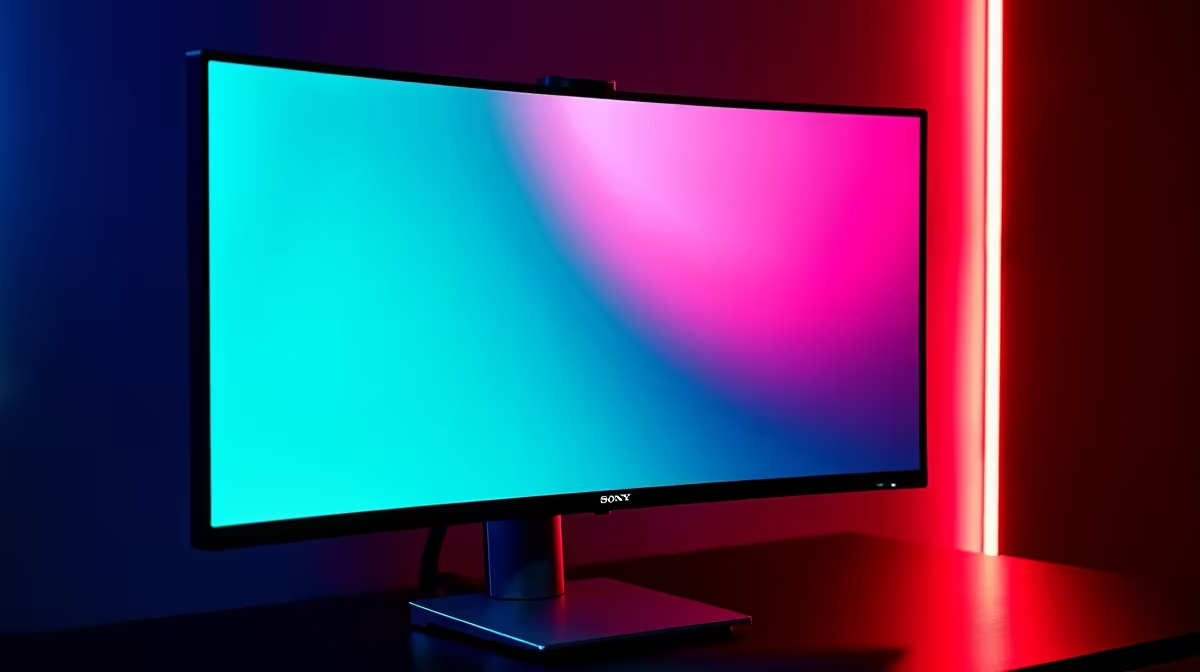
125% sRGB colour coverage means the monitor can display a colour gamut 25% wider than the standard sRGB space, reaching into the DCI-P3 and AdobeRGB ranges. For gaming this translates to more saturated greens, deeper reds, and richer blues than a standard sRGB panel, making environments and textures look more vibrant, provided the game and OS are colour-managed correctly.
Colour coverage is measured as the percentage of a reference colour space (sRGB, DCI-P3, or AdobeRGB) that a monitor can reproduce. A 125% sRGB monitor typically covers around 90 to 92% of the DCI-P3 cinema colour space, which is what modern game engines and HDR content target. The sRGB percentage is reported because it is the oldest and most familiar metric, but DCI-P3 coverage is the more useful number for gaming in 2026. VA panels used in curved gaming monitors commonly reach 125% sRGB (around 90% DCI-P3) at mid-range price points of R4,500 to R9,000. IPS panels in premium gaming monitors can reach up to 140% sRGB (around 99% DCI-P3) but cost significantly more.
In practice, stepping from a 100% sRGB panel to a 125% sRGB monitor makes the biggest difference in games with saturated art styles: open-world games with lush greenery, fantasy RPGs, and racing titles with vibrant track environments all benefit noticeably. Realistic military shooters, which deliberately desaturate their palettes, show less improvement. The colours also appear richer in game cutscenes and cinematics that were colour-graded for wide-gamut displays. The caveat is that Windows and some older games default to sRGB mode and will not automatically use the extended gamut: you may need to enable wide colour in the game's display settings or apply an ICC colour profile.
For South African graphic designers, video editors, and streamers who use the same monitor for gaming and work, 125% sRGB coverage provides a meaningful foundation. It is sufficient for web-targeted content creation where sRGB is the delivery standard, and the DCI-P3 coverage it approximates aligns with video export for YouTube and social media. Professional print work requiring accurate AdobeRGB reproduction needs a monitor calibrated with a hardware colorimeter, regardless of the advertised percentage figure, so check whether the monitor includes factory calibration data in its spec sheet.
Many monitors with 125% sRGB coverage ship with a Colour Saturation or Vivid mode enabled by default in the OSD. This pushes saturation artificially beyond the panel's natural gamut, creating oversaturated skin tones. Switch the colour preset to sRGB or Standard for accurate game colours and only use Vivid mode for media consumption where over-saturation is less critical.
Yes, loosely. Any monitor covering more than 100% sRGB is considered wide gamut. 125% sRGB is a moderate wide-gamut level; true cinema-grade wide gamut typically refers to 99% DCI-P3 coverage or above, which goes beyond what most 125% sRGB panels offer.
Not always. Games with HDR10 support and Windows HDR mode enabled will use the extended gamut automatically. SDR games may require the game's in-built colour settings to be adjusted, or a custom ICC profile applied in Windows Display Settings to take advantage of the wider colour range.
No. Colour gamut coverage is a property of the display panel, not a rendering workload. The GPU outputs the same signal regardless; the monitor simply reproduces more of the colour information that was already in that signal.
Looking for a vibrant wide-gamut gaming monitor? Evetech stocks gaming monitors with 125% sRGB and higher colour coverage across multiple sizes and resolutions, available online with delivery across South Africa.
Master using a Nano SIM 4G router as your primary internet solution. Get stable speeds and seamless connectivity for gaming and streaming at home! 🌐🚀
Read more
Confused by Cat4 vs Cat6 LTE routers? 🌐 We break down the technical differences to help you choose the right router for faster gaming and streaming. Get the speed you deserve today! 🚀
Read more
Learn how to setup a VPN server on your 4G LTE router to secure your remote access. Protect your data and browse safely from anywhere with our easy guide! 🌐🔐
Read more
Choosing the best 4G LTE router for South Africa ensures reliable internet when fibre is unavailable. Discover top connectivity tips for rural and urban areas. 🌐📶
Read more
Discover what is passive PoE and how it streamlines outdoor router installations. Eliminate messy cabling and simplify your network setup with this efficient power delivery method. ⚡🌐
Read more
Need to extend internet coverage to outbuildings or farms? 📡 An outdoor 4G router is the ultimate solution for stable, high-speed connectivity in remote locations. Discover how to boost your range and stay connected anywhere on your property. 🌐
Read more
Wondering if a TKL wireless mechanical keyboard is worth it for everyday productivity? We break down latency, battery life, comfort, and workflow gains for real work. ⚡⌨️

Maximise battery life on a fanless 15-inch laptop using efficiency core architecture. Cut idle drain, tune power profiles, and improve thermals for longer runtime. 🔋⚙️

Learn how to reduce desk clutter with a TKL wireless keyboard using fewer cables, smart placement, and tidy essentials. Get a faster, calmer workspace with better ergonomics. ✅🧼

RGB keyboard lighting too distracting? Learn how to manage backlight modes, set brightness, and reduce distraction for focus and productivity 😌🖱️

Are themed gaming keyboards worth the extra cost? Compare build quality, switch options, features, and resale value to find the best fit for your setup 🎮⌨️

Full-Size vs Tenkeyless mechanical keyboards for gaming: find out if a smaller layout truly improves aim, speed, and comfort. We break down layout, desk space, latency-feel, and keybinds 🎮⌨️

Dedicated media rollers vs function key shortcuts: learn which setup gives you better workflow control, faster media access, and fewer mistakes. 🖱️🎧

Best Mechanical Switch Type for Gaming: Clicky vs Linear vs Tactile. Find your feel, speed, and noise balance with practical guidance for FPS, MOBA, and productivity 😄🎮

Direct mouse answer: Mouse not keeping up with your work? Everything that matters about dual-mode 2.4GHz + BT 5.0: DPI behaviour, channel switching, battery curves and per-app button mapping. Covers when 2.4GHz USB wins (low-latency desk) and when BT 5.0 wins (laptop, d

Plain wireless mouse guide: Mouse not keeping up with your work? Everything that matters about wireless productivity mouse: DPI behaviour, channel switching, battery curves and per-app button mapping. Includes DPI tuning tips, channel switch shortcuts, and ZAR-aware fea

Real productivity numbers: Set up your wireless mouse in this order: everything that matters about wireless productivity mouse: DPI behaviour, channel switching, battery curves and per-app button mapping. Includes DPI tuning tips, channel switch shortcuts, and ZAR-aware

Pen not feeling like paper? Stylus lag and skipping usually trace to old drivers, dirty nibs, or display refresh mismatches, not the pen itself. Covers pressure curve tuning, tilt thresholds, nib swap timing, and SA pricing brackets.