



How to Use a Nano SIM 4G Router for Reliable Home Internet
Master using a Nano SIM 4G router as your primary internet solution. Get stable speeds and seamless connectivity for gaming and streaming at home! 🌐🚀
Read moreExplore our complete guide to Corsair keyboard switches and discover which one is perfect for you. From the ultra-fast OPX optical to the smooth MGX magnetic, we break down the tech, feel, and performance to help you find your ideal match for gaming or typing today! ⌨️⚡
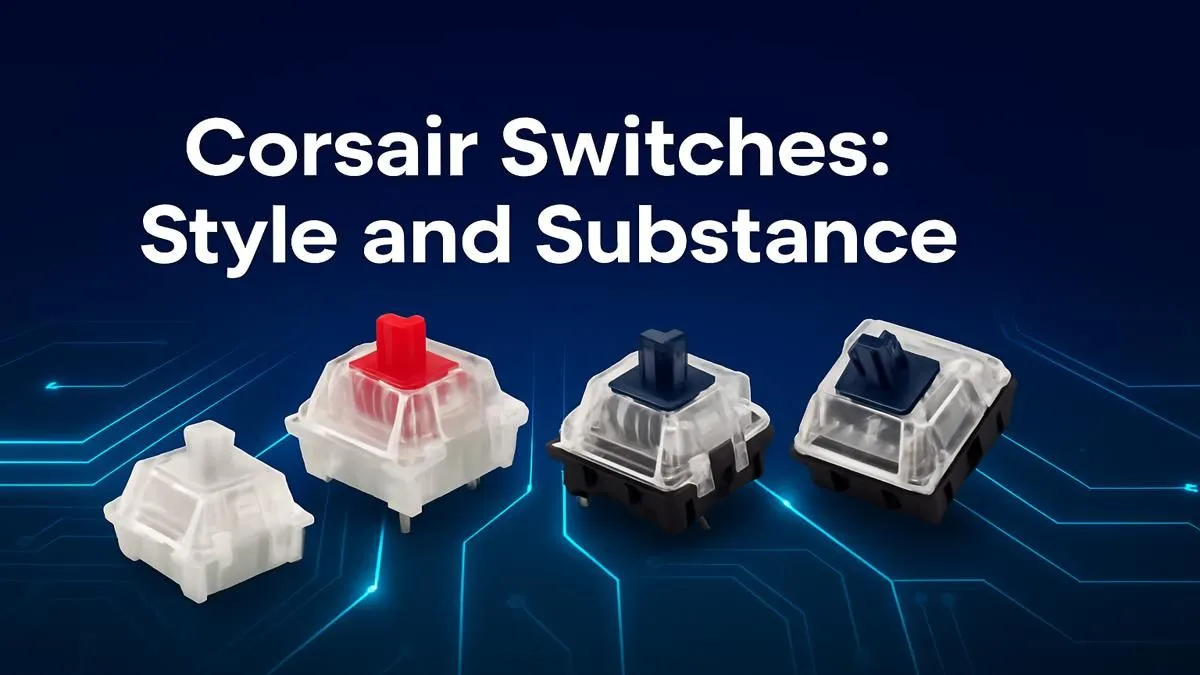
So, you’re on the hunt for a new mechanical keyboard. You’ve seen the RGB glow and heard the satisfying clicks, but one thing keeps tripping you up… the switches. Linear, Tactile, Clicky? What does it all mean? This guide to Corsair keyboard switches is here to cut through the noise. We'll help you understand the tech so you can find the perfect feel for your gameplay, right here in South Africa.
Before we dive into specific models, let's get the basics down. The magic of a mechanical keyboard lies in the individual switch under each key. For Corsair keyboards, which primarily use CHERRY MX or their own proprietary switches, the experience boils down to three main feelings.
Imagine pressing a key with no bump or click, just a smooth, consistent push from top to bottom. That’s a linear switch. They're quiet and require less force to register a keypress, making them a favourite for fast-paced gaming where split-second reactions count.
Tactile switches provide a small but noticeable "bump" on the way down. This physical feedback lets you know the keypress has been registered without needing to "bottom out" (press the key all the way down). They are fantastic all-rounders, offering a great experience for both typing and gaming.
Clicky switches are the most audacious of the bunch. They have a distinct tactile bump and an audible click sound. For many typists, this combination is incredibly satisfying. For gamers… it can be a bit much, and your teammates on Discord might not appreciate the noise!
Corsair offers a variety of switches to suit different players. While you can sometimes find replacement keyboard switches for custom builds, most gamers will encounter them in pre-built boards. Here’s a look at the most common Corsair keyboard switches you'll find.
If a keyboard is advertised for gaming, there's a good chance it has Reds. Their light, linear action makes them perfect for rapid-fire keypresses in FPS and action games. They are the reliable workhorse of the gaming world.
Think of these as MX Reds on pre-workout. Speed Silvers are also linear but have a much shorter actuation point (the distance the key needs to travel to register). This tiny difference can mean everything in competitive titles where milliseconds matter.
Can't decide between gaming and typing? MX Browns are your answer. They provide that satisfying tactile bump without the loud click, making them a fantastic, versatile choice. They offer precision for gaming and comfort for long typing sessions.
Corsair's own OPX switches are a leap forward. Instead of a metal contact, they use a beam of light. When you press the key, the stem breaks the beam, registering the input instantly. This makes them incredibly fast, durable (rated for 150 million keystrokes!), and removes issues like "debounce delay" found in traditional switches.
keyboard's feel doesn't stop at the switch. A fresh set of [custom keycaps](https: www.evetech.co.za buy-keyboard-keycaps x 1585.aspx) can change the texture and look of your board, while adding [a premium wrist rest](https: www.evetech.co.za buy-wrist-rest x 1586.aspx) can seriously improve ergonomic comfort during those marathon gaming sessions in Mzansi.
Choosing the best Corsair keyboard switch comes down to personal preference and your primary use case.
Ultimately, the perfect switch is the one that feels best to you. Whether you're a seasoned pro or just looking at fantastic gaming keyboards in South Africa for the first time, understanding what's under the keycap is the first step. And if you're looking to upgrade your whole station, checking out keyboard and mouse combo deals can offer amazing value.
Ready to Find Your Perfect Feel? Now that you're armed with knowledge, the perfect keyboard is within reach. The right switch makes all the difference. Explore our massive range of gaming keyboards and find the perfect Corsair board to elevate your game.
Corsair offers several proprietary and partner switch types, including their ultra-fast OPX optical-mechanical, new customizable MGX magnetic, and classic Cherry MX options.
Absolutely. Corsair switches like the OPX optical are designed for pro-level gaming, offering incredibly fast actuation, high durability, and smooth keystrokes for a competitive edge.
Corsair OPX switches are optical-mechanical switches that use a beam of light for actuation. This results in zero debounce delay, fast response times, and a short 1.0mm actuation point.
For typing, many users prefer tactile switches like Cherry MX Brown, available on many Corsair keyboards, as they provide satisfying feedback without being excessively loud.
Some newer Corsair keyboards are hot-swappable, which allows you to easily change switches without soldering. Always check your specific model's specifications before attempting a swap.
Corsair MGX switches use magnetic actuation, which allows you to customize the actuation point of every single key from a light 0.4mm to a deep 3.6mm for a truly personalized feel.
Master using a Nano SIM 4G router as your primary internet solution. Get stable speeds and seamless connectivity for gaming and streaming at home! 🌐🚀
Read more
Confused by Cat4 vs Cat6 LTE routers? 🌐 We break down the technical differences to help you choose the right router for faster gaming and streaming. Get the speed you deserve today! 🚀
Read more
Learn how to setup a VPN server on your 4G LTE router to secure your remote access. Protect your data and browse safely from anywhere with our easy guide! 🌐🔐
Read more
Choosing the best 4G LTE router for South Africa ensures reliable internet when fibre is unavailable. Discover top connectivity tips for rural and urban areas. 🌐📶
Read more
Discover what is passive PoE and how it streamlines outdoor router installations. Eliminate messy cabling and simplify your network setup with this efficient power delivery method. ⚡🌐
Read more
Need to extend internet coverage to outbuildings or farms? 📡 An outdoor 4G router is the ultimate solution for stable, high-speed connectivity in remote locations. Discover how to boost your range and stay connected anywhere on your property. 🌐
Read more
Wondering if a TKL wireless mechanical keyboard is worth it for everyday productivity? We break down latency, battery life, comfort, and workflow gains for real work. ⚡⌨️

Maximise battery life on a fanless 15-inch laptop using efficiency core architecture. Cut idle drain, tune power profiles, and improve thermals for longer runtime. 🔋⚙️

Learn how to reduce desk clutter with a TKL wireless keyboard using fewer cables, smart placement, and tidy essentials. Get a faster, calmer workspace with better ergonomics. ✅🧼

RGB keyboard lighting too distracting? Learn how to manage backlight modes, set brightness, and reduce distraction for focus and productivity 😌🖱️

Are themed gaming keyboards worth the extra cost? Compare build quality, switch options, features, and resale value to find the best fit for your setup 🎮⌨️

Full-Size vs Tenkeyless mechanical keyboards for gaming: find out if a smaller layout truly improves aim, speed, and comfort. We break down layout, desk space, latency-feel, and keybinds 🎮⌨️

Dedicated media rollers vs function key shortcuts: learn which setup gives you better workflow control, faster media access, and fewer mistakes. 🖱️🎧

Best Mechanical Switch Type for Gaming: Clicky vs Linear vs Tactile. Find your feel, speed, and noise balance with practical guidance for FPS, MOBA, and productivity 😄🎮

Direct mouse answer: Mouse not keeping up with your work? Everything that matters about dual-mode 2.4GHz + BT 5.0: DPI behaviour, channel switching, battery curves and per-app button mapping. Covers when 2.4GHz USB wins (low-latency desk) and when BT 5.0 wins (laptop, d

Plain wireless mouse guide: Mouse not keeping up with your work? Everything that matters about wireless productivity mouse: DPI behaviour, channel switching, battery curves and per-app button mapping. Includes DPI tuning tips, channel switch shortcuts, and ZAR-aware fea

Real productivity numbers: Set up your wireless mouse in this order: everything that matters about wireless productivity mouse: DPI behaviour, channel switching, battery curves and per-app button mapping. Includes DPI tuning tips, channel switch shortcuts, and ZAR-aware

Pen not feeling like paper? Stylus lag and skipping usually trace to old drivers, dirty nibs, or display refresh mismatches, not the pen itself. Covers pressure curve tuning, tilt thresholds, nib swap timing, and SA pricing brackets.