Quick Answer
Planning a clean white ATX build with 360mm radiator support starts with selecting a case that has dedicated front or top radiator mounting positions rated for 360mm, then choosing white-painted or white-sleeved components in that order: case, AIO, fans, cables, and motherboard. Budget at least R3,200 to R4,800 for the case and R2,800 to R4,200 for the AIO to maintain colour consistency.
Choosing a White Case With Genuine 360mm Radiator Support 🖥️
Not all cases that claim 360mm support actually deliver a clean installation. The critical measurement is front panel interior depth from the mounting frame to the nearest obstruction, typically a drive cage or power supply shroud. You need at least 55mm of clearance between the radiator and the motherboard for thick 360mm radiators with fan stacks. Cases designed specifically for liquid cooling, such as panoramic front-panel designs, route the radiator at the front as a dedicated intake with no obstructions. When shopping white ATX cases locally, confirm the front-mount 360mm clearance spec in the product sheet, not just the headline mounting claim.
Matching White Components Without Colour Drift 🎨
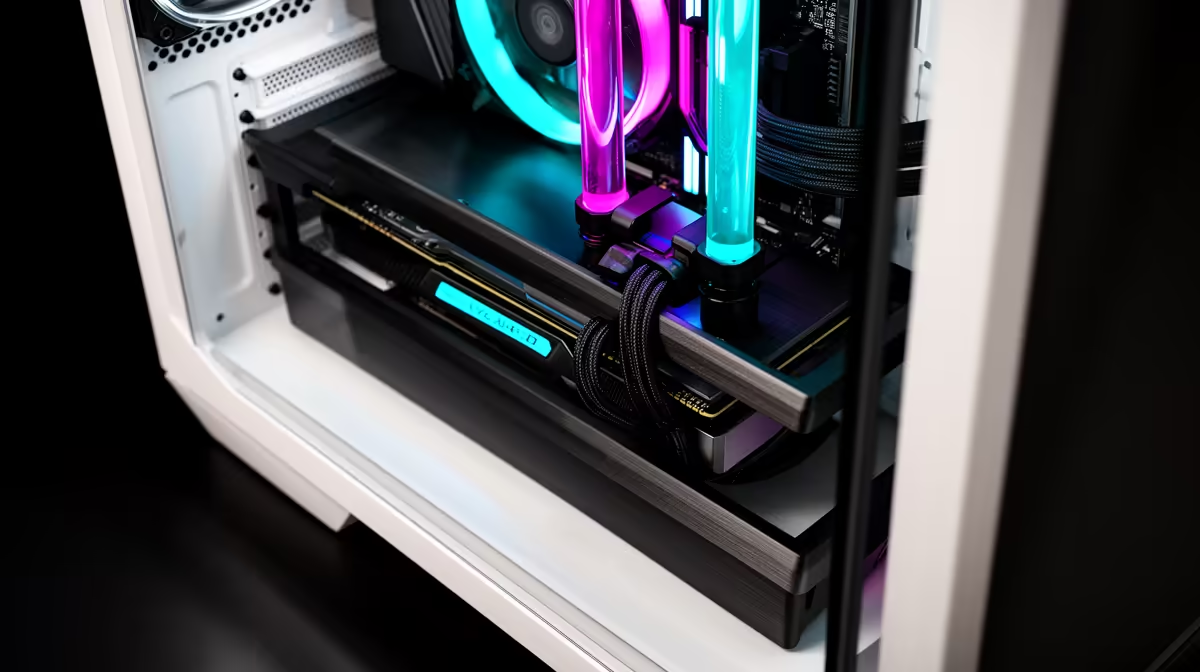
White PC components vary noticeably across manufacturers. A pure brilliant white case can look jarring next to a cream or off-white AIO pump head. Before finalising your component list, search for builder photos of your chosen case paired with your preferred AIO. ARGB fans that ship in white often have white blades but transparent frames or vice versa, so confirm the full fan appearance. For cables, pre-sleeved white cable extensions from brands stocked at Evetech are a R300 to R600 investment that dramatically cleans the appearance through a glass panel. White GPU shrouds are available on select RTX 5070 and RTX 5080 models but may need to be ordered specifically, so confirm stock before committing your case colour scheme.
Cable Management Strategy for a White Showcase Build 🔧
White cases show every stray cable through the glass, so cable routing discipline matters more than in a black build. Route the 24-pin ATX connector behind the motherboard tray using the case's rear channel, then bring it up through the top grommet to the motherboard. Use the same approach for CPU EPS cables, routing behind the tray and entering through a grommet at the top rear. Velcro cable ties in white are available for R60 to R120 for a pack and keep the rear compartment tidy. Any cable that passes through the front glass zone should be sleeved white or hidden entirely behind the shroud.
Plan Component Order Before Buying ⚡
In a white build, decide on your case first, then match the AIO head colour and fan colour to it before buying either. Returning a R4,000 AIO because its white is a different shade to your case is an expensive and avoidable mistake. Many builders in SA order a spare of the same fan model as a replacement in case one fails post-warranty.
FAQ
What white cases support a 360mm radiator at the front?
Several panoramic and mid-tower ATX cases stocked at Evetech list front 360mm radiator support.
Do I need to buy white fans separately or do white cases include them?
Many premium white ATX cases come with three pre-installed white or ARGB fans, but they are rarely the 360mm radiator fans for your AIO. Your AIO ships with its own fans. You may need additional white case fans for rear exhaust or top exhaust positions to complete the all-white look.
How do I prevent the white case from yellowing over time?
Avoide direct sunlight on the case panels and keep the build away from UV light sources. White plastic panels on PC cases are typically UV-stabilised but not immune to prolonged direct sun exposure. A case positioned away from windows maintains its white finish for years.
Building a clean white gaming rig?
Evetech stocks white ATX cases and matching 360mm AIO coolers, browse the case and cooling categories to find components that pair together cleanly.