



Hot-Swappable PCB Architecture in Modern Keyboards: Guide
Learn hot-swappable PCB architecture in modern keyboards—what it is, how sockets and traces work, and how to pick the right board. Speed up swaps, reduce risk, and upgrade faster 🔧⚡
Read moreThe ARGB lighting alone decides whether a modern PC case fits the build, more than RGB or branding. Confirm compatibility, then balance performance against warranty and SA-stock availability. Compare picks against your CPU and case spec before paying.
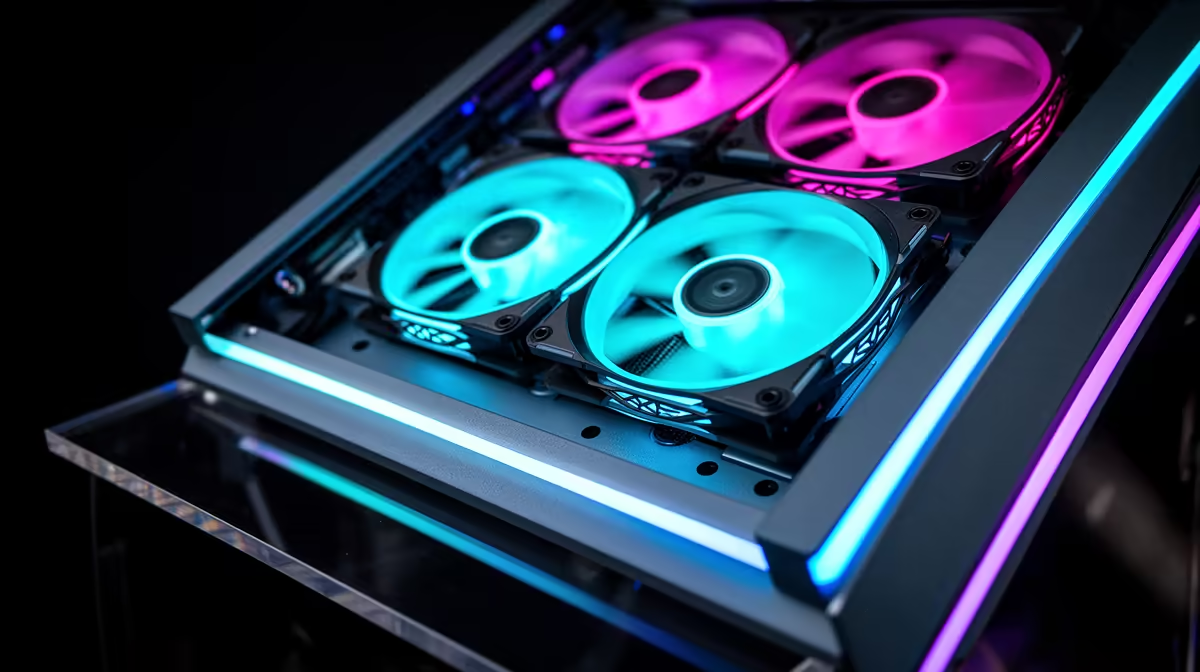
With four preinstalled ARGB fans, use two at the front as intake, one at the rear as exhaust, and one at the top as exhaust. This positive-pressure-leaning layout pushes cool air over the GPU and CPU while expelling hot air out the back and top, and it works well in the vast majority of mid-tower cases.
Air must enter and exit the case in a deliberate path for cooling to work efficiently. Front-mounted fans pulling air in from outside the case bring cooler ambient air directly past the GPU and toward the CPU. Rear and top fans exhausting warm air out of the case complete the circuit.
Modern motherboards allow fan curves to be set per header in BIOS, letting intake fans ramp up faster than exhaust fans in response to GPU temperature. Set intake fans to a moderate 600 to 800 RPM at idle, ramping to full speed above 65 degrees Celsius GPU load. Exhaust fans can follow CPU or case temperature sensors. If all four fans are on the same motherboard ARGB hub, they will typically share one PWM header, meaning they all spin at the same speed. To get independent curves you either need a case with a built-in fan controller or separate motherboard headers. Most mid-tower cases with four preinstalled fans route all fans through a centralised hub connected to a single system fan header.
Positive pressure builds accumulate far less internal dust than negative pressure setups, but this only holds if front intake filters are present and regularly cleaned. In a typical SA home environment, cleaning the front mesh filter every four to six weeks keeps airflow resistance low. A clogged front filter turns your positive-pressure setup into a negative-pressure one as intake restriction rises, drawing dusty air through every case seam. When gaming in warmer months, keeping ambient room temperature below 30 degrees Celsius makes a measurable difference to CPU and GPU temps regardless of how optimally fans are configured, since the delta between coolant temperature and ambient room temperature is fixed by physics.
closing the case, confirm every fan is oriented correctly by checking the arrow labels on the fan frame: one arrow indicates the direction of airflow (from hub outward toward blade tips), and the other indicates blade rotation direction. Preinstalled fans occasionally ship oriented incorrectly from the factory, and a backwards intake fan is worse than no fan in that position.
Yes, most mid-tower ATX cases have one or two additional fan mount positions, typically at the top or as a side intake. Adding a fifth 120mm or 140mm fan at the top as a secondary exhaust can marginally improve CPU cooler performance if the top panel is mesh rather than solid. Check the case specification for top fan mount compatibility before purchasing an additional fan.
Full-speed fans reduce CPU and GPU temperatures by 3 to 6 degrees Celsius compared to a sensible mid-speed curve, but at the cost of noticeably higher noise levels (40 to 45 dBA versus 25 to 30 dBA). For competitive gaming where ambient temperature is high, full speed makes sense. For casual evening sessions, a balanced fan curve is a better trade-off.
No. Case fans use motor bearings, not thermal interfaces, and require no break-in period. They operate at full specification from the first power-on. Bearing quality (FDB versus sleeve versus rifle) determines long-term noise and lifespan, with FDB fans typically rated above 50,000 hours MTBF.
Want better airflow in your current build? Find replacement and additional ARGB case fans at Evetech, with 120mm and 140mm options to suit any mid-tower case layout.
Learn hot-swappable PCB architecture in modern keyboards—what it is, how sockets and traces work, and how to pick the right board. Speed up swaps, reduce risk, and upgrade faster 🔧⚡
Read more
Mechanical switch lifespan explained—what the 50 million keystroke rating really means, plus tips to extend switch life and reduce double-press issues 🔧⌨️
Read more
60-percent vs full-size mechanical keyboard layouts—learn what each layout includes, who it suits, and how to choose the right fit 🧩⌨️ for typing, gaming, and productivity.
Read more
Double injection keycaps last far longer than standard printed keycaps in most setups. Learn typical lifespan ranges, what shortens them, and how to maximize durability for smoother daily typing and gaming 😊⌨️
Read more
Full-key anti-ghosting: does it stop missed inputs during fast-paced gaming? We break down latency, polling, and key matrix limits so you can buy smarter 🎮⚡
Read more
Protect mechanical keyboard switches from South African dust and summer humidity with practical cleaning and storage habits. Keep your switches smooth, reduce failures, and extend lifespan. 🌬️💧
Read more
Wondering if a TKL wireless mechanical keyboard is worth it for everyday productivity? We break down latency, battery life, comfort, and workflow gains for real work. ⚡⌨️

Maximise battery life on a fanless 15-inch laptop using efficiency core architecture. Cut idle drain, tune power profiles, and improve thermals for longer runtime. 🔋⚙️

Learn how to reduce desk clutter with a TKL wireless keyboard using fewer cables, smart placement, and tidy essentials. Get a faster, calmer workspace with better ergonomics. ✅🧼

RGB keyboard lighting too distracting? Learn how to manage backlight modes, set brightness, and reduce distraction for focus and productivity 😌🖱️

Are themed gaming keyboards worth the extra cost? Compare build quality, switch options, features, and resale value to find the best fit for your setup 🎮⌨️

Full-Size vs Tenkeyless mechanical keyboards for gaming: find out if a smaller layout truly improves aim, speed, and comfort. We break down layout, desk space, latency-feel, and keybinds 🎮⌨️

Dedicated media rollers vs function key shortcuts: learn which setup gives you better workflow control, faster media access, and fewer mistakes. 🖱️🎧

Best Mechanical Switch Type for Gaming: Clicky vs Linear vs Tactile. Find your feel, speed, and noise balance with practical guidance for FPS, MOBA, and productivity 😄🎮

Direct mouse answer: Mouse not keeping up with your work? Everything that matters about dual-mode 2.4GHz + BT 5.0: DPI behaviour, channel switching, battery curves and per-app button mapping. Covers when 2.4GHz USB wins (low-latency desk) and when BT 5.0 wins (laptop, d

Plain wireless mouse guide: Mouse not keeping up with your work? Everything that matters about wireless productivity mouse: DPI behaviour, channel switching, battery curves and per-app button mapping. Includes DPI tuning tips, channel switch shortcuts, and ZAR-aware fea

Real productivity numbers: Set up your wireless mouse in this order: everything that matters about wireless productivity mouse: DPI behaviour, channel switching, battery curves and per-app button mapping. Includes DPI tuning tips, channel switch shortcuts, and ZAR-aware

Pen not feeling like paper? Stylus lag and skipping usually trace to old drivers, dirty nibs, or display refresh mismatches, not the pen itself. Covers pressure curve tuning, tilt thresholds, nib swap timing, and SA pricing brackets.