



How to Use a Nano SIM 4G Router for Reliable Home Internet
Master using a Nano SIM 4G router as your primary internet solution. Get stable speeds and seamless connectivity for gaming and streaming at home! 🌐🚀
Read moreStep-by-step setup for set up a 49-inch curved ultrawide monitor for gaming and productivity covers cabling, settings and the SA-specific gotchas Evetech customers hit on this build. Size sits at 49-inch which changes desk planning.
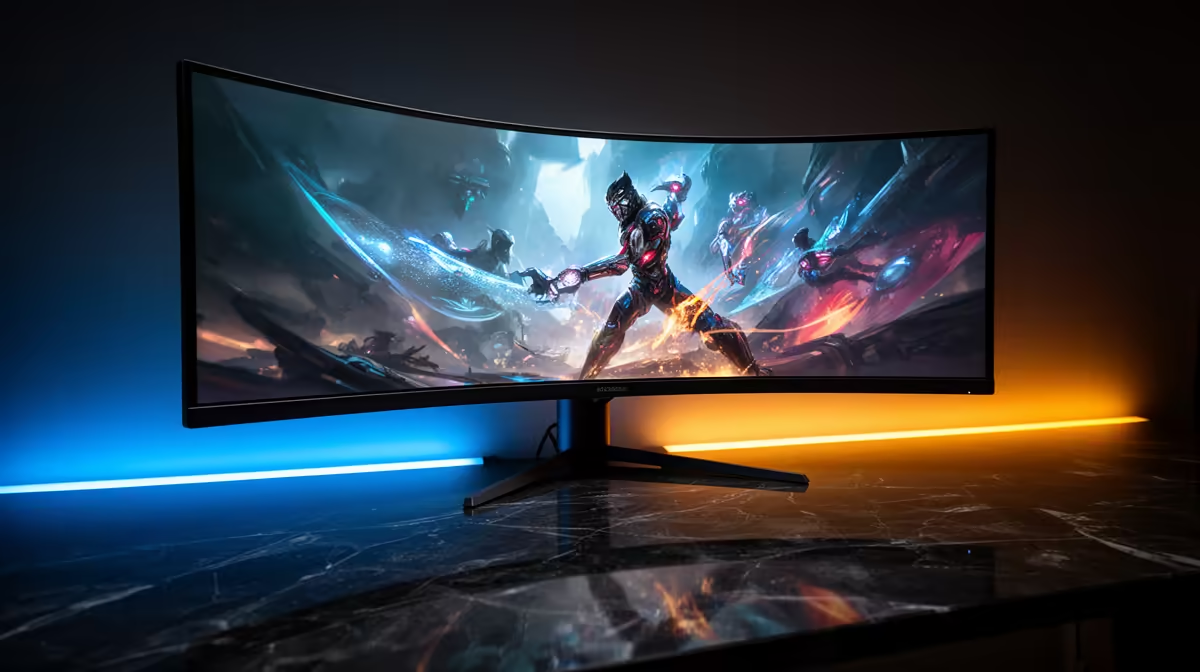
Setting up a 49-inch curved ultrawide monitor correctly requires a desk at least 140cm wide and 70cm deep, a GPU capable of driving 5120x1440 or 3840x1080 at your target refresh rate, a DisplayPort 1.4 or HDMI 2.1 cable (never VGA or HDMI 1.4 at this resolution), and monitor placement at 80cm to 100cm from eye level with the curvature centred on your sitting position. Budget R8,000 to R22,000 for a quality 49-inch ultrawide in South Africa in 2026.
A 49-inch ultrawide monitor measures roughly 121cm in width. Your desk needs at least 125cm to 130cm of clear horizontal space, plus room for speakers or any accessories to the sides. Depth matters equally: at 60cm desk depth, the monitor's screen edge sits very close to your eyes and the curved ends are at the periphery of your vision at an uncomfortable angle.
Height positioning is critical. The centre of the screen should sit at or slightly below eye level when seated. The 49-inch format's broad horizontal span means eye tracking across the full width is a lateral movement, not a vertical one.
A 49-inch 5120x1440 (DQHD) monitor at 120Hz or 144Hz requires substantial GPU performance. An RTX 5070 Ti drives demanding titles at DQHD 120Hz with medium to high settings in most games. An RTX 5080 or above handles DQHD at 144Hz to 165Hz in most titles with high settings.
Confirm your GPU's maximum resolution output and cable bandwidth. DisplayPort 1.4 supports DQHD at 120Hz comfortably.
A 49-inch ultrawide's primary productivity advantage is horizontal screen real estate. Windows 11's Snap Layouts feature allows three to four application windows side by side at 5120x1440, giving a genuine three-monitor equivalent experience on a single screen.
For productivity, set Windows display scaling to 125 percent at 5120x1440 to keep text readable at typical desk distances. At 100 percent scaling, text and UI elements on a 5120x1440 panel at 90cm viewing distance are small enough to cause eye strain during long sessions. Most applications support DPI-awareness and scale cleanly at 125 percent.
A 49-inch ultrawide monitor draws 50W to 130W depending on brightness and model. Ensure your surge-protected extension lead or UPS (for area power reliability) is rated for the combined draw of monitor, PC, and peripherals. SA's 230V supply is fully compatible with all current ultrawide monitors sold locally. Use a quality cable tie set to manage the thick DisplayPort cable along the desk without it pulling on the monitor port.
Not all games natively support 32:9 aspect ratio. Most modern AAA titles do, but older games and some indie titles render in 16:9 with black bars at the sides. Check the game's settings menu for a resolution option matching your panel, or use community patches for titles that lack native ultrawide support.
Most 49-inch ultrawides use a 100x100mm VESA pattern. A heavy-duty monitor arm rated for 12kg to 16kg is needed due to the monitor's weight (typically 9kg to 14kg). Not all monitor arms support the width of a 49-inch panel; verify the arm's maximum screen size before purchasing.
For immersive single-player gaming and productivity combined, the 49-inch ultrawide format offers an experience that two separate monitors cannot fully replicate due to the bezels. The R8,000 to R22,000 price range in SA is significant, but represents a long-term monitor investment that typically outlasts two or three GPU generations.
Ready to go ultrawide for gaming and productivity? Browse 49-inch ultrawide monitors and compatible stands at Evetech, stocked locally with nationwide delivery across South Africa.
Master using a Nano SIM 4G router as your primary internet solution. Get stable speeds and seamless connectivity for gaming and streaming at home! 🌐🚀
Read more
Confused by Cat4 vs Cat6 LTE routers? 🌐 We break down the technical differences to help you choose the right router for faster gaming and streaming. Get the speed you deserve today! 🚀
Read more
Learn how to setup a VPN server on your 4G LTE router to secure your remote access. Protect your data and browse safely from anywhere with our easy guide! 🌐🔐
Read more
Choosing the best 4G LTE router for South Africa ensures reliable internet when fibre is unavailable. Discover top connectivity tips for rural and urban areas. 🌐📶
Read more
Discover what is passive PoE and how it streamlines outdoor router installations. Eliminate messy cabling and simplify your network setup with this efficient power delivery method. ⚡🌐
Read more
Need to extend internet coverage to outbuildings or farms? 📡 An outdoor 4G router is the ultimate solution for stable, high-speed connectivity in remote locations. Discover how to boost your range and stay connected anywhere on your property. 🌐
Read more
Wondering if a TKL wireless mechanical keyboard is worth it for everyday productivity? We break down latency, battery life, comfort, and workflow gains for real work. ⚡⌨️

Maximise battery life on a fanless 15-inch laptop using efficiency core architecture. Cut idle drain, tune power profiles, and improve thermals for longer runtime. 🔋⚙️

Learn how to reduce desk clutter with a TKL wireless keyboard using fewer cables, smart placement, and tidy essentials. Get a faster, calmer workspace with better ergonomics. ✅🧼

RGB keyboard lighting too distracting? Learn how to manage backlight modes, set brightness, and reduce distraction for focus and productivity 😌🖱️

Are themed gaming keyboards worth the extra cost? Compare build quality, switch options, features, and resale value to find the best fit for your setup 🎮⌨️

Full-Size vs Tenkeyless mechanical keyboards for gaming: find out if a smaller layout truly improves aim, speed, and comfort. We break down layout, desk space, latency-feel, and keybinds 🎮⌨️

Dedicated media rollers vs function key shortcuts: learn which setup gives you better workflow control, faster media access, and fewer mistakes. 🖱️🎧

Best Mechanical Switch Type for Gaming: Clicky vs Linear vs Tactile. Find your feel, speed, and noise balance with practical guidance for FPS, MOBA, and productivity 😄🎮

Direct mouse answer: Mouse not keeping up with your work? Everything that matters about dual-mode 2.4GHz + BT 5.0: DPI behaviour, channel switching, battery curves and per-app button mapping. Covers when 2.4GHz USB wins (low-latency desk) and when BT 5.0 wins (laptop, d

Plain wireless mouse guide: Mouse not keeping up with your work? Everything that matters about wireless productivity mouse: DPI behaviour, channel switching, battery curves and per-app button mapping. Includes DPI tuning tips, channel switch shortcuts, and ZAR-aware fea

Real productivity numbers: Set up your wireless mouse in this order: everything that matters about wireless productivity mouse: DPI behaviour, channel switching, battery curves and per-app button mapping. Includes DPI tuning tips, channel switch shortcuts, and ZAR-aware

Pen not feeling like paper? Stylus lag and skipping usually trace to old drivers, dirty nibs, or display refresh mismatches, not the pen itself. Covers pressure curve tuning, tilt thresholds, nib swap timing, and SA pricing brackets.