Quick Answer
Syncing ARGB fans, infinity mirror panels, and edge RGB lighting requires all components on the 3-pin 5V ARGB standard, a motherboard with at least two ARGB headers or a multi-port ARGB hub, and a single ARGB software suite (ASUS Aura Sync, MSI Mystic Light, or Gigabyte RGB Fusion) controlling all devices.
Understanding the ARGB Signal Chain 🔆
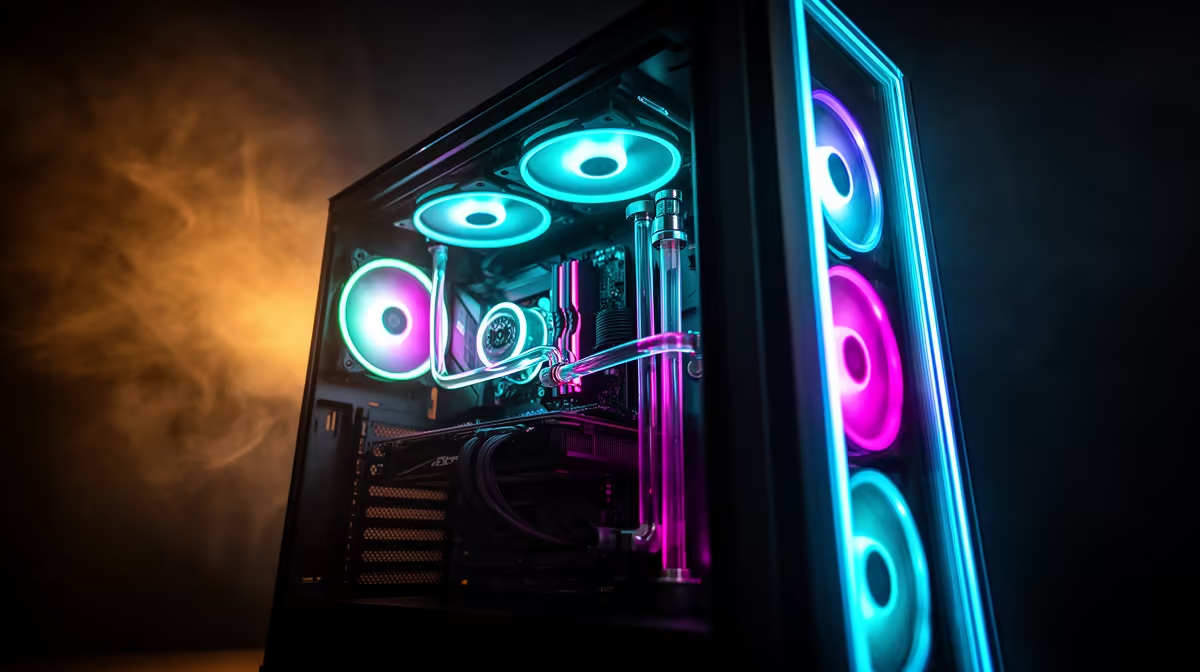
ARGB uses a 5V signal chain where each LED receives individual colour commands, enabling different colours on different LEDs simultaneously. Infinity mirror panels, edge RGB strips, and ARGB fans all use this same protocol when labelled with the 3-pin 5V ARGB standard. System-wide sync requires routing all ARGB components through a unified controller: either the motherboard's ARGB headers directly or an ARGB hub expanding a single header into multiple ports.
A standard ATX motherboard provides two to four 5V ARGB headers. A full lighting build with five ARGB fans, one infinity mirror panel, and an edge RGB strip requires four to six ARGB connections total, typically exceeding native header count. Many gaming cases include a built-in ARGB hub accepting five or more connections through a single motherboard header.
Connecting Infinity Mirror Panels and Edge RGB Strips 🪞
Infinity mirror lighting is built into select panoramic case designs as a layered reflective panel creating a visually receding tunnel effect when ARGB LEDs illuminate the reflective surfaces. These panels connect to the case's internal ARGB hub or directly to a motherboard ARGB header via the standard 3-pin 5V connector.
Edge RGB strips are installed along the case frame perimeter or behind tempered glass panel edges. When purchasing aftermarket strips, confirm the connector type: only 3-pin 5V strips are compatible with motherboard ARGB headers. 4-pin 12V strips require a non-addressable RGB header and cannot synchronise with ARGB effects. Designate one software suite as the master controller and disable or defer all other component software to it.
Software Configuration for Full-System ARGB Sync 💻
Once all ARGB components are physically connected, open your chosen ARGB software and verify all devices appear in the device list. Update the software to the latest version before troubleshooting hardware connections, as older versions have device detection issues with newer component firmware.
Create a custom lighting profile spanning all connected devices. Single static colour, Colour Breathing, or slow Colour Cycle effects produce the most cohesive results. Infinity mirror effects work best with slow breathing or gentle wave patterns that let the receding mirror depth become visible. Save the profile as the startup default so lighting initialises correctly on every boot.
ARGB Sync Troubleshooting First Step ⚡
If a component does not appear in your ARGB software, try plugging it into a different ARGB header or hub port. Some hubs do not initialise all ports simultaneously on first connection. A full system reboot after plugging in a new device resolves detection issues in most cases.
FAQ
Can I sync ARGB across components from different brands?
Yes, as long as all use the 3-pin 5V ARGB standard. ASUS Aura Sync, MSI Mystic Light, and Gigabyte RGB Fusion each support third-party ARGB devices connected through the motherboard's ARGB headers.
How many ARGB devices can one motherboard ARGB header support?
A single 5V ARGB header can power and control up to approximately 120 LEDs or the current limit in your motherboard's manual. An ARGB hub draws power from a SATA connector instead, removing the per-LED limit concern when running many devices simultaneously.
Does infinity mirror lighting affect CPU or GPU temperatures?
No. The LED strips in infinity mirror panels operate at 5V and draw under 2W total. The thermal contribution is unmeasurable against the hundreds of watts produced by a modern GPU under gaming load.
Ready to build a fully synced ARGB showcase PC?
Evetech stocks ARGB fans, panoramic cases with built-in infinity mirror lighting, and ARGB hubs to connect every element of your lighting build.