



How to Use a Nano SIM 4G Router for Reliable Home Internet
Master using a Nano SIM 4G router as your primary internet solution. Get stable speeds and seamless connectivity for gaming and streaming at home! 🌐🚀
Read moreQuick mouse rundown: If you split time across laptop and desktop, everything that matters about 7 programmable buttons: DPI behaviour, channel switching, battery curves and per-app button mapping. Maps 7 programmable buttons to common Office, browser and design-suite sh
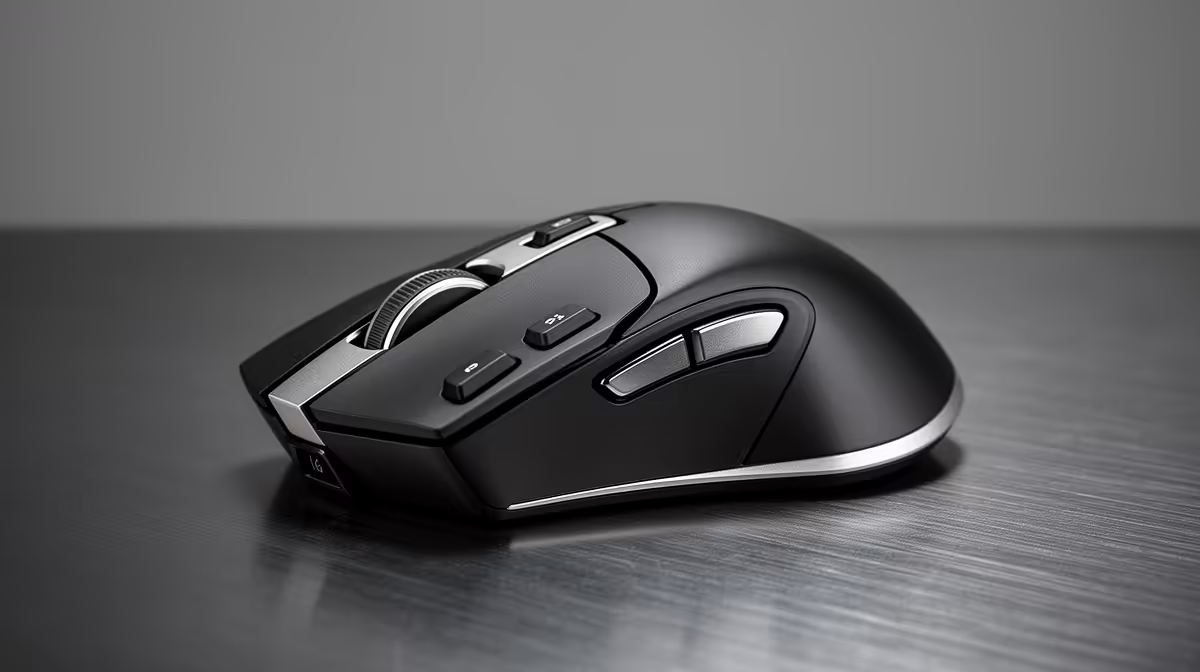
Seven programmable buttons are highly useful for document-heavy, design, or research-intensive roles. For casual office use, four to five actively assigned buttons deliver 90% of the time-saving benefit. The remaining two to three buttons become practical once you have built solid muscle memory for the first set.
A seven-button productivity mouse typically includes left-click, right-click, a clickable scroll wheel, two thumb buttons, a profile or DPI switch button, and a side scroll or additional top button. Once you subtract the two fixed primary buttons, you have five remappable physical inputs. Assign thumb-one to Ctrl+Z (undo), thumb-two to Ctrl+C (copy), the DPI button to Ctrl+V (paste), the scroll wheel click to a window-minimise shortcut, and the side scroll to back-and-forward browser navigation. That removes five keyboard shortcuts from the hand-trip cycle entirely. For a South African journalist, paralegal, or account manager living in Word, Outlook, and Chrome simultaneously, these five assignments alone save 20 to 40 minutes of cumulative hand movement per eight-hour day.
Mice with per-application profiles, configurable through software like Logitech Options Plus or Razer Synapse, effectively give you seven buttons per application rather than one shared set. The same thumb button that pastes in Word can trigger Accept Change in Track Changes mode, switch brush size in Photoshop, or zoom in on a Premiere Pro timeline, depending on which app is in focus. This multiplies the useful shortcuts available from seven to 35 or more without any additional physical buttons. For a multimedia professional or researcher constantly switching between a browser, a reference document, and an analysis tool, this depth is genuinely transformative.
For a receptionist using a computer mainly for phone notes and email, two or three well-chosen custom buttons cover every practical need. Seven buttons on a basic workflow leads to forgetting which button does what, especially when the mouse is borrowed by a colleague or used without the profile software. If your role is genuinely repetitive and limited in scope, a five-button mouse at R450 to R650 is the right size; seven buttons become worth paying for above R700 when the additional assignments can be meaningfully used daily.
When you first configure seven custom buttons, take a screenshot of the layout in the companion software and print it as a small desk reference. After two to three weeks of daily use you will stop needing it, but during the learning curve it prevents triggering the wrong shortcut and forgetting what actually fired.
For application-specific profiles, yes, the companion software needs to run in the background. For basic custom assignments stored in onboard memory, the software can be closed after configuration and the assignments still function on any PC.
Depends on button placement. Thumb buttons are natural and ergonomically well-supported. Buttons requiring finger stretches or awkward lateral reaches can increase strain. Test the button layout against your natural grip; product pages typically list button positions and dimensions.
Yes. Most manufacturer software includes macOS support, and basic button assignments like back, forward, and copy-paste map to macOS equivalents automatically. Some shortcut-specific assignments may require minor reconfiguration for macOS command keys.
Ready to put every button to work? Evetech stocks multi-button wireless productivity mice with full programmability, from five-button essentials to seven-button power-user models with onboard memory.
Master using a Nano SIM 4G router as your primary internet solution. Get stable speeds and seamless connectivity for gaming and streaming at home! 🌐🚀
Read more
Confused by Cat4 vs Cat6 LTE routers? 🌐 We break down the technical differences to help you choose the right router for faster gaming and streaming. Get the speed you deserve today! 🚀
Read more
Learn how to setup a VPN server on your 4G LTE router to secure your remote access. Protect your data and browse safely from anywhere with our easy guide! 🌐🔐
Read more
Choosing the best 4G LTE router for South Africa ensures reliable internet when fibre is unavailable. Discover top connectivity tips for rural and urban areas. 🌐📶
Read more
Discover what is passive PoE and how it streamlines outdoor router installations. Eliminate messy cabling and simplify your network setup with this efficient power delivery method. ⚡🌐
Read more
Need to extend internet coverage to outbuildings or farms? 📡 An outdoor 4G router is the ultimate solution for stable, high-speed connectivity in remote locations. Discover how to boost your range and stay connected anywhere on your property. 🌐
Read more
Wondering if a TKL wireless mechanical keyboard is worth it for everyday productivity? We break down latency, battery life, comfort, and workflow gains for real work. ⚡⌨️

Maximise battery life on a fanless 15-inch laptop using efficiency core architecture. Cut idle drain, tune power profiles, and improve thermals for longer runtime. 🔋⚙️

Learn how to reduce desk clutter with a TKL wireless keyboard using fewer cables, smart placement, and tidy essentials. Get a faster, calmer workspace with better ergonomics. ✅🧼

RGB keyboard lighting too distracting? Learn how to manage backlight modes, set brightness, and reduce distraction for focus and productivity 😌🖱️

Are themed gaming keyboards worth the extra cost? Compare build quality, switch options, features, and resale value to find the best fit for your setup 🎮⌨️

Full-Size vs Tenkeyless mechanical keyboards for gaming: find out if a smaller layout truly improves aim, speed, and comfort. We break down layout, desk space, latency-feel, and keybinds 🎮⌨️

Dedicated media rollers vs function key shortcuts: learn which setup gives you better workflow control, faster media access, and fewer mistakes. 🖱️🎧

Best Mechanical Switch Type for Gaming: Clicky vs Linear vs Tactile. Find your feel, speed, and noise balance with practical guidance for FPS, MOBA, and productivity 😄🎮

Direct mouse answer: Mouse not keeping up with your work? Everything that matters about dual-mode 2.4GHz + BT 5.0: DPI behaviour, channel switching, battery curves and per-app button mapping. Covers when 2.4GHz USB wins (low-latency desk) and when BT 5.0 wins (laptop, d

Plain wireless mouse guide: Mouse not keeping up with your work? Everything that matters about wireless productivity mouse: DPI behaviour, channel switching, battery curves and per-app button mapping. Includes DPI tuning tips, channel switch shortcuts, and ZAR-aware fea

Real productivity numbers: Set up your wireless mouse in this order: everything that matters about wireless productivity mouse: DPI behaviour, channel switching, battery curves and per-app button mapping. Includes DPI tuning tips, channel switch shortcuts, and ZAR-aware

Pen not feeling like paper? Stylus lag and skipping usually trace to old drivers, dirty nibs, or display refresh mismatches, not the pen itself. Covers pressure curve tuning, tilt thresholds, nib swap timing, and SA pricing brackets.