Quick Answer
Tool-free side panels are genuinely useful for anyone who opens their PC more than twice a year, whether for hardware upgrades, dust cleaning, or troubleshooting. They reduce the time to open and reseat the panel from 3 minutes to 5 minutes with a screwdriver to under 30 seconds, and they prevent the stripped screw threads that result from repeatedly removing thumb screws with slipping fingers.
How Tool-Free Side Panel Mechanisms Work 🔧
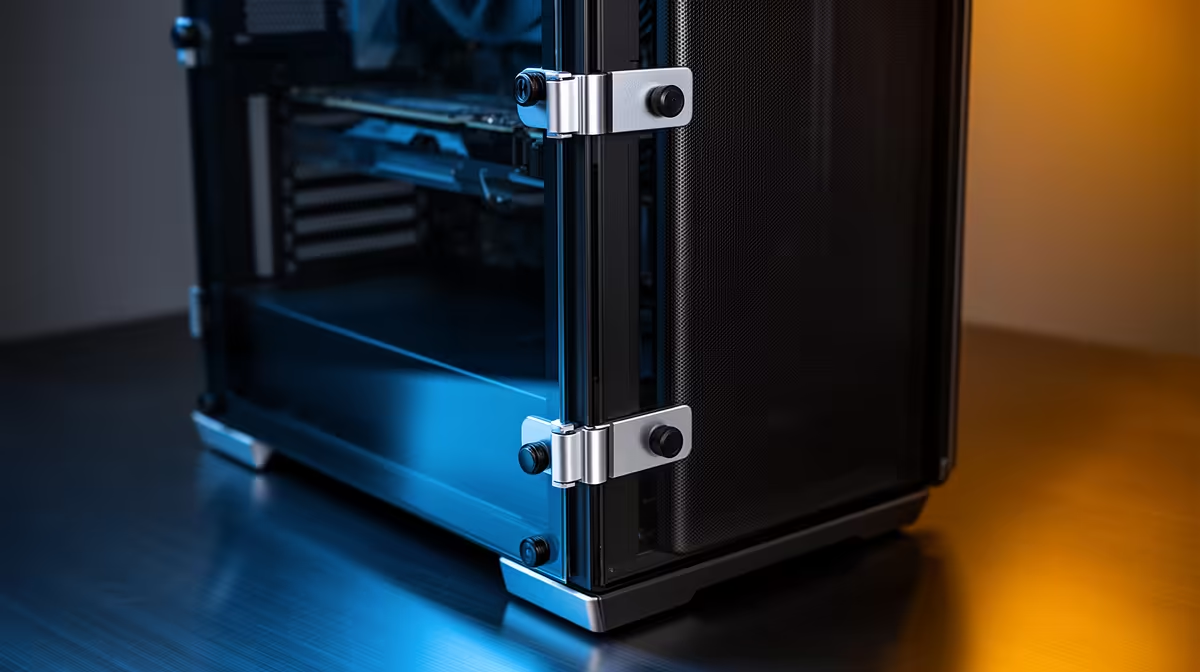
Modern tool-free side panel designs fall into three categories. The most common is the latch-and-slide: a recessed finger pull on the rear edge allows you to grip, depress a latch, and slide the panel backward. The second is the magnetic clip system, where neodymium magnets at two or four corners hold the panel flush against the chassis frame without mechanical fasteners. The third is the hinge-and-catch, where the panel is permanently hinged at the front edge and opens like a door, latching at the rear. Hinge designs are found in high-end cases at R5,000 and above because they require precise frame tolerancing. All three designs achieve the core benefit: panel removal without tools.
Practical Value for Upgrade-Active SA Builders 💡
South African PC builders on a 6 to 12 month component upgrade cadence open their cases more often than builders who do one large upgrade every 3 years. Over a 3-year period this adds up to 6 to 12 panel removals. With a traditional thumbscrew design, each removal cycle risks cross-threading on the captive screws, particularly on 0.8 mm steel panel frames with limited thread depth. Cross-threaded thumbscrews require drilling out or panel replacement. Tool-free panels eliminate this failure mode entirely. Students in res or digs who add RAM or storage every semester particularly benefit from the convenience.
Tempered Glass and Tool-Free Panel Combinations 🖥️
Tempered glass panels are heavier than steel panels (1.5 kg to 2.5 kg for a full-tower glass panel versus 0.8 kg to 1.2 kg for steel), which makes the hinge or magnetic latch mechanisms more critical. A poorly engineered tool-free glass panel relies on insufficient magnetic force to hold a 2 kg glass sheet securely, resulting in panels that rattle during gaming. Quality glass tool-free mechanisms in the R4,500 plus tier use four magnetic contact points distributed around the panel perimeter, which distributes holding force and eliminates rattle. Verify the number of magnetic contact points in the specification before purchasing.
Tool-Free Does Not Mean No Screwdriver ⚡
Despite the name, tool-free side panel cases still require a screwdriver for motherboard installation, PSU mounting, and expansion slot covers. The tool-free panel saves the specific frustration of stripped thumbscrews on the panel itself, not the internal components that legitimately need screws. Keep a magnetic-tip Phillips screwdriver accessible for any build or upgrade task.
FAQ
Are tool-free side panels structurally as secure as screwed panels?
For stationary desktop use, yes. Magnetic and latch mechanisms hold panels with equivalent force to thumbscrews under normal conditions. For transport to LAN events, a thumbscrew or locking latch is preferable because lateral forces during movement can dislodge a purely magnetic panel.
Do tool-free panels create more dust ingress?
Quality tool-free panels fit as tightly as screwed panels when closed. The dust ingress concern is a myth for well-designed cases. Primary dust entry points are the intake fan positions and the PSU base, not the side panel edges.
Is the tool-free feature worth paying more for in a budget build?
For builds under R15,000, prioritising GPU clearance and radiator support over tool-free panels is sensible. Above R20,000, tool-free panels in the R3,500 plus case tier are worth the marginal premium given how often high-value components get upgraded.
Want a case that makes upgrades and maintenance effortless?
Evetech stocks a full range of cases with tool-free access panels, from budget-friendly mid-towers to premium full-towers with glass latch systems.