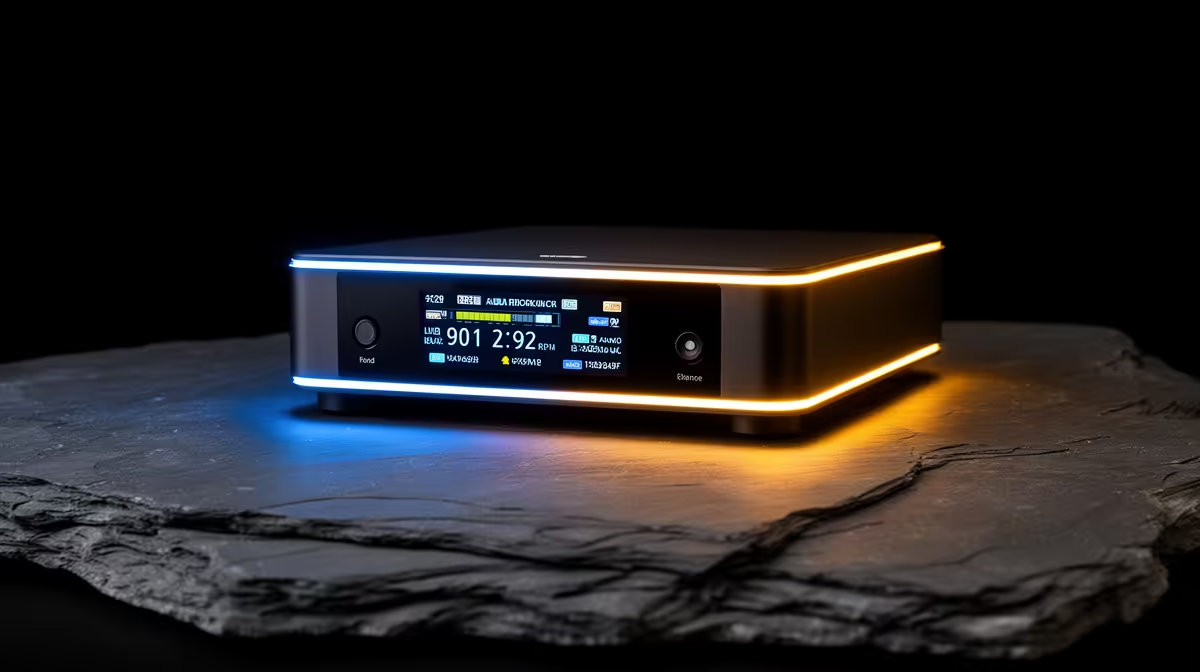
Most of the audio disasters on social media share a common origin: someone recorded blind, played back later, and discovered a problem they could have fixed in the first thirty seconds. LCD live monitoring on wireless receivers exists precisely to break that cycle. An on-screen meter shows you what is happening to your audio as it happens, turning what would have been a ruined take into a quick knob adjustment and a second attempt.
Quick Answer
LCD monitoring shows level meters, link strength, and gain status in real time as you record. Blind recording reveals faults only at playback, by which point the shoot may be over. The visual feedback from an LCD receiver lets you catch and correct problems within seconds rather than discovering them hours later.
👀 What Blind Recording Actually Costs You
Recording without visual monitoring is a bet on everything going right, and on a real location shoot the variables multiply quickly. Gain staging, transmitter battery state, wireless link quality, and the subject's distance from the camera all shift during a session. Without a display showing you live data, any one of those variables can drift into problem territory and you will not know until you sit down to edit.
The specific failure modes are predictable. A subject raises their voice during an animated answer and the gain that was correct for their normal speaking level now clips every peak. A transmitter walks to the far end of a room and the wireless link weakens, introducing dropouts that look fine on the camera body's basic audio meter. Two presenters speak simultaneously and the louder of the two is consistently 4dB to 6dB hotter than the mix can accommodate.
None of these are disasters on their own if you catch them in the moment. All of them become disasters if they run unchecked for forty minutes of interview footage.
⚡ What an LCD Shows You in Real Time
A quality wireless receiver display provides several information layers simultaneously. The audio level bar is the most immediately useful, showing you where the signal is sitting in the gain range. Most receivers show peak hold indicators, meaning the bar marks the highest recent level with a tick even after the audio drops back down. A glance tells you whether the peak is sitting cleanly in the green, nudging into the yellow, or hitting red.
Alongside the level, a good display shows wireless link strength. This is typically represented as a series of bars similar to a mobile signal indicator. A full set of bars at 30m range is expected and unremarkable. One bar indicates the link is under stress, whether from distance, physical obstruction, or radio interference. That early warning gives you time to reposition, shorten the range, or switch transmitter channel before the dropout arrives.
Reading the Signal During an Interview
A two-channel interview scenario shows the value of a dual-track display most clearly. Both subjects' level bars appear side by side on screen. If the guest mic is consistently sitting 5dB above the interviewer's, you see it before the first question is done and can trim the transmitter gain. Without that visual reference, balancing in post means level-riding every sentence across an entire interview, which adds an hour of work to the edit.
🎙️ Headphones vs LCD: What Each Catches
Headphone monitoring during a shoot is a valid safety measure, but it works on a different principle. Ears catch tonal problems excellently. You will hear a clipping distortion before it shows on a meter, and you will immediately notice a buzz or an unexpected background noise that a meter cannot describe. Headphones give you the full subjective picture of the audio quality.
What headphones do not give you is the visual peak history, the wireless link status, or an objective number to anchor gain decisions. A quick transient, such as a single loud laugh or an unexpected shout, can overload the gain and clip a single frame of audio. Your ears might not react fast enough to catch that single peak, but a peak-hold indicator on the LCD shows it the instant it occurs.
The most thorough monitoring combines both: headphones for quality assessment and the LCD for quantitative level and link data. For situations where wearing headphones on set is impractical or intrusive, the LCD alone is a significant safety net over no monitoring at all.
Pro Tip ⚡
Set your gain so that normal conversational speech peaks at around minus 12dB on the receiver's meter. This leaves 12dB of headroom for unexpected louder moments before the signal clips. The number is not perfect for every voice, but it is a reliable starting point that catches most situations without constant adjustment.
🔧 Practical Workflow: Using the Display During a Shoot
The LCD pays dividends most when it informs small adjustments early in a session rather than requiring monitoring throughout. Before the first take, watch the meter through a full voice check at the distance the subject will actually sit from the camera. Set gain until normal speech peaks in the green with clear distance to the yellow zone. Note the link strength indicator at the planned shooting distance.
During the session, glance at the display every few minutes rather than watching it continuously. The peak-hold indicator will flag any unusual transients between checks. If the link strength drops by two bars from the level you established at the start, reposition or investigate before committing to a long take. This approach gives you the safety of continuous monitoring without pulling your attention from directing the shoot.
Frequently Asked Questions
What specific risks does blind recording create?
The main risks are undiscovered gain clipping, undetected wireless dropouts, and uncorrected level imbalance in multi-speaker recordings. All of these are invisible during recording and only reveal themselves at playback, potentially after the opportunity to reshoot has passed.
How quickly can an LCD help you catch a fault?
Immediately. A level bar hitting red is visible in a fraction of a second, giving you time to trim gain before the clipping extends through more than a moment of audio. The same response time applies to a link strength indicator dropping, which flags a developing dropout before it actually interrupts the recording.
If I use headphones, do I still need an LCD?
Headphones and an LCD cover different information. Headphones give you the subjective audio quality, tone, and distortion character. The LCD gives you objective data: peak levels, link status, and gain headroom. Using both is strongest, but if you must choose one for a critical interview, the LCD's peak-hold and link indicators catch the types of faults that headphones alone miss in a busy, distracting environment.
How does an LCD improve a two-person interview setup?
With two speakers displayed as separate bars, you can see immediately if one person is consistently louder than the other and adjust their transmitter gain before the imbalance runs through the entire interview. Correcting this in post requires frame-by-frame level automation that the five seconds spent adjusting gain on set would have made unnecessary.
Is there any situation where blind recording is the sensible choice?
For casual, low-stakes content where a reshoot is easy and the footage is informal, the simplicity of a compact kit without a display is a reasonable trade. Some ultra-compact wireless mics drop the screen to shave size and weight significantly, which suits creators who prioritise pocket portability over monitoring depth. For paid work or single-opportunity shoots, that trade is rarely worth making.
Ready to stop discovering faults at playback?
Browse the wireless receiver range at Evetech and find a kit with real-time LCD monitoring that keeps your levels, link, and gain in plain sight throughout every shoot.